What Agentic AI Workflows Are and When to Use Them

An agentic AI workflow is a codified sequence of decision nodes, tool calls, and agent steps that governs how one or more AI agents plan, act, and self-correct toward a defined outcome. Pick a workflow over a standalone agent whenever the task has multiple stages, needs an audit trail, or touches regulated data. Gartner projects that a large share of agentic AI projects will stall without governance controls, which is exactly the gap workflows are built to close.
Key Takeaways
Agentic AI workflows outperform standalone agents on any task that requires multi-step coordination, auditability, or regulated data handling.
| Point | Details |
|---|---|
| Choose workflows for complexity | Pick a workflow over a single agent once a task spans multiple decision points or needs an audit trail. |
| Separate state types | Keep ephemeral runtime memory apart from the persistent audit store to protect traceability. |
| Externalize control logic | Move looping and branching into codified scripts, not the LLM’s conversational context, to cut context bloat. |
| Instrument observability early | Add tracing, decision logs, and metrics before scaling, not after a failure forces the issue. |
| Plotstudio for research analytics | Plotstudio pairs local execution, pre-approved analysis plans, and reproducible export packages for research-grade agentic analytics. |
Table of Contents
- What Is an Agentic AI Workflow?
- What Are the Core Components of an Agentic Workflow?
- How Do Agentic Workflows Execute at Runtime?
- Agentic Workflow or Standalone Agent: Which Fits Your Problem?
- Where Are Agentic Workflows Delivering Real Enterprise Impact?
- What Design Patterns Actually Hold Up in Production?
- How Do You Take an Agentic Workflow From Prototype to Production?
- What Does an Agentic Analytics Architecture Look Like?
- What I’d Tell Any Team Starting Their First Agentic Workflow
- A Governed, Auditable Option for Research and Enterprise Analytics
- Frequently Asked Questions
- Sources
What Is an Agentic AI Workflow?
An agentic workflow is not one smart agent freelancing through a task. It’s a structured process where agents plan, use tools, hit decision gates, and loop back for correction, all inside a control structure a human can inspect. Databricks describes it as a five-stage loop, perceive, reason, act, iterate, learn, wrapped in orchestration that enterprises can govern.
You’ll run into a handful of recurring terms:
- Agent: an LLM instance with a role, a toolset, and a scoped objective.
- Decision node: a branch point where the workflow routes based on output or confidence.
- Orchestration engine: the runtime that sequences agents, tools, and gates.
- Working memory: short-lived context an agent needs mid-task.
- Tool: an API, database query, or function an agent can invoke.
- Gate: a checkpoint, often human, that approves or rejects before the workflow proceeds.
A concrete example: a support ticket gets classified by an intake agent, routed through a decision node to a billing specialist agent, escalated through a human approval gate if the refund exceeds a threshold, then logged for audit.
What Are the Core Components of an Agentic Workflow?
Every production agentic workflow, regardless of vendor or stack, breaks down into the same functional layers. IBM’s breakdown of task nodes, decision nodes, and working memory maps closely to what you’ll build yourself:
- Orchestrator: sequences steps, manages retries, and enforces the control-flow graph.
- Agents: single-responsibility LLM workers, each scoped to one task rather than “do everything.”
- Tools and APIs: the actual functions agents call, database reads, search, code execution, third-party services.
- Working memory / state store: holds in-flight context for the current run.
- Decision and evaluator nodes: score outputs against thresholds and route accordingly.
- Observability and logging: captures traces, timings, and decision rationale.
- Human-in-the-loop gates: pause points requiring sign-off before high-risk actions execute.
State management deserves its own attention. Ephemeral runtime state, the scratch memory an agent uses mid-task, should never live in the same store as your persistent audit log. Mixing them makes debugging painful and audit trails unreliable. Keep runtime state in fast, disposable storage, and write completed steps, decisions, and outputs to an append-only audit store that survives the run.
Integration usually means connecting the orchestrator to your existing databases, internal APIs, and a secrets manager, never hardcoding credentials into agent prompts. Data governance boundaries (what an agent can read, what it can never touch) belong at the orchestration layer, not buried in a system prompt where they’re easy to bypass.

How Do Agentic Workflows Execute at Runtime?
The runtime sequence follows a loop: perceive (ingest input and context), plan (decide the next action), act (call a tool or agent), evaluate (score the result against criteria), and learn (adjust state before the next iteration). This loop can branch, run steps in parallel, or hand work between an orchestrator and specialized worker agents, a pattern Orkes calls out as the core advantage of externalized workflow logic over freeform agent reasoning.
Common control-flow patterns include:
- Branching: route based on classification confidence or business rules.
- Parallelization: fan out independent subtasks (retrieval, validation) simultaneously.
- Orchestrator-workers: a coordinator agent delegates to specialized subagents and merges results.
- Evaluator-optimizer: one agent generates, another critiques and requests revision.
Error handling has to be explicit, not implicit in a prompt. Set timeouts per step, retry transient failures with backoff, and wire circuit-breakers so a failing tool doesn’t cascade into runaway retries. Decide upfront whether a failure should fail fast (halt and alert) or degrade gracefully (fall back to a cached result or simpler path).
Pro Tip: Log the decision rationale, not just the output. A trace that shows “chose path B because confidence was 0.62, below the 0.75 threshold” is worth ten traces that just show the final answer.
Your observability checklist before shipping anything to production:
- Distributed tracing across every agent and tool call
- Immutable execution logs tied to a run ID
- Captured decision rationale at every branch point
- An audit trail a reviewer can replay without rerunning the model
- Metrics: latency per step, retry rate, gate rejection rate, cost per run
Agentic Workflow or Standalone Agent: Which Fits Your Problem?
A single agent with tools works fine for a bounded task with one clear objective. Once you need multi-stage handoffs, compliance sign-off, or a result someone else has to trust without rerunning it, a workflow earns its complexity. Orkes frames this as externalizing decision points for governance versus letting a single agent reason through everything internally.
| Dimension | Standalone Agent | Agentic Workflow |
|---|---|---|
| Autonomy vs control | High autonomy, low external control | Bounded autonomy, control points at each gate |
| Traceability / auditability | Limited, reasoning lives in conversational context | Strong, decisions logged at each node |
| Scalability / latency / cost | Lower overhead for simple tasks | Higher setup cost, scales better across teams |
| Complexity and maintainability | Simple to build, hard to debug at scale | More upfront design, easier to maintain long term |
| Best-fit use cases | Quick lookups, single-turn Q&A, prototyping | Multi-step processes, regulated data, cross-system tasks |
| Governance & human-in-the-loop | Ad hoc, if any | Built into gate design |
Ask yourself before choosing:
- Does the task span more than two distinct decision points?
- Will a reviewer or regulator need to audit how the result was produced?
- Does failure carry real cost (financial, legal, reputational)?
- Do multiple systems or data sources need coordinated access?
Two or more “yes” answers point to a workflow, not a single agent.
Where Are Agentic Workflows Delivering Real Enterprise Impact?
The pattern shows up wherever multi-step, multi-system coordination used to require several human handoffs:
- Automated research synthesis: agents pull sources, cross-check claims, and compile structured summaries for review.
- Incident remediation: detection agents triage alerts, remediation agents apply fixes within pre-approved bounds, and a human signs off on anything outside policy.
- Cross-system data reconciliation: agents compare records across CRM, billing, and warehouse systems, flagging discrepancies instead of silently “fixing” them.
- Regulatory compliance reporting: workflows assemble evidence trails automatically instead of an analyst manually stitching spreadsheets together.
Teams coordinating a multi-researcher literature review run into the same coordination problem at smaller scale, dividing labor across contributors while keeping the synthesis consistent, which is exactly the kind of division-of-work case where a workflow outperforms one generalist agent trying to do it all.
Expected outcomes tend to cluster around four things: shorter cycle time on multi-stage processes, fewer manual handoffs between teams, better reproducibility when someone needs to check a result months later, and stronger compliance posture because every decision has a logged rationale.
The catch is real. Statista’s market tracking shows agentic AI spending climbing fast, but Gartner’s parallel warning about project cancellations tied to weak governance and unclear ROI is the other half of that same story. Adoption without controls is where most of the failed projects start.
What Design Patterns Actually Hold Up in Production?
A handful of patterns separate workflows that survive contact with production from ones that collapse under their own complexity.
- Externalized control scripts: keep looping, branching, and state logic in code, not inside the LLM’s conversational memory.
- Evaluator-optimizer: pair a generator agent with a critic agent that checks output against explicit criteria before it moves forward.
- Orchestrator-workers: a coordinator delegates narrow tasks to specialized agents and merges their outputs, rather than one agent trying to be everything.
- Routing and parallelization: classify early, then split independent work across concurrent paths instead of serializing it.
The failure modes are just as consistent. The “agent-everything” fallacy, giving one generalist agent broad autonomy over a task that actually needs staged control, tends to produce results nobody can audit. Context bloat, letting conversational history balloon with every intermediate step, degrades reasoning quality and burns tokens. Uncontrolled autonomous branching, letting an agent decide its own next steps without a bounded decision tree, is how a workflow turns into an unreviewable black box.
Move planning logic out of the LLM’s conversational context and into codified scripts. Scripts keep looping and branching explicit, which is what makes a workflow observable instead of opaque.
That’s the core argument in Anthropic’s engineering guidance, and it echoes what DAWN’s research on federated multi-agent synthesis found at larger scale: aggregating heterogeneous agent workflows without a coherent control structure creates instability the aggregation techniques then have to correct for.
Pro Tip: Start with a single well-prompted agent and only add workflow complexity when a specific failure or governance requirement demands it. Staged complexity beats architecting for scale you don’t have yet.
How Do You Take an Agentic Workflow From Prototype to Production?
Treat this as a sequence, not a checklist to tackle in parallel:
- Decompose the task into discrete steps and identify where human gates belong.
- Select tools and models per step, matching model capability to task complexity rather than defaulting to your largest model everywhere.
- Define approval gates and the thresholds that trigger them.
- Instrument observability (tracing, logging, decision capture) before you add more logic, not after.
- Set cost control policies: token budgets per run, retry caps, and alerting on spend anomalies.
- Run a security review of every tool the workflow can invoke.
- Roll out in stages: shadow mode, limited production, full production.
Tool selection comes down to a short set of criteria: does the orchestration layer support versioned, re-runnable scripts, does your model hosting support the latency and cost profile you need, does the state store cleanly separate ephemeral from audit data, and does secrets management keep credentials out of prompts entirely.
Before shipping, confirm you have unit tests for individual nodes, integration tests across the full flow, red-team checks for adversarial inputs, and a staged rollout plan with a defined rollback trigger.
What Does an Agentic Analytics Architecture Look Like?
A vendor-agnostic sketch for an agentic analytics workflow, the kind used for statistical research or enterprise reporting, typically breaks into six pieces:
- Orchestrator: sequences the run and enforces gates.
- Coordinator agent: interprets the research question and delegates subtasks.
- Retrieval agent: pulls and profiles the relevant data.
- Analysis agent: writes and executes statistical code against the dataset.
- Verifier agent: checks assumptions, thresholds, and methodology against a pre-approved plan.
- State store and audit store: runtime context in one place, permanent decision logs in another.
Artifacts belong in a structure someone else can trace without rerunning the whole pipeline: an annotated notebook showing the actual code, a PDF report for non-technical stakeholders, and a permanent, searchable record of the analysis. Security boundaries matter as much as the analysis itself, approval gates should sit before any code executes, not after, and sensitive data should never leave the boundary where the analysis runs.
What I’d Tell Any Team Starting Their First Agentic Workflow
Start smaller than feels ambitious. A single agent with well-scoped tools, running against a real task, teaches you more about failure modes than a five-agent architecture diagram ever will. Instrument logging from day one, not after your first unexplainable output. You’ll thank yourself the first time a stakeholder asks why the workflow made a specific call.
The roadmap that actually works: prototype with one agent and tools, codify the workflow into a script once the pattern repeats, add observability and human gates before scaling, then productionize. Define success criteria before you build, not after, a specific error rate, a latency ceiling, a gate rejection threshold that triggers rollback. Without that, you won’t know if the workflow is working or just running.
A Governed, Auditable Option for Research and Enterprise Analytics
If you’re building or evaluating agentic workflows for statistical analysis, Plotstudio gives research teams and enterprise analysts a purpose-built alternative to stitching together general-purpose agent frameworks by hand. It’s built for researchers and analysts who need agents that plan, code, and interpret statistical analysis, without losing the audit trail a paper, thesis, or regulator will eventually ask for.
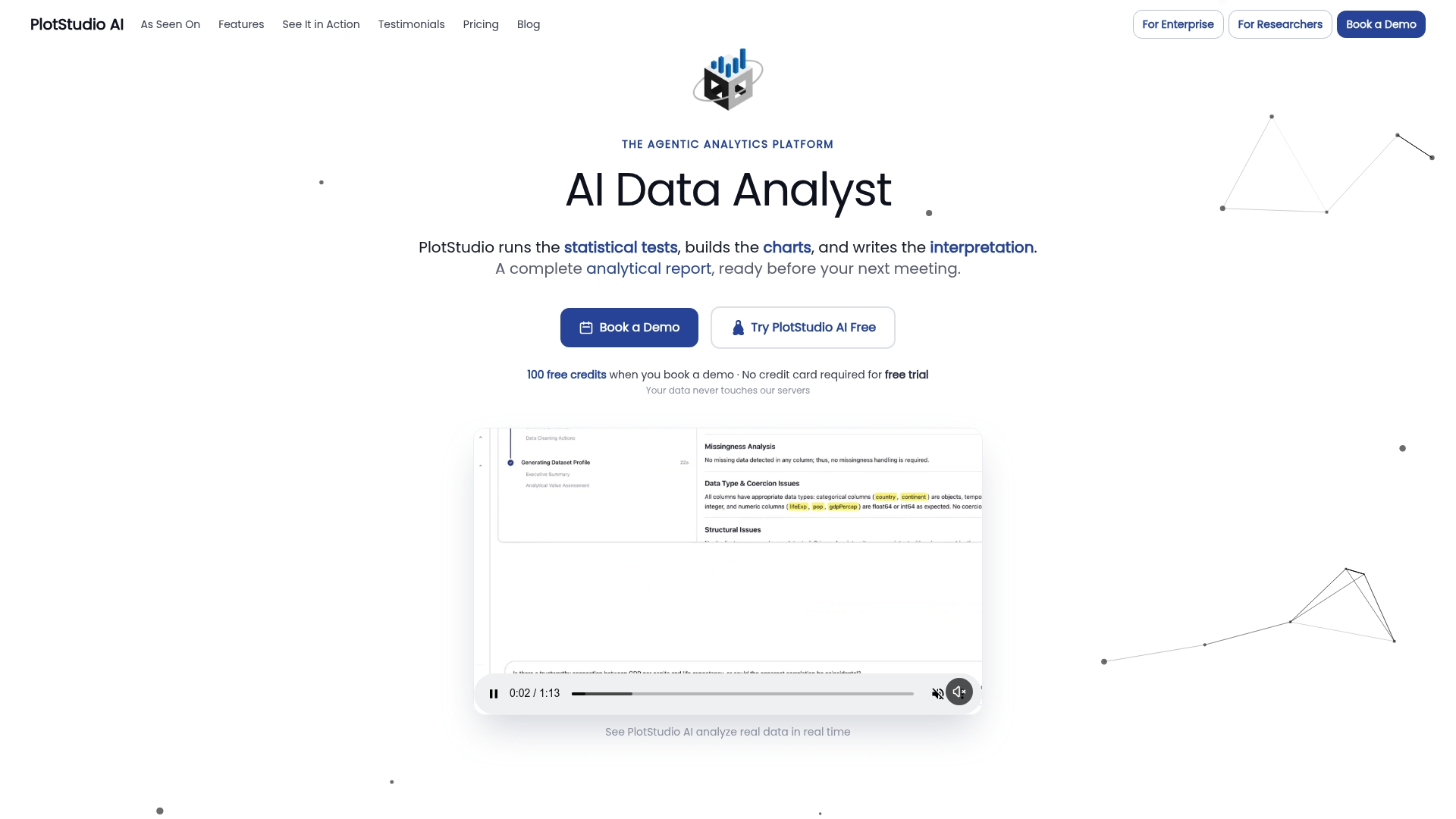
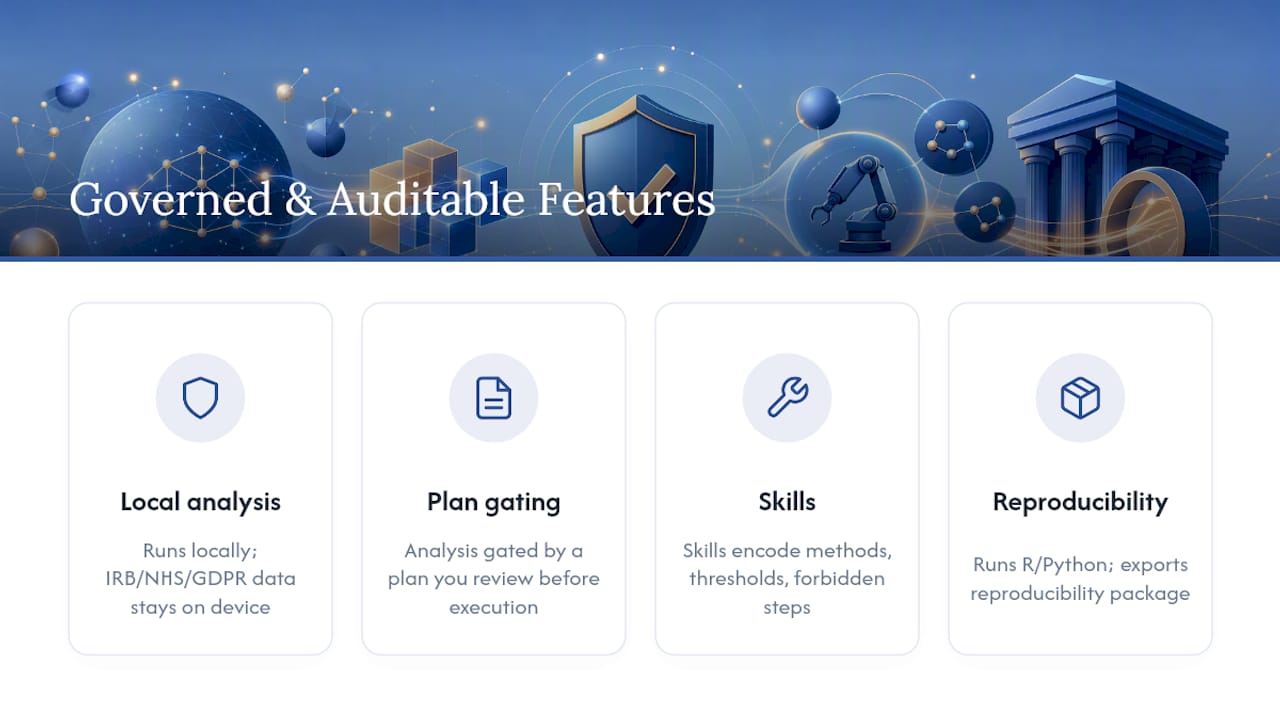
Three things distinguish it from a general AI chart tool bolted onto agent orchestration. Analysis runs locally on your own machine, so IRB-governed, NHS, or GDPR special-category data never leaves the device. Every analysis is gated behind a plan you review and approve before any code executes, functioning as pre-registration and an audit trail in one step. And Skills let your lab encode its own methodology once, required steps, statistical thresholds, forbidden shortcuts, so every subsequent run follows your discipline’s conventions instead of a generic default.
Plotstudio runs R and Python natively and covers the methods academic work actually needs: survival analysis, Cox proportional hazards, mixed-effects models, multiple-comparison correction. Every run exports a full reproducibility package, annotated notebook, PDF report, and a permanent searchable analysis page, so a supervisor or reviewer can trace exactly how a result was produced. Check the enterprise platform page to see deployment options, or look into research partnership credits if you’re evaluating it for an academic team.
Frequently Asked Questions
What is the difference between an AI agent and an agentic workflow? An AI agent is a single reasoning unit with tools and a goal. An agentic workflow coordinates multiple agents, decision nodes, and gates into a governed, traceable process.
Do agentic workflows require human oversight? Production deployments generally include human-in-the-loop gates at high-risk decision points, approvals, escalations, or actions with financial or legal consequence.
Can agentic workflows integrate with existing enterprise systems? Yes. The orchestrator connects to databases, internal APIs, and secrets managers, with data governance boundaries enforced at the orchestration layer rather than inside agent prompts.
How do you measure whether an agentic workflow is performing well? Track gate rejection rate, retry rate, latency per step, cost per run, and how often a human has to override an automated decision.
Is agentic AI the same as robotic process automation? No. RPA follows fixed, scripted steps. Agentic workflows let agents select tools and adjust their approach at runtime within a governed structure.
Sources
- Databricks: Agentic workflows
- DAWN: Distributed LLM Multi-Agent Workflow Synthesis | Proceedings of the AAAI Conference on Artificial Intelligence
- Orkes: Agentic AI explained — agents vs workflows