AI for Biostatistics: What It Can Do and How to Verify It

AI can now draft analysis plans, write R and Python code, run models and assemble reports, but a biostatistical result is only as good as the method behind it and your ability to show how you reached it. The setup that works for researchers is agentic analytics: AI agents that plan a multi-step analysis, execute real code, inspect intermediate output and keep everything reviewable, with you approving the method. That is the idea behind PlotStudio AI, agentic analytics for researchers, and it is the standard this article uses to judge any AI tool for biostatistics.
The article is for PhD students, clinical researchers, epidemiologists and trial statisticians who want to know what AI can reliably support, where it goes wrong, and how to use it so a reviewer or supervisor can follow every number.
TL;DR
- AI helps most with drafting study plans, generating code and writing reports. Choice of method, interpretation and sign-off remain yours.
- Validation work shows accuracy depends heavily on how specific the instructions are: one study saw 32.5% accuracy on basic prompts and 92.5% on advanced ones.
- Chat-style one-shot answers are hard to audit. Plans you can edit, code you can rerun and saved outputs are what make AI-assisted analysis defensible.
- For patient-level data, check where the data and the code run before you choose a tool.
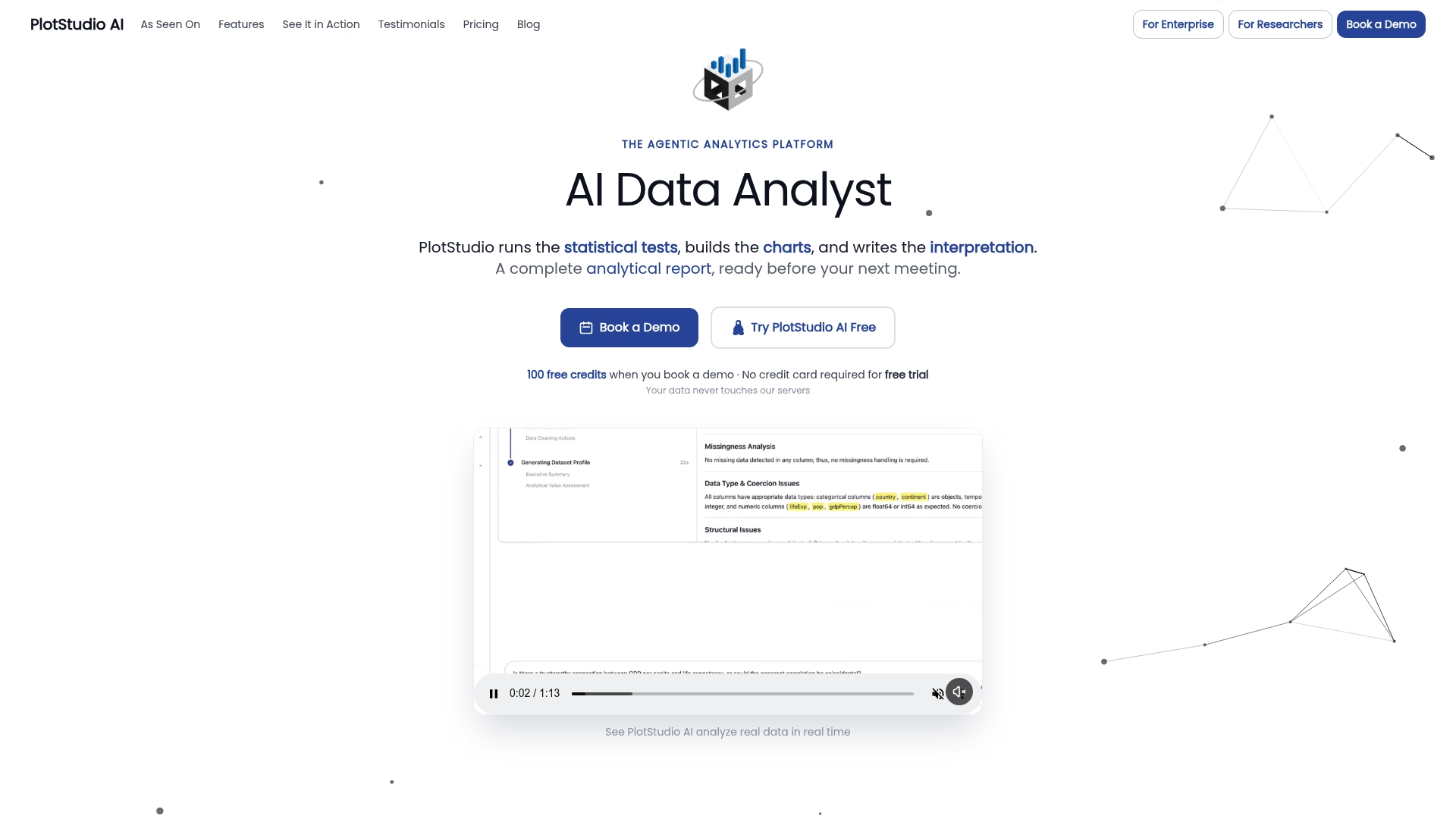
- PlotStudio AI adds an agentic layer on top of R, Python and Jupyter, with Plan Mode, local execution and exportable notebooks and PDF reports.
Table of Contents
- What AI for biostatistics actually means
- Where AI helps in a biostatistics workflow
- What validation studies show
- Why one-shot chat is a weak fit for a thesis or trial
- A verification routine that survives peer review
- Patient-level data and privacy
- What to compare when choosing an AI tool for statistics without coding
- Where PlotStudio AI fits in a research stack
- Perspective
- Try it on your own analysis
- FAQ
- Sources
What AI for biostatistics actually means
The phrase covers several different things, and mixing them up leads to bad tool choices.
Large language models (LLMs) as assistants. These are chat systems that read your question and produce text and code. A 2025 tutorial for biostatisticians describes LLM support for drafting study plans, generating software code and writing reports, with use cases that include meta-analysis, latent class analysis, sample size planning, causal analyses, simulation studies and translating code between programming languages.
Machine learning inside the study design. This is a different use: models that build risk scores or analyze imaging. A 2025 scoping review of 108 records found machine learning used at the analysis stage in 93 clinical trials, 41 for primary analysis and 52 for exploratory analysis. In one example from a later review, an elastic-net model condensed 75 baseline variables into a single risk score in 127 hepatocellular carcinoma patients, which reduced unexplained variability in a tumour-growth model by 19% in the resistance parameter and by 32% in the dose needed for tumour stasis.
Agentic analytics. Here an AI does not answer once. It plans an investigation, writes and runs code, looks at what came out, and decides the next step. For a researcher, the difference matters: the product is not a paragraph of text but a chain of steps you can inspect.
This article focuses on the second and third meanings as they touch day-to-day analysis: getting from a clean dataset to defensible statistics.

Where AI helps in a biostatistics workflow
Think of the analysis as stages, and decide at each one how much to delegate.
| Stage | What AI can take on | What stays with you |
|---|---|---|
| Planning | Drafting an analysis plan, suggesting candidate models | Choosing the estimand, the model family and the assumptions you will defend |
| Data preparation | Profiling, spotting missingness and outliers, writing cleaning code | Deciding how to handle missing data and exclusions |
| Modeling | Writing regression, ANOVA, mixed-effects or survival code | Checking assumptions, such as proportional hazards, and the clinical plausibility of effects |
| Multiple testing | Applying a correction procedure | Pre-specifying which family of tests the correction covers |
| Reporting | Summarizing output, drafting methods and results text | Making sure every statement matches the output |
The pattern holds across the evidence. Ruta’s validation study concludes that ChatGPT is best used as a supplementary tool for exploratory analysis by researchers with some statistical knowledge but limited programming expertise, leaving critical statistical decisions to human expertise and using AI for the programming.
That last point is good news if you were never trained to code or are learning R under a deadline. Delegating the syntax is reasonable. Delegating the statistical judgment is not.
What validation studies show
Researchers are testing these tools against known answers, and the results are useful for setting expectations.
Specific instructions matter a great deal. In a 2025 JMIR study that compared ChatGPT with values from Python, SAS and RStudio, inferential-statistics accuracy was 32.5% for basic prompts, 81.3% for intermediate prompts and 92.5% for advanced prompts. Errors included incorrect statistics, coding errors and incomplete responses, and the authors state that consulting a biostatistician is essential for validating approaches. The practical lesson: a vague question such as “analyze this” gets a vague analysis. A tool that makes you state an objective and review a plan before anything runs is structurally better placed.

Language and method matter. A 2026 case study of difference-in-differences, inverse probability of treatment weighting (IPTW) and regression discontinuity code found accurate code and results in R and Python for most tasks, but more difficulty with IPTW, less reliable Stata performance, and code structure that varied across users and sessions. A 2026 benchmark in reproductive health reported that R code from LLMs completed 14 of 16 tasks against 7 of 16 for Python. If you work in R, that is encouraging, but it also shows results differ by task type, so you want a workflow that runs the code and shows you the output rather than trusting how the code looks.
Hard statistical questions remain hard. StatABench, a 2026 benchmark of 404 closed questions across 18 statistical topics, found that GPT-5.1 reached 68.6% on the closed questions, with the best agent framework averaging 61.86 on open-ended modeling tasks. These results are a reminder that the statistician’s review is part of the method, not an optional extra.
Practitioners see it too. In a 2025 survey of biostatisticians, 44 of 69 respondents reported using LLMs, and 29 of 41 who answered had encountered incorrect answers with potentially significant consequences, such as incorrect code, statistical misinterpretation and hallucinated functions. The same survey found strong demand for training: 44 of 58 respondents (75.9%) asked for case-study training.
Taken together: AI is productive and widely used, and it needs a verification routine. The rest of this article is about building one.
Why one-shot chat is a weak fit for a thesis or trial
A reviewer who asks you to justify your methods wants three things: what you did, why you chose it, and evidence that the numbers come from that procedure. A chat window produces an answer, then scrolls away. Even when the answer is right, you cannot easily show the assumptions, the intermediate checks or the exact code that generated a table.
This is where the problem of “a supervisor who cannot reproduce your numbers” starts. The same prompt run twice may produce differently structured code, as the 2026 case study above observed across users and sessions. If your thesis chapter rests on that, you have a reproducibility problem before you have a statistics problem.
Regulators and journals are moving toward explicit expectations. NICE’s guidance on AI methods for primary evidence generation says that final study protocols and analysis plans remain under human control, with documented human review, and that AI-generated code and visualizations affecting results are verified by a human expert, with procedures documented. It also favors low-complexity models with documented coefficients over black-box models where possible. This is UK guidance for health technology evidence, but it describes good practice that travels well to any clinical analysis.
A verification routine that survives peer review
Here is a practical routine, built from the published frameworks.
- Write the question and estimand first. State the outcome, population, comparison and the quantity you want to estimate. Specific instructions are what moved accuracy from 32.5% to 92.5% in the validation study above.
- Review the plan before execution. Check the model family, covariates, handling of missing data and the assumption tests. Edit what you disagree with.
- Run real code and keep it. Output you cannot regenerate is not a result. Prefer a workflow where the code is saved next to the statistics.
- Check assumptions and sensitivity. For a Cox model, look at proportional hazards. For mixed-effects models, look at residuals and random-effects structure. Our guide to data validation checks covers the data-side checks that should come before modeling.
- Cross-check one result independently. Reproduce a key estimate in a second tool or by hand. The Grambow survey recommends critical evaluation with domain expertise, collaborative verification by colleagues or supervisors and transparent documentation of how LLMs were used and checked.
- Document it. Record which tool did what, which version of the code produced which table, and who reviewed it.
For machine-learning work specifically, the 32-item REFORMS checklist gives you something to hold your methods section against. It asks for dataset and code identifiers, a README with instructions and a reproduction script that produces every reported result. Heil and colleagues describe tiers of reproducibility: bronze means public data, models and code, silver adds single-command dependency installation and deterministic random components, and gold requires full reproduction with one command. Even if you only aim for bronze, saving code and outputs from the start puts you ahead of most workflows.
Patient-level data and privacy
If you are a clinician-researcher, an epidemiologist or a trial statistician, the first practical question is often where the data goes. Uploading identifiable or special category data (health data under GDPR, or protected health information in the US) to a general cloud chat tool may not be permitted by your ethics approval, data use agreement or institution.
The literature is blunt about the stakes. A 2025 London School of Hygiene & Tropical Medicine review reports that 725 reportable US healthcare data incidents in 2023 exposed more than 133 million patient records. Heil and colleagues note that where data contain personal identifiers or are restricted by data use agreements, controlled-access repositories are the route, and the Grambow survey points to enterprise-grade systems and institutional guidelines for sensitive data.
In practice, ask four questions about any AI analysis tool:
- Does my dataset leave my machine, and if so, where does it go?
- Where does the code run?
- Can I run the model locally or through a key I control?
- Is there a way to detect and anonymize personal identifiers before analysis?
PlotStudio AI is built around these questions: analyses can run locally on your machine, so datasets need not be uploaded to a conventional cloud analytics platform, and the platform includes PII detection and anonymization. Our piece on local models for reproducible research explains the runtime options. Your data governance officer still has the final say on what your approval permits, so confirm the setup with them before you start.
What to compare when choosing an AI tool for statistics without coding
If you are not a programmer, or are learning R with a deadline, the market can look like a row of identical chat boxes. Compare on criteria that match what a reviewer will ask.
| Criterion | Why it matters | What to look for |
|---|---|---|
| Plan visibility | You must justify methods | A reviewable and editable plan before execution |
| Real code execution | Results must be regenerable | Code that runs and is saved, not only text answers |
| Multi-step reasoning | Real analyses involve cleaning, modeling, diagnostics | Agents that inspect intermediate results and continue |
| Method coverage | Clinical work needs more than t-tests | Regression, ANOVA, mixed-effects, survival and Cox models, multiple-comparison procedures |
| Data location | Governance and ethics | Local execution or controlled processing |
| Methodology encoding | Labs have conventions | Reusable instructions for procedures, statistical conventions and reporting |
| Exports | Supervisors and reviewers need artifacts | Notebooks and PDF reports |
By type, the main alternatives are general chat assistants, chat-with-data tools that answer one question and draw one chart, and the statistical packages themselves. The packages are essential, and PlotStudio AI works alongside them rather than replacing them. The chat-with-data tools are convenient for a quick look. For a thesis chapter, the criteria above point to agentic analytics.
If you want the longer background, see our guide to generative AI for analytics and our primer on Python for statistical analysis.
Where PlotStudio AI fits in a research stack
R, Python, Stata, SPSS, SAS and Jupyter provide statistical computing. They are the foundation, and nothing here replaces them. What they do not do by themselves is plan a full investigation, run it step by step, inspect what each step produced and document the whole thing. PlotStudio AI adds that agentic layer.
This is how it maps to the routine above:
- Plan Mode lets you review and modify the proposed approach, including methods, assumptions and steps, before the agent executes anything. That is your step 2.
- Local code execution means analyses can run on your machine, with Python and R workflows supported. That is steps 3 and the privacy questions.
- Domain-specific Skills encode how your lab or discipline approaches analysis: required procedures, statistical conventions, methodological constraints and reporting expectations. A research group can standardize its approach rather than rely on a generic workflow.
- Analysis Pages and exports preserve the methodology, code, outputs, statistics and visualizations as searchable pages, and export to notebooks and PDF reports so collaborators and supervisors can inspect how results were produced.
- Method coverage includes regression, ANOVA, mixed-effects models, survival analysis, Cox proportional hazards models and multiple-comparison procedures.
For clinical trial work in particular, our clinical trial data analysis primer walks through the analytic steps this fits into. You can also browse our articles on reproducible research.
Perspective
We built PlotStudio AI on a simple observation: the hard part of research analysis is rarely getting a number. It is defending the number six months later to a reviewer, a supervisor or yourself.
That is why we think of agentic analytics as an addition to the research toolkit, not a shortcut around it. R, Python, Stata, SPSS, SAS and Jupyter do the statistical computing. What a researcher under a thesis deadline needs on top is an agent that plans the investigation, runs real code, looks at the intermediate results and leaves a record of every step.
We designed Plan Mode so that the methods and assumptions are in front of you before anything executes, because the published evidence says the quality of the instruction and the human review decide whether AI-assisted analysis holds up. We designed local execution because many of you hold data that should not be uploaded anywhere. We designed Skills because a lab’s way of doing statistics deserves to be written down once and followed every time.
Our view: for researchers who need reproducible, multi-step analysis rather than one-shot chat, PlotStudio AI is agentic analytics for researchers, and a layer worth adding to your stack.
Aymen
Try it on your own analysis
PlotStudio AI has a free trial, so you can bring a dataset, state your objective and read the plan it proposes. After that, Bring Your Own Key costs $39.99 per month, or $399.90 per year on the academic page, and Managed Credits costs $69.99 per month. Both are listed on the pricing page. If you use your own key, our guide to getting an OpenAI API key shows the setup. Research groups looking at an organization-wide deployment can see the enterprise page, which lists a one-off $500 pilot fee.
FAQ
Can AI replace a biostatistician?
No. The validation literature consistently places critical statistical decisions with human experts: the JMIR study states that consulting a biostatistician is essential, and the tutorial by Dobler and colleagues stresses that sound statistical expertise remains required. AI is best used to take on programming, drafting and documentation. If you have access to a statistician, bring them the plan and the saved code rather than a bare table.
Is it acceptable to use AI for the analysis in a thesis or paper?
Practice is moving toward disclosure and verification. The Grambow survey recommends transparent documentation of LLM use and of the verification process, and journals increasingly expect reproducible code. Record what the AI did, keep the code and outputs, and check your institution’s and target journal’s policies.
How do I use AI for statistics if I cannot code?
Start by stating your question, outcome and comparison clearly, then work from a plan you can read and approve. Pick a tool that runs real code and saves it, so your results can be regenerated and checked later. Learn to read the output and the assumption checks even if you never write the code, since the interpretation is yours.
Can I use AI on patient data?
Only if your ethics approval, data use agreement and institution allow it, and that usually depends on where the data is processed. Local execution keeps datasets on your own machine, which is one reason PlotStudio AI supports it. Confirm the arrangement with your data protection or governance contact before loading identifiable data.
Sources
- ChatGPT as a Tool for Biostatisticians: A Tutorial (Dobler et al., 2025)
- Current applications and future challenges of machine learning in clinical trials (2025 scoping review)
- Artificial intelligence for clinical trial design, conduct and analysis (Knapen et al., 2026)
- ChatGPT for Univariate Statistics: Validation of AI-Assisted Data Analysis (Ruta, JMIR, 2025)
- Can AI write your code? A case study of ChatGPT (Winberg et al., 2026)
- Benchmarking large language models for predictive modeling (Sarwal et al., 2026)
- StatABench: Dataset and Framework for Evaluating LLM Statistical Analysis (2026)
- Integrating large language models in biostatistical workflows (Grambow et al., 2025)
- AI methods for primary evidence generation (NICE)
- REFORMS: Consensus-based Recommendations for ML-based Science (Kapoor et al., 2024)
- Reproducibility standards for machine learning in the life sciences (Heil et al., 2021)
- The ethics of data mining in healthcare (Ahmed et al., LSHTM, 2025)