Best Data Cleaning Tools for Data Professionals in 2026

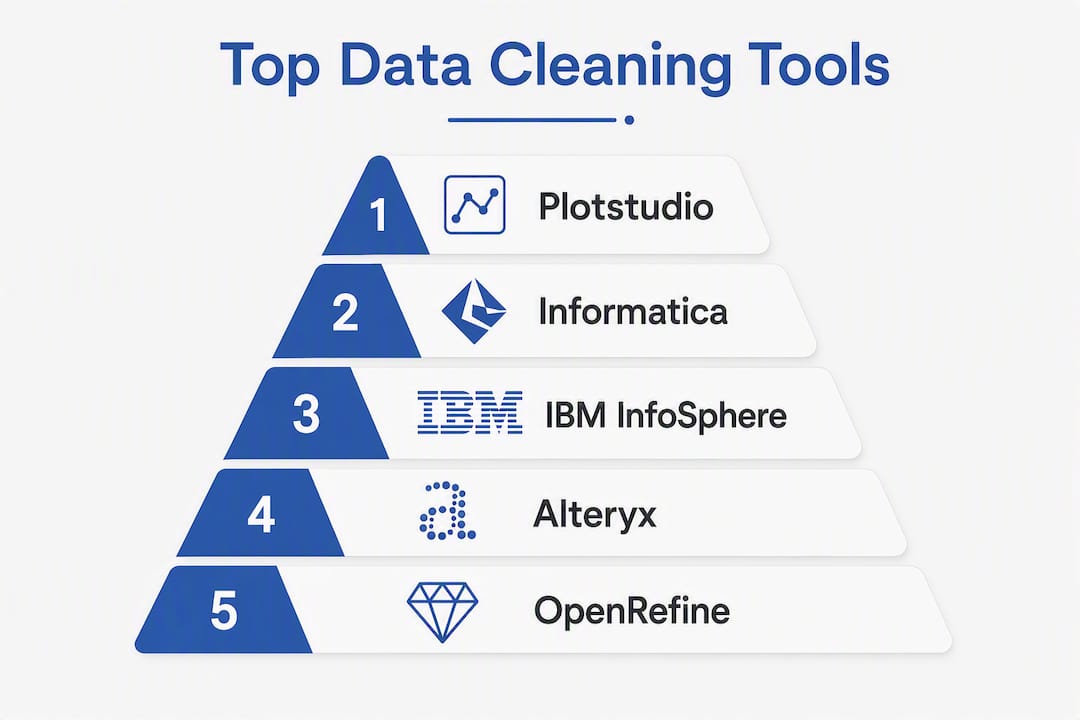
For research-grade reproducibility, Plotstudio is the strongest fit; for enterprise governance at scale, Informatica Cloud Data Quality and IBM InfoSphere QualityStage lead; for analyst self-service, Alteryx Designer Cloud and Microsoft Power Query are the practical defaults. The broader shortlist covers three distinct categories: privacy-first local tools, AI-powered cloud platforms, and integrated enterprise ETL suites, and choosing between them depends almost entirely on where your data can travel and how much audit-trail rigor your workflow demands.
Quick shortlist:
- Plotstudio — Local processing, pre-registered analysis plans, and exportable reproducibility packages. The only workable option when IRB governance or GDPR special-category data prohibits cloud uploads.
- Informatica Cloud Data Quality — Centralized governance, lineage tracking, and enterprise-grade policy controls for large organizations.
- Alteryx Designer Cloud — Visual drag-and-drop workflow authoring for analysts who need self-service without writing SQL.
- OpenRefine — Open-source, in-browser, free. Operation history replays make it the gold standard for traceable local cleaning.
- AWS Glue — Serverless ETL for teams already operating inside AWS who need to clean at scale without managing infrastructure.
- Ataccama ONE — Metadata-driven automation with MDM capabilities for organizations that need governance baked into every transformation.
- Microsoft Power Query — Spreadsheet-native cleaning embedded in Excel and Power BI, ideal for analysts working with moderate-sized tabular data.
Pro Tip: Before evaluating any tool, decide whether your data can leave your environment. If the answer is no — IRB-controlled clinical data, GDPR special-category records, or proprietary research datasets — your shortlist immediately narrows to local-processing tools like Plotstudio and OpenRefine.
Table of Contents
- What are the best data cleaning tools compared side by side?
- Detailed profiles of the leading data cleaning tools
- How do you choose the right data cleaning tool for your workflow?
- What does a data cleaning tool actually do?
- Why do audit trails and local processing matter for research workflows?
- How we evaluated these tools
- Which tool should you use? Final recommendations by scenario
- Key Takeaways
- A practitioner’s perspective on what the market gets wrong
- Plotstudio is built for the workflows most tools can’t handle
- Useful sources and vendor pointers
What are the best data cleaning tools compared side by side?
The table below covers the 22 most-evaluated tools across the dimensions that actually drive selection decisions. Deployment column uses: Local (runs on-device or in-browser), Cloud (SaaS), On-Prem (self-hosted server), Hybrid (supports both cloud and on-prem).
| Tool | Best For | Deployment | AI / Automation | Reproducibility / Audit Trail | Integrations | Scalability | Pricing Model | Ease of Use | Enterprise Features |
|---|---|---|---|---|---|---|---|---|---|
| Plotstudio | Research-grade, IRB/GDPR-sensitive analysis | Local + Cloud (Azure enterprise) | Agentic multi-agent workflows, PII detection, code generation | Pre-registered analysis plans, exportable notebooks, PDF reports | Tabular data import; R/Python native | Moderate (research datasets) | Freemium + subscription + enterprise credits | High (guided agents) | Local processing, audit trail, RBAC (enterprise), Azure deploy |
| Informatica Cloud Data Quality | Enterprise governance and lineage | Cloud / Hybrid | AI-assisted profiling, smart suggestions | Full lineage, policy controls | 300+ connectors | Very high | Enterprise (contact for pricing) | Moderate | SSO, RBAC, compliance controls |
| IBM InfoSphere QualityStage | MDM and legacy enterprise environments | On-Prem / Hybrid | Rule-based + ML matching | Lineage, change logs | IBM ecosystem, JDBC/ODBC | Very high | Enterprise license | Low (steep learning curve) | Full enterprise security, MDM |
| Alteryx Designer Cloud | Analyst self-service, visual workflows | Cloud | Automated profiling, smart suggestions | Pipeline export | 80+ connectors | High | Subscription (per seat) | High | SSO, RBAC |
| OpenRefine | Local, privacy-sensitive, traceable cleaning | Local (in-browser) | Limited (GREL expressions) | Full operation history replay, exportable JSON | CSV, TSV, JSON, XML, RDF | Low-to-moderate | Free (open-source) | Moderate | None (local only) |
| AWS Glue | Serverless ETL at scale in AWS | Cloud (AWS) | Auto-schema detection, ML transforms | Job run logs, version control via AWS | AWS-native, JDBC | Very high | Consumption-based | Low (requires Python/Spark) | IAM, VPC, encryption |
| Ataccama ONE | Metadata-driven governance and MDM | Cloud / Hybrid | ML-driven profiling, automated rules | Metadata lineage, audit logs | Broad enterprise connectors | High | Enterprise | Moderate | SSO, RBAC, compliance |
| Talend Data Quality | Hybrid environments with Talend pipelines | Cloud / On-Prem | Rule-based, some ML | Pipeline audit logs | Talend ecosystem, 900+ connectors | High | Subscription / enterprise | Moderate | SSO, RBAC |
| SAS Data Quality | SAS analytics stack integration | On-Prem / Cloud | SAS AI/ML integration | SAS lineage and audit | SAS ecosystem | High | Enterprise license | Low-to-moderate | Full enterprise |
| Domo | All-in-one ETL, governance, and analytics | Cloud | Magic ETL, AI-assisted prep | Governance controls, audit logs | 1,000+ connectors | High | Subscription | High | SSO, RBAC, compliance |
| Astera Centerprise / Dataprep | No-code, conversational data prep | Cloud / On-Prem | Chat-based NL interface, instant previews | Pipeline export | Enterprise connectors | Moderate-to-high | Subscription / enterprise | Very high | RBAC, SSO |
| Oracle Enterprise Data Quality | Oracle ecosystem data quality | On-Prem / Cloud | Rule-based + ML profiling | Lineage, audit trails | Oracle ecosystem | High | Enterprise license | Moderate | Full Oracle security |
| Microsoft Power Query | Excel/Power BI-native cleaning | Desktop / Cloud | Smart column detection | M-code export, query steps log | Excel, Power BI, Azure | Low-to-moderate | Included in Microsoft 365 / Power BI | Very high | Microsoft 365 security |
| Integrate.io | Integration-first pipelines with cleaning | Cloud | Automated transformations | Pipeline versioning | 100+ connectors | High | Subscription | High | SSO, RBAC |
| Data Ladder DataMatch Enterprise | High-accuracy customer data matching | Cloud / On-Prem | ML matching algorithms | Match audit logs | CRM, databases | Moderate-to-high | Enterprise | Moderate | Enterprise security |
| Melissa Data Quality Suite | Address and contact data validation | Cloud / On-Prem | Automated address parsing | Validation logs | API, CRM connectors | High | Subscription / API credits | High | SOC 2, HIPAA |
| WinPure Clean & Match | Desktop deduplication, contact clean-up | Desktop | Guided deduplication workflows | Match logs | CSV, Excel, CRM | Low-to-moderate | One-time license / subscription | Very high | Basic |
| RingLead | CRM deduplication and marketing ops | Cloud | Automated dedup rules | Dedup audit logs | Salesforce, HubSpot | Moderate | Subscription | High | SSO |
| DemandTools | CRM data hygiene utilities | Desktop / Cloud | Task-based automation | Job logs | Salesforce | Moderate | Subscription | High | Basic |
| Tibco Clarity | ML-assisted clustering and analytics prep | Cloud | ML clustering, smart grouping | Pipeline logs | Tibco ecosystem | Moderate-to-high | Enterprise | Moderate | Enterprise |
| Julius | Business-user analysis with inline cleaning | Cloud | LLM-driven suggestions | Limited | CSV, spreadsheets | Low | Subscription | Very high | Basic |
| Alteryx (desktop / platform) | Visual analytics and data blending | Desktop / Cloud | Automated profiling, ML tools | Workflow export | 300+ connectors | High | Subscription | High | SSO, RBAC |
Scenario quick-picks:
- Research / IRB / GDPR-sensitive: — Plotstudio (local processing, pre-registration) or OpenRefine (free, operation history)
- Analyst self-service: — Alteryx Designer Cloud, Domo, Microsoft Power Query
All tools listed are available to U.S.-based organizations. Enterprise tools with on-prem deployment options (IBM InfoSphere, SAS, Oracle) support FedRAMP-adjacent configurations; verify specific compliance posture with each vendor and consider Google Cloud Data Engineer certification for your team’s cloud data engineering skills.
Detailed profiles of the leading data cleaning tools
Plotstudio
Plotstudio is built for one scenario most tools ignore: the researcher who cannot upload data to a cloud service. Analysis runs locally on the researcher’s machine, which means IRB-controlled clinical records, GDPR special-category patient data, and proprietary survey datasets never leave the device unless the researcher explicitly exports them. That constraint alone eliminates most cloud-native competitors for academic and clinical workflows.

The reproducibility architecture is what separates Plotstudio from general-purpose AI chart tools. Every analysis is gated behind a plan the researcher reviews and approves before any code executes: methods, assumptions, and success criteria are stated up front, functioning simultaneously as a pre-registration document and an audit trail. Skills let a lab encode field-specific methodology once — required statistical steps, forbidden shortcuts, reporting conventions — so every subsequent analysis follows the discipline’s standards rather than a generic AI default.
Plotstudio runs R and Python natively and covers the statistical methods academic work actually requires: survival analysis, Cox proportional hazards, mixed-effects models, ANOVA, and multiple-comparison correction. Exports include annotated Jupyter notebooks, PDF reports, and permanent searchable analysis pages. Enterprise deployment runs on Azure with RBAC controls and research partnership credits for institutions.
Pros: Local processing for privacy-sensitive data; pre-registered analysis plans; exportable reproducibility packages; R and Python native; PII detection and anonymization built in.
Cons: Primarily optimized for tabular research data rather than high-volume streaming ETL; not a replacement for enterprise MDM platforms.
Best for: Academic researchers, clinical data analysts, and any team where IRB governance or GDPR compliance prohibits cloud uploads.
Informatica Cloud Data Quality / Informatica Data Quality
Informatica’s data quality products cover the full enterprise lifecycle: automated profiling, rule-based standardization, deduplication, lineage tracking, and centralized policy management. The cloud variant integrates with Informatica’s broader Intelligent Data Management Cloud, giving large organizations a single control plane for quality rules across hundreds of data sources. Governance features include role-based access, SSO, and compliance controls that satisfy most regulated-industry requirements. Pricing is enterprise-tier and contact-based.

Pros: Comprehensive lineage; 300+ connectors; strong governance and compliance posture.
Cons: High cost; complex implementation; overkill for teams without a dedicated data governance function.
Best for: Large enterprises running centralized data governance programs.
IBM InfoSphere / IBM InfoSphere QualityStage / IBM Infosphere Information Server
IBM’s InfoSphere suite is the mature choice for organizations with complex master data management requirements and large legacy environments. QualityStage’s matching algorithms handle probabilistic and deterministic matching at a depth few competitors reach. The tradeoff is a steep learning curve and an on-premises-first architecture that requires significant infrastructure investment. MDM integration is native; cloud deployment is available but not the primary use case.
Pros: Advanced matching algorithms; deep MDM integration; proven in regulated industries.
Cons: High implementation complexity; expensive licensing; slower to adopt modern cloud-native patterns.
Best for: Master data management initiatives in large, legacy-heavy organizations.
Alteryx Designer Cloud / Alteryx
Alteryx’s visual workflow authoring is genuinely fast for analysts who think in flowcharts rather than code. Drag-and-drop canvas, 80+ connectors, and automated profiling let a non-engineer build a repeatable cleaning pipeline in hours rather than days. The cloud version adds collaboration and scheduling. Reproducibility comes through workflow export, though it is not as rigorous as a pre-registered analysis plan. Pricing is per-seat subscription.
Pros: Intuitive visual interface; broad connector library; strong analyst community.
Cons: Per-seat cost adds up quickly for large teams; less suited to unstructured or streaming data.
Best for: Analyst self-service teams building repeatable visual cleaning workflows.
OpenRefine
OpenRefine runs entirely in-browser on the researcher’s local machine. No data leaves the environment unless explicitly exported, which makes it a standard tool for privacy-conscious researchers handling PII or health data. Operation history replays are the standout feature: every transformation is logged and can be exported as a JSON script and replayed on a new dataset, giving a level of traceability that many commercial tools charge enterprise prices to match. It handles CSV, TSV, JSON, XML, and RDF. The limitation is scale: OpenRefine is not designed for datasets that exceed available RAM, and it has no native streaming or cloud ETL capabilities.
Pros: Free and open-source; full operation history; local processing; strong community and documentation.
Cons: No cloud scaling; no enterprise governance; limited automation for complex transformations.
Best for: Researchers and analysts who need traceable, local cleaning on moderate-sized datasets without budget.
AWS Glue
AWS Glue is the default choice for teams already operating inside the AWS ecosystem who need serverless ETL at scale. Auto-schema detection, ML-based transforms, and tight integration with S3, Redshift, Athena, and the broader AWS data stack make it the path of least resistance for cloud-native data engineering teams. Job run logs and version control through AWS provide an audit trail, though it is engineering-oriented rather than analyst-friendly. Pricing is consumption-based, which can surprise teams running frequent large jobs.
Pros: Serverless scaling; deep AWS integration; strong security via IAM and VPC.
Cons: Requires Python or Spark knowledge; consumption pricing can escalate; not designed for analyst self-service.
Best for: Data engineering teams running large-scale cleaning and transformation jobs inside AWS.
Ataccama ONE
Ataccama ONE takes a metadata-driven approach: quality rules are defined at the metadata layer and applied automatically as data flows through pipelines. That architecture makes it well-suited for organizations that need governance to be consistent across many data sources without manually configuring rules per pipeline. MDM capabilities, automated profiling, and ML-driven anomaly detection round out the feature set. Enterprise pricing; cloud and hybrid deployment.
Pros: Metadata-driven automation; strong MDM; consistent governance across pipelines.
Cons: Enterprise pricing; implementation requires data governance expertise.
Best for: Organizations that need metadata-driven governance automation at scale.
Microsoft Power Query
Power Query is embedded in Excel and Power BI, which means most analysts already have it. The M-code query steps log every transformation in sequence, providing a lightweight but genuine audit trail. Column detection is smart enough to handle most tabular cleaning tasks without writing formulas. The ceiling is real: Power Query is not designed for datasets that exceed a few million rows or for streaming data, and it has no native deduplication or address validation. For teams already in the Microsoft 365 ecosystem, the cost is effectively zero.
Pros: No additional cost for Microsoft 365 subscribers; familiar UI; M-code export for reproducibility.
Cons: Limited scalability; no enterprise governance; weak on unstructured data.
Best for: Analysts working primarily in Excel or Power BI on moderate-sized tabular datasets.
Domo
Domo combines ETL, data prep, quality checks, governance, and analytics in a single platform. Magic ETL provides a no-code/SQL option for building cleaning pipelines, and the governance layer includes audit logs, role-based access, and 1,000+ connectors. For organizations that want to avoid stitching together separate cleaning, governance, and visualization tools, Domo’s unified lifecycle is a genuine differentiator. Pricing is subscription-based and scales with usage.
Pros: Unified platform; 1,000+ connectors; no-code ETL; strong governance.
Cons: Can be expensive at scale; some advanced cleaning tasks require SQL or scripting.
Best for: Organizations that want a single platform covering cleaning, governance, and analytics.
Astera Centerprise / Astera Dataprep
Astera Dataprep advertises a chat-based interface where users describe the transformation they want in plain language and see instant previews before committing. That conversational approach lowers the barrier for non-technical analysts who would otherwise need SQL or formula knowledge. Centerprise adds enterprise connectors and on-prem deployment for organizations with stricter data residency requirements. Pipeline export supports reproducibility.
Pros: Natural-language interface; instant transformation previews; enterprise connector breadth.
Cons: Less suited to complex statistical cleaning; enterprise pricing for full feature set.
Best for: Non-technical analysts who need no-code, conversational data preparation.
SAS Data Quality
SAS Data Quality is the natural choice for organizations already running SAS analytics stacks. Integration with SAS statistical tools, enterprise security, and a mature feature set covering profiling, standardization, and matching make it a low-friction addition for existing SAS customers. The limitation is lock-in: SAS Data Quality’s value drops sharply outside the SAS ecosystem.
Pros: Tight SAS integration; mature enterprise features; strong statistical tooling.
Cons: High cost; significant SAS ecosystem dependency; steep learning curve for new users.
Best for: Organizations with existing SAS investments who need integrated data quality.
Talend Data Quality
Talend’s rule-based quality engine integrates with its broader data integration platform, which covers 900+ connectors and hybrid cloud/on-prem deployment. For teams already using Talend for ETL, adding data quality rules is straightforward. Pipeline audit logs provide a reasonable reproducibility trail. Outside the Talend ecosystem, the value proposition weakens.
Pros: 900+ connectors; hybrid deployment; strong integration with Talend ETL.
Cons: Best value only within the Talend ecosystem; rule-based approach requires manual rule authoring.
Best for: Teams already invested in Talend who need integrated, rule-based quality management.
Oracle Enterprise Data Quality
Oracle EDQ fits organizations running Oracle data management infrastructure. Integration with Oracle databases, data warehouses, and enterprise security controls is native. Rule-based and ML-assisted profiling cover most enterprise cleaning scenarios. Like IBM InfoSphere, the implementation complexity and licensing cost are significant.
Pros: Native Oracle integration; enterprise security; ML-assisted profiling.
Cons: High cost; complex implementation; limited value outside Oracle ecosystems.
Best for: Organizations using Oracle data management who need integrated quality controls.
Data Ladder DataMatch Enterprise / Data Ladder DataMatch
Data Ladder specializes in one thing: high-accuracy matching and deduplication for customer data. Its matching algorithms handle fuzzy, phonetic, and probabilistic matching at a depth that general-purpose ETL tools rarely match. Enterprise deployment options and match audit logs support compliance requirements. The narrow specialization is both the strength and the limitation.
Pros: Specialized matching accuracy; enterprise deployment; strong deduplication for CRM data.
Cons: Narrow use case; not a full-featured ETL or governance platform.
Best for: Customer data unification projects where matching accuracy is the primary requirement.
Melissa Data Quality Suite / Melissa Clean Suite / Melissa (address & data validation)
Melissa’s core strength is address verification and contact data validation with global coverage. APIs integrate with CRM, marketing, and e-commerce platforms. SOC 2 and HIPAA compliance make it viable for regulated industries handling contact data. It is not a general-purpose cleaning platform; it excels specifically at address standardization and enrichment.
Pros: Global address verification; SOC 2 and HIPAA compliance; API-first integration.
Cons: Narrow scope (contact/address data); not a full ETL or governance solution.
Best for: Organizations that need address standardization and contact validation at scale.
Remaining tools: WinPure, RingLead, DemandTools, Tibco Clarity, Julius, Integrate.io
WinPure Clean & Match is a desktop-first deduplication tool with guided match workflows. Fast to set up for contact and CRM data clean-up; limited scalability and no enterprise governance. One-time license or subscription.
RingLead focuses on CRM deduplication integrated with Salesforce and HubSpot. Automated dedup rules and marketing ops workflows are its primary value. Subscription pricing.
DemandTools is a suite of task-focused CRM data maintenance utilities, primarily for Salesforce administrators. Desktop and cloud options; subscription pricing.
Tibco Clarity brings ML-driven clustering to analytics data preparation, grouping similar records automatically. Suited for analytics teams that need smart grouping without writing custom clustering code.
Julius is positioned as a business-user-friendly tool where cleaning happens during analysis sessions via LLM-driven suggestions. Ease of use is the headline feature; audit trails and governance are limited.
Integrate.io is a cloud-native integration platform with real-time pipeline support and 100+ connectors. Cleaning steps are embedded in integration pipelines rather than offered as a standalone quality layer. Strong for teams that need integration-first workflows with cleaning built in.
Pro Tip: For any tool that advertises AI-driven cleaning, combine its automated suggestions with deterministic statistical checks — Cleanlab is a strong open-source complement for detecting label errors and dataset anomalies that LLM-based tools can miss.
How do you choose the right data cleaning tool for your workflow?
The non-negotiable evaluation checklist
Start with these eight criteria before opening a vendor demo:
- Data locality. Can your data leave your environment? If not, cloud-native tools are off the table immediately.
- Reproducibility. Does the tool export a full audit trail: operation logs, pipeline scripts, or annotated notebooks?
- Connector coverage. Does it connect to your actual data sources — not just the ones in the marketing deck?
- Automation depth. Does AI automation cover your specific cleaning tasks (deduplication, address validation, anomaly detection), or is it generic profiling?
- Throughput. What is the realistic row count the tool handles without performance degradation? Get a number, not a marketing claim.
- Security and compliance. Does it support RBAC, SSO, and the compliance frameworks your organization requires (SOC 2, HIPAA, FedRAMP)?
- Extensibility. Can you write custom Python or R logic when the built-in transformations fall short?
- Total cost of ownership. Seat-based, credit-based, and consumption-based pricing models have very different cost curves at scale. Model your actual usage before signing.
Proof-of-concept template
Run this five-step PoC before committing to any tool:
- Load a representative sample dataset — ideally 10,000–50,000 rows from a real project, with the types of issues you actually encounter (missingness, duplicates, inconsistent formatting, outliers).
- Run the tool’s automated profiling and compare its findings against issues you already know exist. A tool that misses known problems in your sample will miss them in production.
- Execute a small cleaning pipeline covering at least deduplication, standardization, and validation. Measure time-to-completion and the number of manual interventions required.
- Verify the audit trail. Export the operation log, pipeline script, or notebook. Open it in a clean environment and confirm you can replay the cleaning steps end-to-end.
- Test one integration with your actual downstream system (data warehouse, BI tool, or ML pipeline). Integration failures discovered post-purchase are expensive.
Questions to ask vendors
- What is the maximum dataset size tested in production, and what is the performance degradation curve beyond that?
- Can I export a complete, executable pipeline or notebook that reproduces every cleaning step?
- Where does data reside during processing, and which sub-processors have access?
- What is the upgrade path if my data volume doubles in 18 months?
- How are breaking changes to the API or transformation engine communicated and versioned?
- What does the support SLA look like for enterprise customers, and is there a dedicated implementation team?
Red flags to watch for
- Opaque change logs that record “data modified” without specifying which rules fired
- No exportable pipeline or script — reproducibility is impossible without one
- Single-account administration with no RBAC — a compliance risk in any regulated environment
- Pricing that requires a sales call to get even a ballpark figure for standard tiers
- AI automation claims with no explanation of the underlying method or validation approach
- Vendor demos that only show clean, pre-prepared sample data rather than your actual messy dataset
Pricing model comparison
Seat-based pricing (Alteryx, Talend) is predictable but expensive when teams are large. Consumption-based pricing (AWS Glue) is economical for infrequent large jobs but can spike unexpectedly with continuous pipelines. Credit-based models (Plotstudio) work well for research teams with variable workloads. Watch for hidden costs: connector fees, additional charges for governance modules, and support tier upgrades that are not included in the base price.
Pro Tip: Ask every vendor for a cost estimate at 3x your current data volume. The answer reveals both the pricing model’s scalability and whether the vendor understands your growth trajectory.
What does a data cleaning tool actually do?
A data cleaning tool automates the detection and correction of errors, inconsistencies, and gaps in a dataset before it is used for analysis, reporting, or machine learning. The core tasks are profiling, deduplication, normalization, validation, and enrichment. Most tools handle some combination of these; few handle all of them equally well.
Common cleaning steps
- Profile the dataset: Detect missingness, data type inconsistencies, outliers, and distribution anomalies before touching any records.
- Fix structural issues: Correct column types, parse dates into consistent formats, split or merge fields (e.g., splitting a full name into first and last).
- Deduplicate and match: Identify and merge or flag duplicate records using exact, fuzzy, phonetic, or probabilistic matching.
- Standardize: Apply consistent formatting to addresses, phone numbers, categorical values, and units of measurement.
- Validate: Check records against reference datasets, business rules, or external APIs (e.g., address verification against USPS data).
- Document and export: Record every transformation in an audit trail and export a reproducible pipeline or notebook.
Cleaning step to tool type mapping
| Cleaning Step | Local / Open-Source | Visual Wrangler | AI-Assisted Cloud | Enterprise ETL |
|---|---|---|---|---|
| Profiling | OpenRefine, Plotstudio | Alteryx, Power Query | Informatica, Ataccama | IBM InfoSphere, SAS |
| Structural fixes | OpenRefine, Plotstudio | Alteryx, Domo | Astera Dataprep | Talend, Oracle EDQ |
| Deduplication / matching | OpenRefine | WinPure, Data Ladder | RingLead, Melissa | IBM QualityStage, Informatica |
| Standardization | OpenRefine, Plotstudio | Power Query, Alteryx | Melissa, Ataccama | SAS, Oracle EDQ |
| Validation | Plotstudio | Domo, Integrate.io | Melissa, Ataccama | Informatica, IBM |
| Document / export | OpenRefine, Plotstudio | Alteryx, Domo | Informatica | Talend, SAS |
Two example workflows
Solo analyst cleaning a CSV for analysis. Load the file into Plotstudio or OpenRefine. Run automated profiling to surface missingness and type errors. Fix structural issues using guided transformations. Deduplicate on key identifiers. Export the operation log or reproducibility notebook. The entire process is local; no data leaves the machine.
Enterprise pipeline running continuous quality checks. Incoming records from a CRM hit an Informatica or Talend pipeline that applies standardization rules, validates addresses via Melissa’s API, flags duplicates for review, and logs every action to a centralized audit trail. Governance teams review the lineage dashboard weekly. Downstream BI tools receive only records that passed all quality gates.
Why do audit trails and local processing matter for research workflows?
Reproducibility and local processing are non-negotiable for IRB-governed, GDPR-restricted, and academic workflows. A cleaning step that cannot be replayed is, from a peer-review standpoint, indistinguishable from a step that never happened.
The problem with most cloud-native tools is architectural: data is uploaded to a vendor’s servers for processing, which immediately violates the data use agreements governing IRB-controlled clinical datasets and GDPR special-category health records. Local in-browser tools prevent data from leaving the researcher’s environment unless explicitly exported, which is often the only viable path for privacy-sensitive datasets.
Audit trails serve two distinct functions in research contexts. The first is operational: a human-readable changelog lets a collaborator or supervisor verify that cleaning decisions were deliberate and documented. The second is scientific: an exportable pipeline or notebook lets a reviewer replay the entire cleaning process end-to-end, confirming that results are not an artifact of undisclosed data manipulation. Both functions are required for credible research; most commercial tools provide only the first.
Pre-registered analysis plans function as a form of pre-registration: methods, assumptions, and success criteria are locked before any code runs, preventing the post-hoc rationalization of cleaning decisions that inflates false-positive rates in published research. Plotstudio implements this as a mandatory gate — no analysis executes until the researcher has reviewed and approved the plan.
Plotstudio’s approach addresses all three requirements simultaneously. Local processing keeps sensitive data on-device. Pre-registered analysis plans create a verifiable record of intent before cleaning begins. Exportable reproducibility packages — annotated notebooks, PDF reports, and permanent searchable analysis pages — give supervisors, reviewers, and collaborators a complete, replayable record of every decision. For academic research workflows where these requirements are non-negotiable, that combination is not available in any general-purpose cloud ETL tool.
When should you choose a cloud ETL platform instead? When data sensitivity is low, dataset volumes exceed local RAM, continuous pipeline automation is required, or centralized governance across many data sources is the primary goal. Scale and governance favor cloud; privacy and reproducibility favor local.
OpenRefine’s operation history replay is the open-source benchmark for traceable local cleaning. Plotstudio extends that principle with AI-assisted analysis, pre-registration, and statistical methods that OpenRefine does not cover. The two tools are complementary rather than competitive for research teams: OpenRefine for exploratory text cleaning, Plotstudio for the full analysis pipeline with reproducibility exports. For teams exploring data transformation techniques that feed downstream statistical analysis, the distinction between cleaning and analysis is often artificial — the pipeline is continuous.
How we evaluated these tools
The scoring rubric weighted six dimensions: feature coverage (25%), reproducibility and audit-trail rigor (20%), integration breadth (15%), automation and AI capabilities (15%), security and compliance posture (15%), and cost-to-value ratio (10%). Tools were assessed across all dimensions; no tool was ranked on a single axis.
Primary data sources used:
- Vendor documentation and official feature pages for each tool
- GitHub repositories for open-source tools (OpenRefine, Cleanlab, aillmcleaner)
- Third-party roundups and buyer guides, including Domo’s data cleaning tools guide and Integrate.io’s cleansing tools overview
- Astera Dataprep product documentation for conversational prep interface claims
- OpenRefine official documentation for local processing and operation history features
- Microsoft Power Query documentation for deployment and feature scope
- Julius AI’s tools overview for business-user positioning
Limitations and disclaimers:
- Many enterprise tools (Informatica, IBM InfoSphere, SAS, Oracle EDQ) do not publish pricing publicly. All pricing references in this article reflect publicly available information; contact vendors for current quotes.
- Performance benchmarks are based on vendor-reported figures and third-party assessments, not independent testing. PoC validation against your own datasets is required before any purchase decision.
- AI automation capabilities evolve rapidly. Features described reflect publicly documented capabilities as of early 2026; verify current feature sets with vendors before evaluation.
This roundup is reviewed and updated on a rolling basis. If you identify a factual error or a tool that belongs on the list, the Plotstudio editorial team welcomes corrections via the site contact page.
Which tool should you use? Final recommendations by scenario
The right data cleaning tool depends almost entirely on three variables: where your data can travel, how much governance rigor your organization requires, and whether your team writes code.
-
Research, IRB-governed, or GDPR-sensitive workflows: — Start with Plotstudio. Local processing, pre-registered analysis plans, and exportable reproducibility packages cover the requirements that cloud tools cannot. Run a PoC with a de-identified sample of your actual dataset and verify the notebook export before committing. OpenRefine is a free complement for exploratory text cleaning.
-
Analyst self-service without code: — Alteryx Designer Cloud or Domo. Both offer visual workflow authoring and broad connector libraries. Domo adds unified governance and analytics if you want a single platform. Request a trial and build one real cleaning pipeline before evaluating the full feature set.
In every scenario: verify the audit trail during the PoC. A tool that cannot export a replayable pipeline is a liability in any workflow where cleaning decisions need to be explained, defended, or reproduced.
Key Takeaways
The most defensible data cleaning decision in 2026 combines tool selection with a mandatory PoC that verifies audit-trail export, integration fit, and throughput against your actual dataset before any contract is signed.
| Point | Details |
|---|---|
| Data locality drives the shortlist | If your data cannot leave your environment, only local-processing tools like Plotstudio and OpenRefine are viable. |
| Audit trails are a scientific requirement | An exportable, replayable pipeline is non-negotiable for research, regulated, and peer-reviewed workflows. |
| Three tool categories cover most needs | Local/open-source, AI-powered cloud platforms, and enterprise ETL suites each serve distinct use cases — match the category to your governance and scale requirements. |
| PoC before purchase | Run a five-step PoC on a real sample dataset; verify profiling accuracy, pipeline export, and one live integration before committing. |
| Plotstudio for research-grade workflows | Plotstudio’s pre-registered analysis plans, local processing, and reproducibility package exports make it the strongest fit for IRB-governed and academic analysis. |
A practitioner’s perspective on what the market gets wrong
The data cleaning tool market has a reproducibility problem that most roundups ignore. Vendors compete on connector counts, AI feature lists, and UI polish. What they rarely compete on — and what actually determines whether a cleaning workflow is defensible — is whether the tool can produce a complete, replayable record of every decision made between raw data and final dataset.
Most enterprise tools provide a changelog. Few provide an executable pipeline. Fewer still gate analysis behind a pre-registered plan that locks methods before code runs. That gap matters enormously in research contexts, where a cleaning decision made without documentation is indistinguishable from data manipulation in a peer review.
The other underappreciated dimension is the cost of AI automation without statistical validation. LLM-based cleaning tools can accelerate normalization and text standardization dramatically, but they introduce a new failure mode: confident, plausible-looking fixes that are statistically wrong. Combining AI-driven cleaning with deterministic anomaly detection — tools like Cleanlab for ML pipelines, or Plotstudio’s built-in statistical validation for research datasets — is not optional. It is the difference between a cleaning pipeline that works and one that silently corrupts downstream analysis.
For data professionals evaluating tools in 2026, the question to ask is not “which tool has the most features?” It is “which tool can prove, to a skeptical reviewer, exactly what it did to my data and why?” That question has a short answer list.
Plotstudio is built for the workflows most tools can’t handle
Most data cleaning tools assume your data can travel. Plotstudio is built for the cases where it cannot. For researchers working with IRB-controlled clinical records, GDPR special-category datasets, or proprietary survey data, local processing is not a preference — it is a compliance requirement. Plotstudio processes data on your machine, gates every analysis behind a pre-registered plan, and exports a full reproducibility package: annotated Jupyter notebooks, PDF reports, and permanent searchable analysis pages that let any reviewer trace every decision from raw data to result.
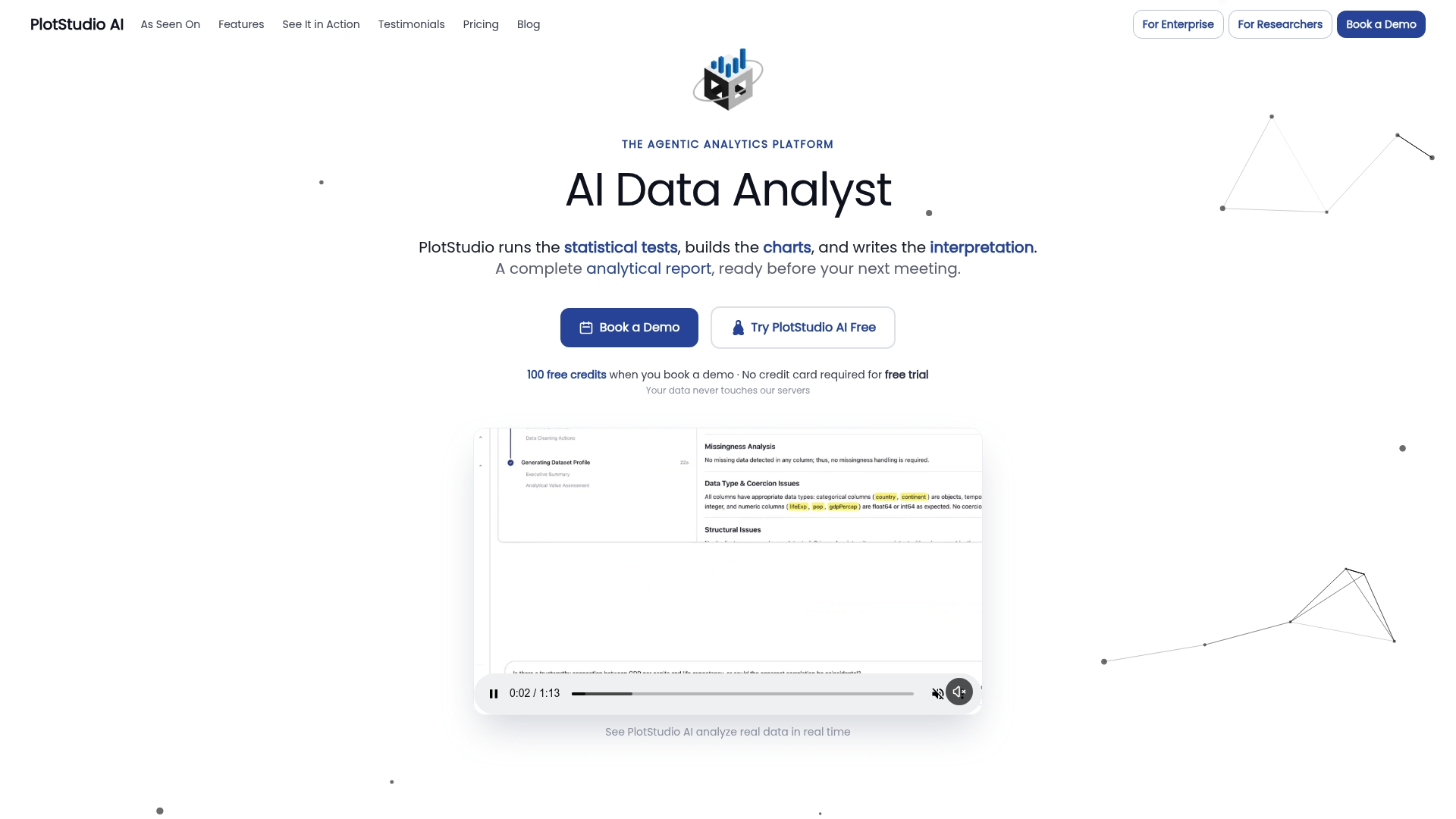
Three things worth testing in a PoC: export a pre-registration plan before running any code and confirm it captures your methods and assumptions; run a cleaning and analysis pipeline on a de-identified sample and verify the notebook export replays cleanly in a fresh environment; check the PII detection and anonymization features against a dataset with known sensitive fields. Enterprise teams can deploy Plotstudio on Azure with RBAC controls; research institutions can access partnership credits for extended trials.
Start a free trial at Plotstudio and run your first reproducible analysis pipeline today.
Useful sources and vendor pointers
This roundup reflects publicly available information as of early 2026 and will be updated as tools release significant new features. Vendor pricing and feature sets change frequently; treat every link below as a starting point for verification, not a final source of truth.
- OpenRefine official site — Download, documentation, and operation history feature details. The authoritative source for local processing and replay capabilities.
- Domo: Best Data Cleaning Tools for 2026 — Broad roundup covering enterprise and analyst-focused tools with deployment and governance context.
- Microsoft Power Query documentation — Official feature scope, M-code reference, and deployment options for Excel and Power BI.
- Cleanlab on GitHub — Open-source library for label error detection in ML pipelines; integrates with common Python ML frameworks.
- Plotstudio: Research Reproducibility Guide — Practical guidance on audit trails, pre-registration, and reproducibility best practices for analysts.
- Plotstudio: AI Analytics Platform Guide — Tradeoffs between automation and governance in AI-powered analytics platforms.
- Plotstudio: What Is Data Profiling — Profiling techniques and tools relevant to the first step of any cleaning workflow.
- Plotstudio: Automated Data Processing Software Guide — Enterprise-oriented tools for high-volume processing and scalability considerations.