When a researcher uploads a messy CSV and asks ChatGPT for descriptive statistics, a regression, and charts, the first response can arrive quickly, often with Python code and a polished explanation. ChatGPT for data analysis works best as a fast assistant for exploration and code drafting. For research that must stand up to review, the code, assumptions, data handling, and results still need to be checked and preserved.
What ChatGPT Brings to a Research Data Analysis Workflow
A conversational tool changes the first step in data analysis. Instead of beginning with programming syntax, a researcher can describe a question in ordinary language, upload a dataset, and ask for a summary or a chart. ChatGPT can help draft Python or R, explain statistical concepts, interpret tabular output, and suggest ways to explore the data.
That accessibility helped make ChatGPT a familiar entry point for analytical work. It launched publicly on November 30, 2022; Similarweb recorded approximately 153,000 visits on launch day, 15.5 million visits in its first week, and 58 million in its second. By January 2023, it was estimated to have reached 100 million monthly active users, and Similarweb reported approximately 1.8 billion monthly visits in May 2023. These milestones are part of the broader story of conversational interfaces making data questions easier to ask, not evidence that the answers are automatically sound (Engadget's account of ChatGPT's first year).
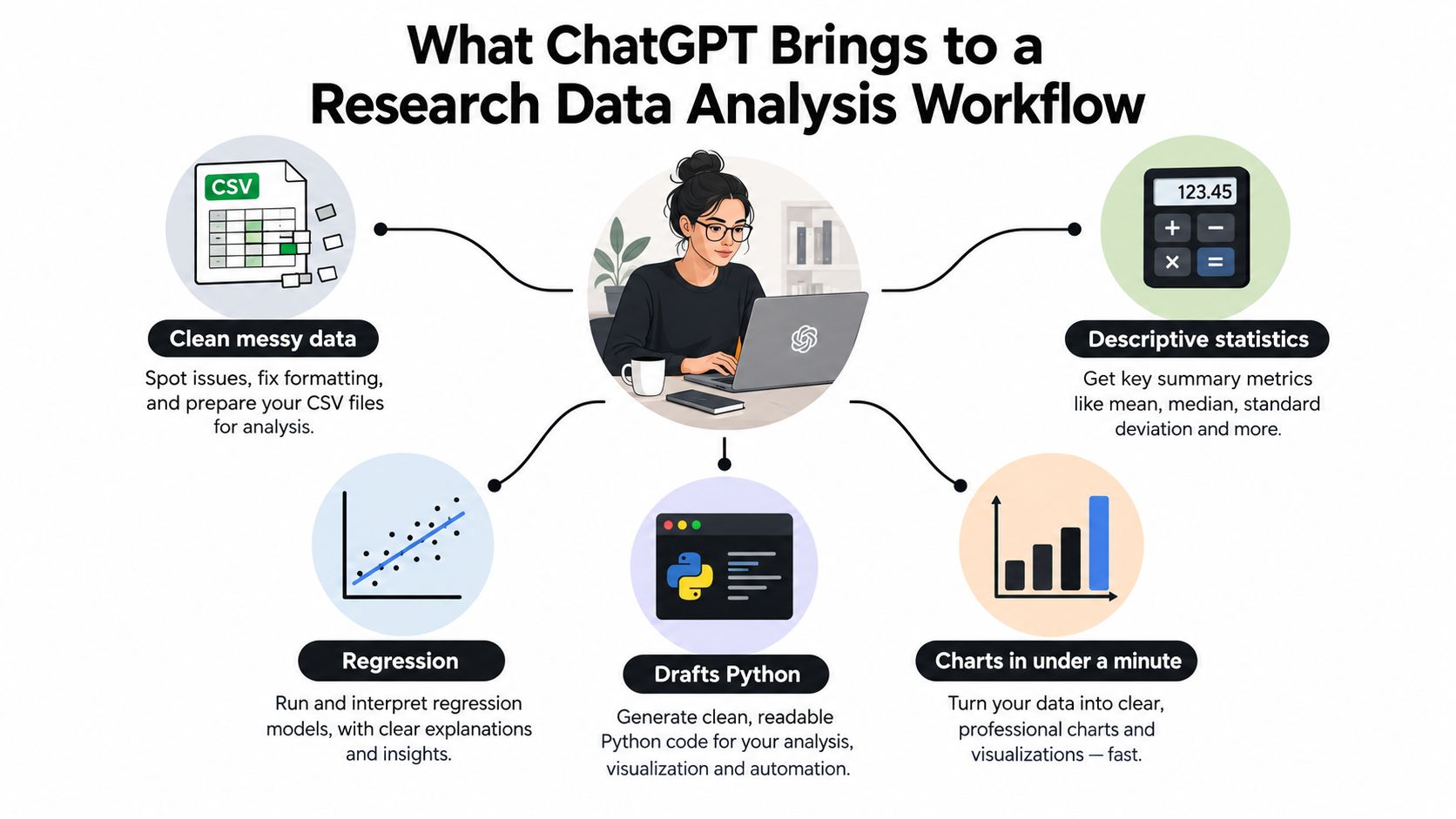
The promise is faster exploration. A researcher can use a natural-language prompt to generate candidate code, inspect distributions, create a plot, or ask what a statistical test means. The risk is that fluent narration can hide a fragile method, a mistaken variable interpretation, or a transformation that changes the analysis population.
Working principle: Treat ChatGPT as an assistant inside your workflow, not as the workflow itself.
That distinction matters most when a result will inform a paper, clinical decision, policy recommendation, or other consequential claim. Speed helps researchers get to a first look sooner. Statistical judgment and an auditable record are what make that first look useful.
How ChatGPT Actually Handles a Data Analysis Session
A ChatGPT analysis session combines a conversational interface with file interpretation and, when Advanced Data Analysis is available, executable code. OpenAI documents support for structured and semi-structured files such as XLS, XLSX, CSV, PDF, JSON, XML, YAML, TXT, and Markdown. It recommends clear column names and one record per row because a well-structured dataset is easier for the system to interpret (OpenAI's data analysis documentation).
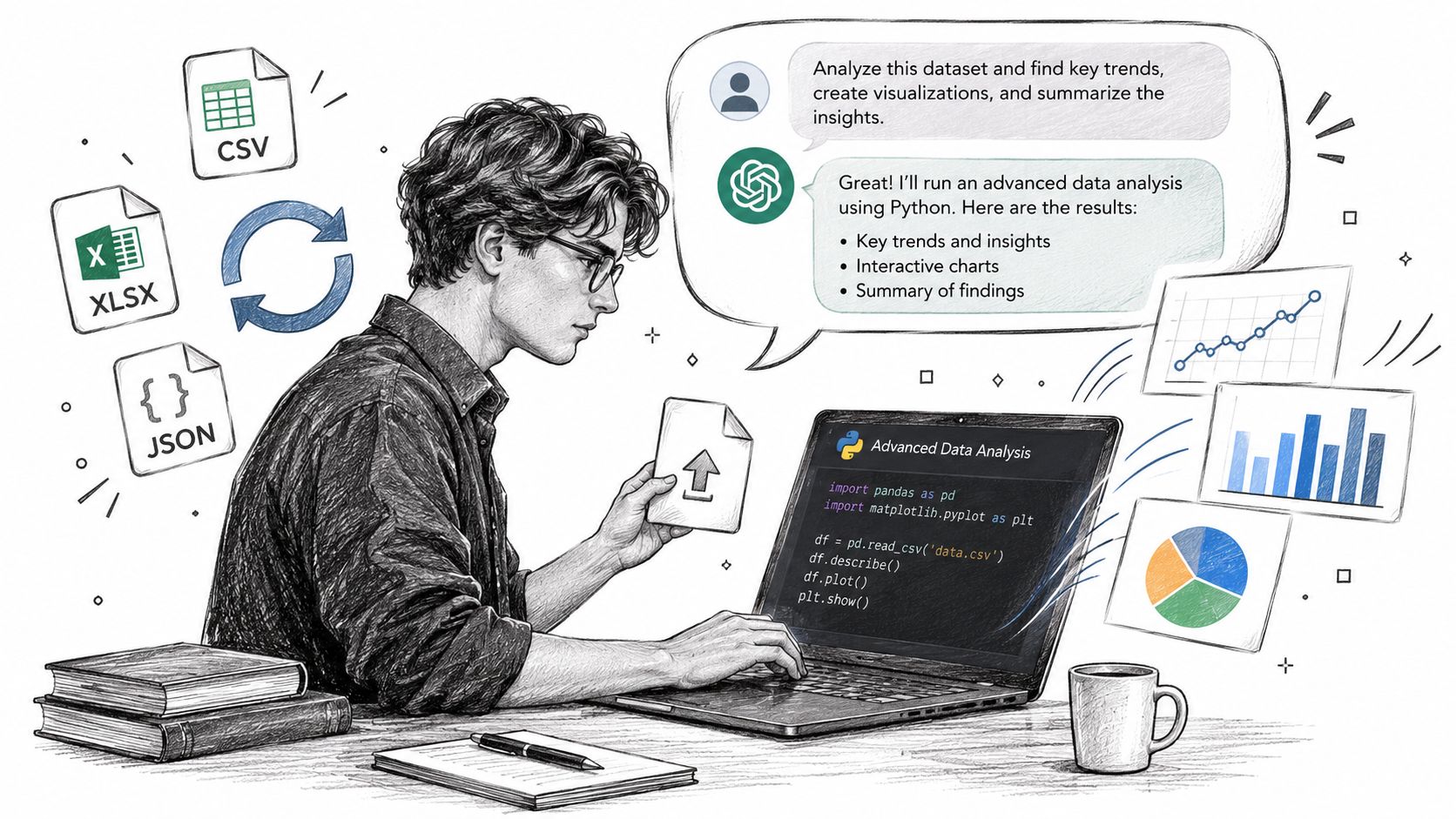
The practical loop is straightforward: provide a file or supported connected source, describe the question and relevant variables, then review the tables, charts, calculations, or statistical analysis. OpenAI also documents supported connections to Google Drive and Microsoft OneDrive for certain file types (its overview of improvements to data analysis).
Code execution changes the arithmetic, not the research design
When ChatGPT can run Python, it can use libraries such as NumPy and SymPy, or standard Python math functions, to perform calculations and symbolic operations. That's more dependable than relying on language generation alone for arithmetic. In an evaluation of 13 college-level engineering mathematics and electromagnetics problems, GPT-4 with Code Interpreter satisfactorily solved most problems most of the time and improved on both GPT-3.5 and standard GPT-4 (the evaluation paper).
Execution still doesn't guarantee that the code answers the research question. It can calculate a statistic correctly after using the wrong variable, mishandling missingness, or applying an unsuitable model. Ask to see the code, inspect the transformations, and check the output against the study design.
A useful mental model is natural-language request, code generation, optional execution, narrated output. The user remains responsible for determining whether the analysis is appropriate and whether another researcher could reconstruct it later.
Prompting Patterns and Templates That Actually Work
Specific prompts reduce ambiguity. They won't substitute for a sound analysis plan, but they can make ChatGPT's choices easier to inspect and correct. A lightweight exploratory workflow is to upload the data, request an initial profile, review what the code did, and then narrow the question.
Start by establishing what's in the file
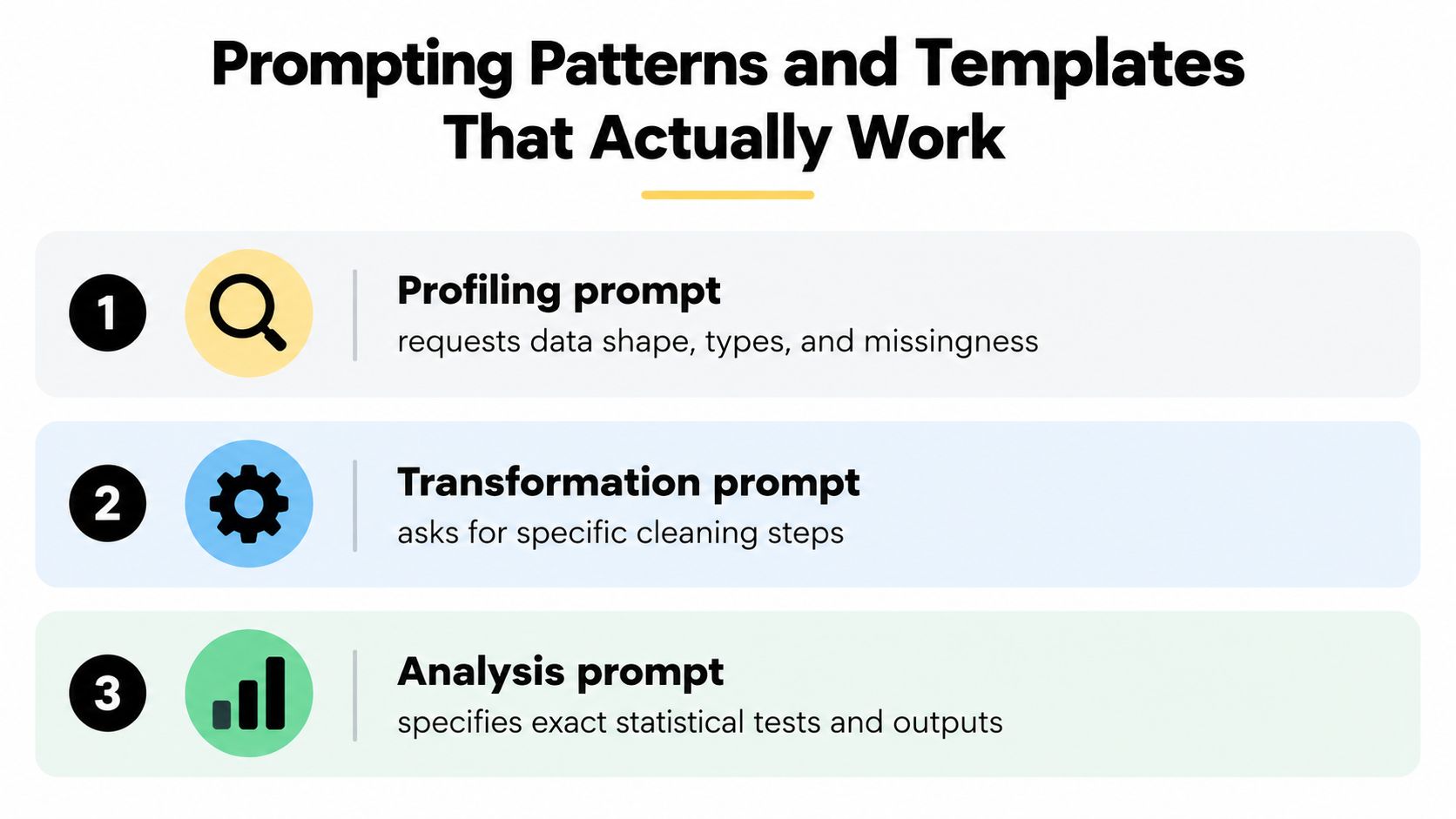
Profiling prompt: “Inspect the dataset. Report its dimensions, column names, inferred data types, missing values by column, duplicate rows, and plausible out-of-range values. Show the code used. Don't change the data yet, and flag any column whose meaning is unclear.”
This gives you a map before any cleaning or modelling. It also prompts a useful distinction: a value that looks unusual may be an error, a valid extreme, or a sentinel code that represents missing data.
Specify cleaning decisions, not just the desired outcome
Transformation prompt: “Identify records where [variable] uses [known sentinel code]. Show how many rows this affects, propose a handling rule, and explain what information would be lost under that rule. Don't overwrite the original column. Show the transformation code and retain a way to compare results before and after cleaning.”
The request makes the system expose its choices rather than substituting a convenient default. Researchers should decide whether an encoding represents missingness, a valid category, or something else.
Define the question and the evidence you need
Analysis prompt: “My research question is [question]. Use [outcome] as the dependent variable and [predictors] as candidate explanatory variables. Before fitting a model, describe the assumptions that need checking. Show the code, diagnostics, effect estimates with uncertainty, and a plain-language interpretation. Distinguish association from causal claims.”
For a chart, name the variables, grouping, units, and intended comparison. Ask the tool to explain axis choices and show the plotting code, especially when different scales could change the visual impression.
Ask for the method, diagnostics, effect sizes, and uncertainty, not only a p-value or a confident summary.
Researchers looking for help with generated scripts can also use this guide to Python code generation. A short demonstration of a ChatGPT data-analysis session is available below.
A Walkthrough of ChatGPT Doing Lightweight EDA on a Real Dataset
Consider a clinical survey file with a treatment group, a symptom score, and follow-up measurements. The first request asks ChatGPT to describe the data, summarize the score by treatment group, and plot the change over time. It returns a table and chart, then drafts code for the summary.
The table can be useful as a quick orientation, but I wouldn't accept it without checking the data profile and code. Suppose the score column contains a sentinel value used by the study team to mark unanswered items. If ChatGPT treats that value as a real score, the group summary and plot can look tidy while describing something that never happened.
The second prompt should challenge the first result
The researcher checks the code, notices the sentinel, and asks ChatGPT to report how many records use it, preserve the original column, and recompute summaries under a clearly stated missing-data rule. The researcher also checks whether each participant has repeated observations and whether the proposed plot shows all relevant time points rather than an unexplained aggregate.
A second issue may appear in the chart: a truncated axis can exaggerate a difference. The correction is not to ask for a prettier plot. Ask ChatGPT to state the axis limits, use a scale appropriate to the measurement, and explain how the figure represents the comparison. Then verify that the revised chart reflects the cleaned data and intended analysis population.
This is the useful rhythm: profile, inspect, challenge, revise, document. ChatGPT can speed up the first draft, but the researcher must decide whether the cleaning rule and analysis match the protocol. For a broader primer on the purpose and boundaries of exploratory work, see what exploratory data analysis involves.
Researchers assessing reform impacts face a related challenge: the overall average can obscure how effects differ across groups. Unitism® on distributional analysis of reform impacts offers useful context for thinking about who gains or loses, rather than relying on a single headline estimate.
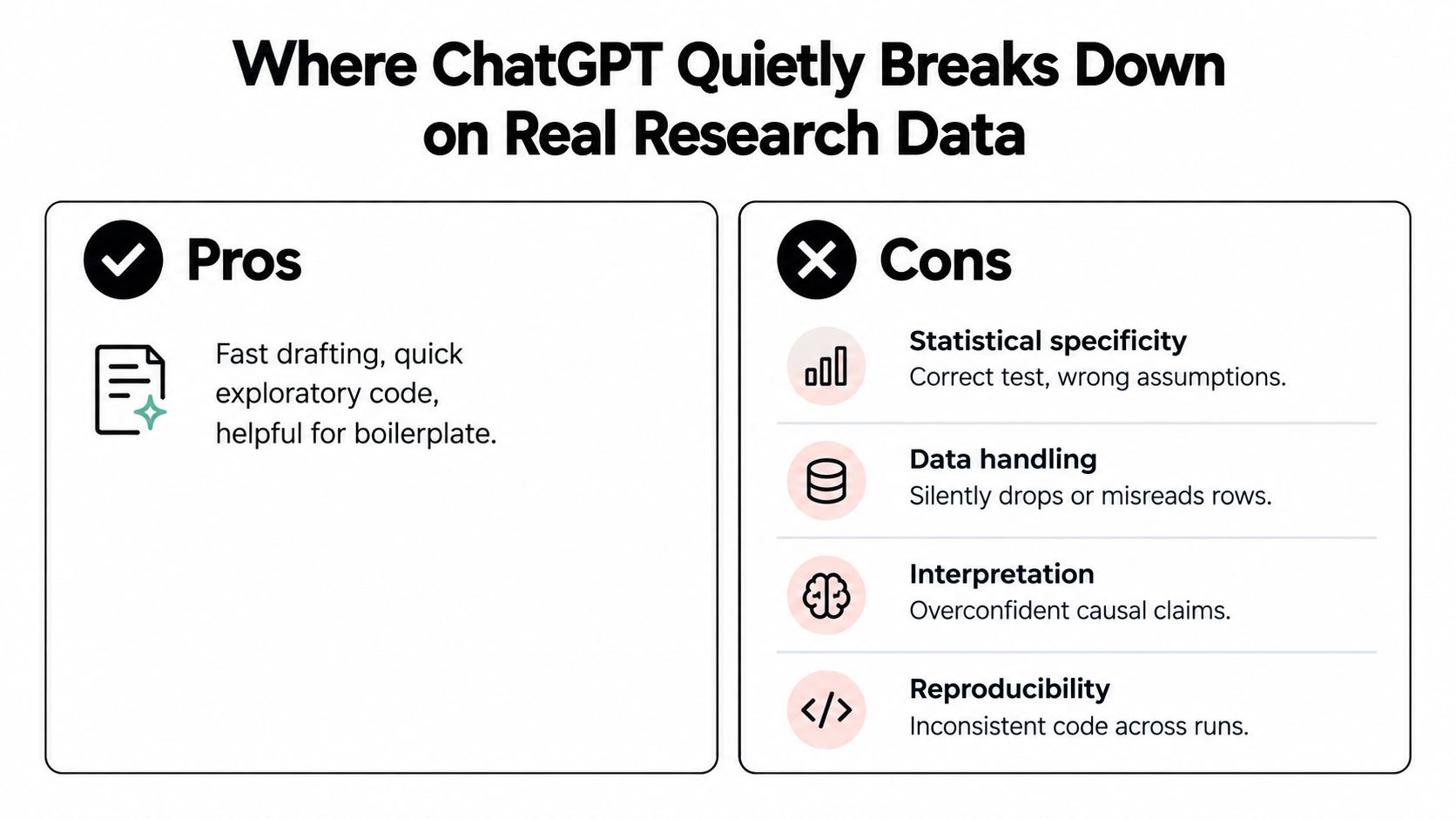
Where ChatGPT Quietly Breaks Down on Real Research Data
A completed execution is not the same as a valid analysis. ChatGPT may run the code it generated and still pick an unsuitable method, apply an unjustified cleaning rule, or overstate what the result supports. I treat a finished ChatGPT session the way I treat a first draft from a junior analyst: the work exists, and now it has to be audited.
A 2025 healthcare-research evaluation found a strong association between prompt specificity and performance on inferential statistics: ChatGPT's accuracy was 32.5% with basic prompts, 81.3% with intermediate prompts, and 92.5% with advanced prompts. Reported errors included incorrect methods, coding mistakes, incomplete answers, unstated assumptions, inappropriate median imputation, and incorrect outlier removal (the JMIR evaluation of prompt specificity). Detailed prompting raised accuracy in that evaluation, and the error categories show why prompt quality alone cannot establish validity.
Correct test selection doesn't prove assumptions hold
In a separate 2025 study, ChatGPT generated workable code for users with limited statistical knowledge yet followed standard procedures only partially, producing a false ANOVA conclusion after skipping assumption checks. Naming a test correctly and applying it appropriately are two different tasks.
Performance also depends on the task. One evaluation reported that all six tested models chose the correct statistical test across 20 hypothesis-testing scenarios, and a second evaluation of 32 examples found ChatGPT-5, Claude, and DeepSeek identified the appropriate test every time; ChatGPT's Stata command generation reached 90.6% accuracy in both rounds (the evaluation of AI models on statistical test selection). Test selection is the part these models handle well. The researcher still owns data preparation, coding, assumption checks, and interpretation.
Code can drift, and data handling can stay hidden
A request such as "run a difference-in-differences analysis" leaves the design choices unstated. In an econometric coding evaluation, error rates for difference-in-differences analyses were 50% in Python, 76% in Stata, and 67% in R. The language and the prompt shape the code that comes back, so a routine-sounding instruction still deserves line-by-line review.
The same evaluation reported that more than half of surveyed ChatGPT users were unfamiliar with how their data was used in both institutional and commercial settings. For personal accounts, OpenAI provides a Data Controls setting covering whether interactions help improve models, and OpenAI says Business, Enterprise, and Edu prompts, responses, and files are excluded from model improvement unless an organization has a separate agreement allowing it (OpenAI's account data and controls documentation). Check which policy applies to your account, and satisfy institutional approval, de-identification, and data-governance requirements before uploading research data.
For a practical way to assess analysis reliability, see whether AI data analysis can be trusted. Trust comes from inspectable methods and independent checks; fluent explanations alone don't supply them. What ChatGPT leaves open is the auditing and reproducibility layer: a persistent record of prompts, code versions, and decisions. Agentic analytics environments such as PlotStudio AI are built around keeping that record inside the workflow itself.
How ChatGPT Compares to Agentic Analytics Platforms
ChatGPT is useful when the task is a quick question, a code draft, or an exploratory check. A purpose-built research tool may be a better fit when the work involves several linked analyses, needs a persistent record, or must be repeated and reviewed.
| Dimension | ChatGPT | Agentic Analytics (PlotStudio AI) |
|---|---|---|
| Execution | Advanced Data Analysis can execute Python for supported tasks. | Runs Python locally as part of a multi-step analysis workflow. |
| Reproducibility | Code and outputs can be reviewed, but the researcher needs to preserve the relevant session, prompts, and environment details. | Saves work as Analysis Pages and supports Jupyter and PDF export. |
| Statistical depth | Can suggest methods, draft code, and explain output; researchers must establish the design and verify assumptions. | Can plan an investigation, execute analytical steps, inspect intermediate outputs, and revise its approach. |
| Privacy | File handling and training controls depend on account context and settings; researchers need to verify the applicable policy. | Executes code locally, with model calls going from the device to a model provider; optional bring-your-own-key is available. |
| Statefulness | Follow-up questions use conversational context, but researchers should keep a separate record for durable analysis. | Analysis Pages and workspace insights support reference across saved work. |
| Planning | The user usually guides the analysis through prompts and follow-ups. | Plan Mode lets a researcher review and approve the proposed analysis plan before execution. |
Agentic analytics is data analysis performed by AI agents that can plan an investigation, use tools and code to execute analytical steps, inspect intermediate results, revise the approach, validate outputs, and synthesize a complete analysis. The distinction is practical: an answer is an output; an analysis is an investigation.
ChatGPT remains a sensible choice for drafting code, clarifying a concept, or exploring a non-sensitive dataset. Researchers comparing tools, including people searching for a Julius AI alternative, can assess whether they need a conversational helper or a recorded, multi-step process. PlotStudio AI is one option for researchers who want local Python execution, visible methodology, and saved analyses; its Analysis Pages, Plan Mode, and exports make the work easier to inspect and revisit.
A Practical Decision Checklist for Researchers
Choose the workflow based on what the result will be used for.
- Use ChatGPT for low-stakes exploration: Draft a plotting script, ask what a statistical term means, or check an idea against a non-sensitive dataset. Confirm that any displayed result came from code if the answer depends on calculation.
- Harden the workflow for research use: Review generated code, record the exact prompts and transformations, preserve the data and outputs, and capture the environment needed to reproduce the analysis. Check data-sharing controls before uploading files.
- Use a more structured analysis workflow when the investigation must be auditable: For multi-step, publication-bound work or repeated team analysis, retain the plan, code, diagnostics, intermediate outputs, and final interpretation together. Confirm that local execution and institutional policies meet the project's requirements.
Before reporting a result, ask: Can I explain why this method fits the design? Can I reproduce the result from the saved record? Have I checked assumptions, missingness, and uncertainty? If any answer is no, treat the output as a draft.
Putting ChatGPT to Work Without Losing the Audit Trail
ChatGPT can make data work more accessible by translating questions into candidate methods, code, and explanations. Its value depends on researchers checking what it did and preserving enough detail for another person to retrace the analysis. Practical guidance on research reproducibility helps keep that record central.
PlotStudio AI is an AI tool for researchers built around agentic analytics, designed for people who need to investigate data, not merely chat with it. Researchers evaluating a Julius AI alternative can review whether its local Python execution, Analysis Pages, and reproducible exports fit their workflow. Eligible researchers can also access 1,000 free credits for researchers. Explore PlotStudio AI and its academic researcher pricing to see whether it suits your research process.