Five Stage Workflow for Code Generation for Reproducible Analysis

Code generation for analysis means producing executable Python or R scripts that implement statistical methods, cleaning steps, and models as reviewable stages in a research workflow, not as disposable one-off answers. Done right, the output is code you can read, rerun locally, and hand to a collaborator with its provenance intact. The National Academies frames this standard as computational reproducibility, and platforms like PlotStudio AI now build agentic analytics around exactly that bar.
TL;DR:
- Maintaining dependency lockfiles and environment snapshots is essential, as missing or outdated files cause silent failures and reproducibility issues over time.
- Reviewing generated code line-by-line before execution helps catch parameter mismatches, incorrect assumptions, or security vulnerabilities, especially in complex statistical models.
- Using local execution tools like Docker, renv, or conda prevents platform-specific discrepancies and addresses environment drift that threatens reproducibility.
- Packaging analysis results with full scripts, lockfiles, metadata, and clear instructions ensures transparency and facilitates peer review or future reuse.
- Automated code generation poses security risks through dependency manipulation, data leakage, and silent errors, making human review and local execution crucial for safe, reliable results.
Table of Contents
- What Does Computational Reproducibility Actually Require?
- Core Components Every Generated Analysis Pipeline Must Capture
- How Do You Turn Generated Code Into a Reviewable Workflow?
- Which Tools Keep Generated Code Portable Across Machines?
- What Are the Most Common Reproducibility Failures?
- How Do You Package an Analysis for Publication or Peer Review?
- What Security Risks Come With Automated Code Generation?
- What Tools Help Debug and Test Generated Analysis Code?
- What Does Effective Code Generation Look Like in Practice?
- Author Perspective: Agentic Analytics as an Audited Layer, Not a Replacement
- Try PlotStudio AI for Reproducible, Reviewable Analysis
- Sources
- FAQ
What Does Computational Reproducibility Actually Require?
Computational reproducibility means getting the same numerical result from the same input data, code, and analytic conditions, according to the National Academies. That’s distinct from replicability, which asks whether an independent team collecting new data reaches the same scientific conclusion. A generated script can be reproducible without ever being replicated, and confusing the two leads researchers to under document the wrong thing.
Provenance is what makes reproducibility checkable. A rigorous record includes the input data version, every preprocessing decision, the parameter values passed to each model, the random seed, and a snapshot of the software environment. Skip any one of these and a reviewer rerunning your pipeline gets a plausible but different number.
This is also where FAIR principles earn their keep. Findable, Accessible, Interoperable, and Reusable metadata turns a folder of scripts into something a collaborator can actually locate, open, and rerun months later without emailing you first.
Core Components Every Generated Analysis Pipeline Must Capture
A generated script becomes a research artifact only when it carries certain elements alongside it. Treat these as the minimum bar before code leaves your machine:
- Executable code with clear entry points. Comments should map each block to a specific analytic objective, not just describe syntax.
- Dependency manifests and lockfiles. Tools like renv for R, or venv, conda, and pip-tools for Python, pin exact package versions alongside the language and runtime version.
- Provenance metadata and transformation logs. Record what changed at each cleaning or recoding step, not just the final dataset.
- Deterministic controls. Fixed seeds and small smoke tests confirm the pipeline behaves the same way twice.
- Exportable artifacts. Notebooks, PDF reports, and archival packaging formats like RO-Crate let the analysis travel intact.
Miss the lockfile and everything else is cosmetic. A script that ran perfectly in March can fail silently in October once an upstream package changes a default argument.
How Do You Turn Generated Code Into a Reviewable Workflow?
Generated code is only as trustworthy as the process wrapped around it. A five-stage workflow keeps human judgment in the loop at the points where it matters most.
- Plan. Before any code exists, define the analytic objective, list your assumptions, and specify what outputs and quality checks will count as success. This is what PlotStudio AI’s Plan Mode is built for: reviewing the proposed methods and steps before execution starts.
- Generate. Produce modular scripts or notebook cells that map directly to the plan’s stages, rather than one dense block that does everything at once.
- Review and modify. Read the generated code line by line, run intermediate steps independently, and note any deviation from the original plan. Tools built for AI code review exist for exactly this checkpoint, and the discipline transfers directly to statistical scripts.
- Run locally. Execute on your own machine, capturing logs, seeds, and a snapshot of the transformed data at each major step.
- Preserve. Export lockfiles, notebooks, and PDF reports into a package that carries its own metadata, ready to share or archive.
Pro Tip: Run the same generated script twice in a row before you touch the results. If the second run doesn’t match the first, you’ve found a missing seed or an unpinned dependency while it’s still cheap to fix.
Skipping step three is the most common failure mode. A generated model that looks reasonable can still encode a wrong assumption about how missing values were handled, and that only surfaces under review.
Which Tools Keep Generated Code Portable Across Machines?
Environment rot, the slow drift where “it worked on my machine” stops being true, is the single biggest threat to reproducible analysis. A handful of tools address it directly:
- renv creates project-local R libraries and lockfiles, so package versions are recorded and can be restored exactly on another machine.
- venv, conda, or pip-tools do the equivalent job for Python, pinning dependency versions into a manifest that travels with the code.
- Containers like Docker or Singularity go a step further, freezing the operating system libraries and compiled binaries, which matters when even the same package version behaves differently across platforms.
- Workflow managers such as Snakemake, Nextflow, and the Common Workflow Language formalize multi-step pipelines, and registries like WorkflowHub make those pipelines findable and reusable by other teams.
- Continuous analysis, pairing containers with continuous integration, automatically reruns your pipeline when code or data change, producing an audit trail a reviewer can inspect later.
One caveat deserves its own line: analyses built on synthetic data need corrected standard errors and deliberate methodological care, since naive approaches on synthetic datasets have been shown to produce false positives that a real dataset wouldn’t generate.
What Are the Most Common Reproducibility Failures?
Most reproducibility failures trace back to a short list of habits, and they’re worth checking before you assume the analysis itself is wrong:
- Missing or outdated dependency lockfiles.
- Preprocessing steps performed interactively and never written into the script.
- Random seeds left unset or hardcoded inconsistently across functions.
- Parameters changed mid-analysis without a log entry.
Verification is cheap compared to debugging a paper after submission. Re-run the pipeline bitwise where that’s the goal, check stochastic steps under a fixed seed, and restore the environment from its lockfile on a clean machine before trusting the numbers.
If results still diverge, the usual suspects are platform-specific binaries, floating-point precision differences across chip architectures, or a third-party package that changed its default behavior in a minor release. A Nature Computational Science perspective on AI-assisted code generation notes that prompts and human review steps are often the first casualty when researchers move fast, which is exactly the metadata you’ll want when a reviewer asks “why did you choose this transformation?”
How Do You Package an Analysis for Publication or Peer Review?
Supplementary materials that only include a final dataset and a chart leave reviewers with nothing to check. A publication-ready package needs more structure:
- Include the full script set, lockfiles, seed logs, and either the sample data or clear access instructions for restricted datasets.
- Use archival and registry mechanisms. Depositing a package as an RO-Crate, assigning it a DOI through Zenodo, or registering it on WorkflowHub adds FAIR metadata that makes the work citable and discoverable.
- Write a short reproducible run recipe and one smoke-test script. A reviewer should be able to restore the environment and confirm the pipeline runs end to end in minutes, not days.
That third item is the one researchers skip most often, and it’s the one reviewers actually use.
What Security Risks Come With Automated Code Generation?
Generated code executes with whatever permissions your session has, and that’s the first risk worth naming. A script that reads a file path from user input or an external API response can be manipulated to reach outside the intended dataset if it isn’t sandboxed or reviewed before running.
The second risk is dependency supply chain exposure. Auto-generated import statements can pull in packages you haven’t vetted, and a compromised package on PyPI or CRAN executes its own code the moment it’s installed. Pinning versions in a lockfile limits this, but it doesn’t eliminate it. You still need to review what got pinned.
The third, and the one researchers underestimate most, is data leakage through the generation process itself. If code generation happens through a cloud service, the dataset or its schema may leave your machine as part of the prompt context. That’s a serious concern for medical records, proprietary industry data, or anything under an institutional review board agreement. Running generation and execution locally avoids sending sensitive data to a third-party server in the first place.
Finally, generated code that isn’t reviewed can encode subtle statistical errors, wrong join keys, silently dropped rows, an off-by-one in a rolling window, that don’t throw exceptions but quietly corrupt results. Treat every generated script the way you’d treat a pull request from a new collaborator: read it before you trust it.

What Tools Help Debug and Test Generated Analysis Code?
Debugging generated statistical code benefits from the same discipline as debugging any script, applied more deliberately because the code wasn’t written by you line by line.
Start with unit-style checks on individual functions: does the cleaning step produce the expected row count, does the model function return coefficients of the expected sign and magnitude on a toy dataset where you already know the answer. Smoke tests on a small synthetic slice of your real data catch structural bugs before you run the full pipeline.
Interactive debugging inside an IDE like RStudio or a Jupyter notebook lets you step through generated code cell by cell, inspecting intermediate objects rather than trusting the final printed output. This is where reviewing generated code pays off directly: a guide to safely automating Python code generation walks through exactly this kind of line-by-line validation before code runs against real data.
For statistical correctness specifically, cross-check generated model output against a manual calculation on a small subset, or against a second implementation in a different language. If a generated Cox proportional hazards model and a hand-built one diverge on the same ten rows, you’ve found the bug before it touches your full sample. Version control, even a simple Git repository, turns debugging into a comparison problem: you can diff the generated script against the last known-good version and see exactly what changed.
What Does Effective Code Generation Look Like in Practice?
Consider a mixed-effects model comparing treatment outcomes across multiple clinical sites. Generated code for this task needs to correctly specify random intercepts per site, handle missingness consistently across arms, and apply the right multiple-comparison correction across pairwise contrasts, none of which a generic one-shot prompt reliably gets right without a review step catching the specification.
A workflow built around plan, generate, review, run, and preserve handles this differently. The plan stage fixes the model formula and the correction method before generation starts. The generated R script uses renv to lock package versions for lme4 or nlme. The review stage checks that the random-effects structure matches what was planned, not a simplified version the generator defaulted to. The preserved output, a notebook, an environment lockfile, and a PDF report, gives a co-author everything needed to rerun the analysis without asking what version of R produced it.

A survival analysis pulling data from an electronic health record system offers a second pattern. Keeping the dataset local matters here for privacy reasons alone, and generating and running the Cox model on the researcher’s own machine, rather than uploading records to a cloud analytics service, addresses that constraint directly while still producing a documented, reviewable pipeline that a lab notebook or supplementary file can capture in full.
Author Perspective: Agentic Analytics as an Audited Layer, Not a Replacement
Agentic analytics doesn’t replace RStudio, Jupyter, or the statistical judgment researchers bring to a model specification. What it adds is a layer that plans a multi-step analysis, executes it, and keeps an inspectable record of every decision along the way. Features like Plan Mode and multi-step agents matter less as automation and more as an audit trail you didn’t have to build by hand. PlotStudio AI’s role, as I see it, is agentic analytics for researchers: a tool that sits alongside your existing stack and makes reproducibility the default output, not an afterthought you assemble the night before submission.
— Aymen
Try PlotStudio AI for Reproducible, Reviewable Analysis
PlotStudio AI runs analyses locally on your own machine, which matters when your dataset can’t leave institutional infrastructure, and it pairs that with Plan Mode so you review the methods and assumptions before any code executes. Domain-specific Skills encode how your lab or discipline approaches a given method, and the platform supports both R and Python for regression, ANOVA, mixed-effects models, and survival analysis. Alongside RStudio, Jupyter, and Stata, it functions as the agentic layer that plans, executes, inspects, and documents the full analysis, exporting notebooks and PDF reports so a supervisor or reviewer can see exactly how a result was produced.
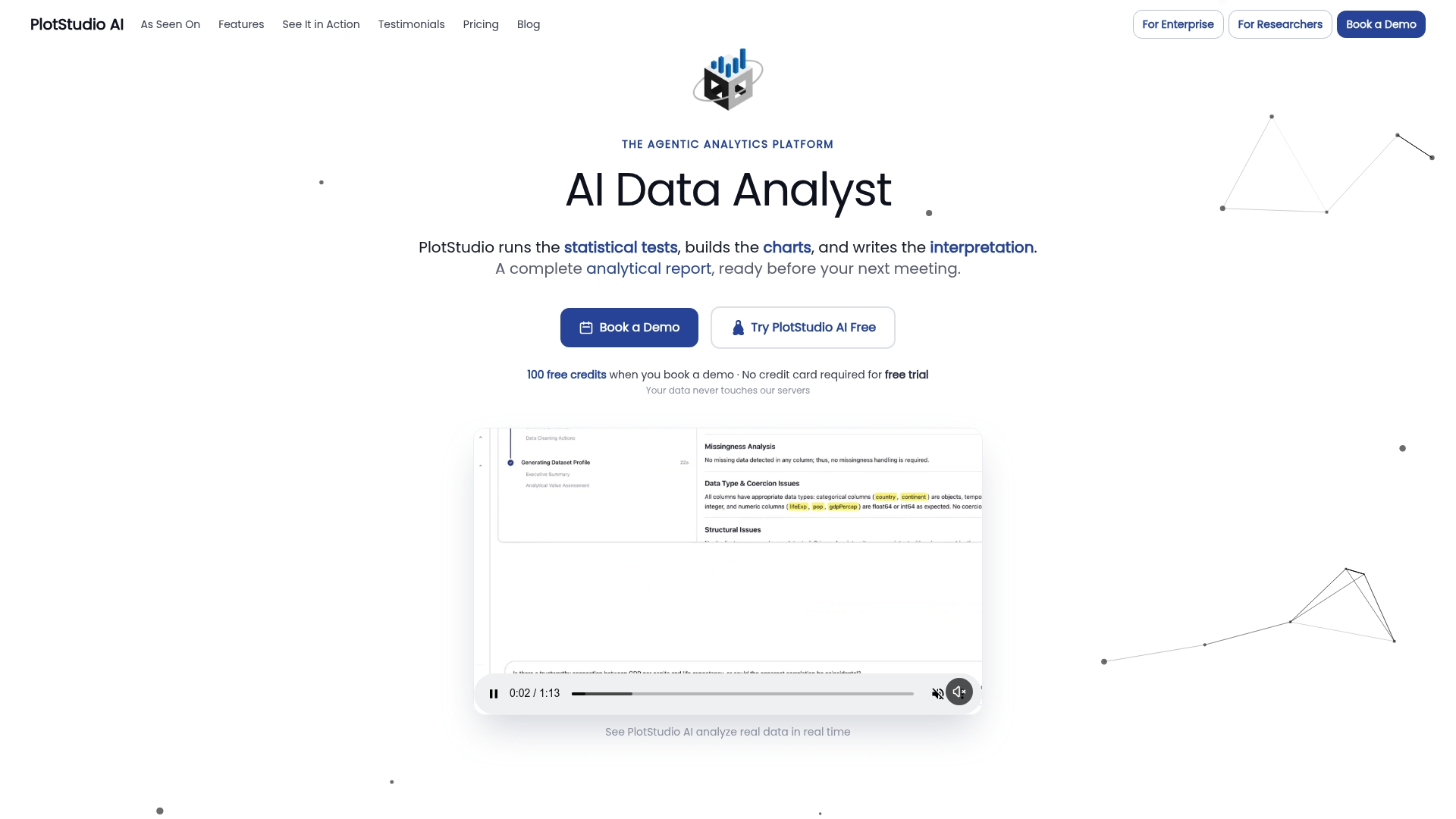
For researchers frustrated by one-shot chat tools that generate a chart and move on, the better Julius AI alternative is PlotStudio AI, built specifically for multi-step, auditable statistical work rather than a single conversational answer. A free trial gets you started, the Managed Credits plan runs $69.99 per month, and a Bring Your Own Key plan is available at $39.99 per month or $399.90 per year through the academic program for university researchers. Check current plans and start a trial to see how Plan Mode handles your next analysis.
Sources
For deeper background, the National Academies report on reproducibility and replicability, the renv documentation, a Nature Methods review of workflow managers, and the Nature Computational Science piece on AI-assisted code generation cover the standards referenced throughout this guide.
- Reproducibility and Replicability in Science (National Academies)
- renv: Project Environments (CRAN/RStudio documentation)
- Towards transparency and knowledge exchange in AI-assisted data analysis code generation (Nature Computational Science)
- Continuous analysis for reproducible research (Nature Biotechnology)
FAQ
What Is the Difference Between Reproducibility and Replicability?
Reproducibility means getting the same result from the same data, code, and conditions, while replicability means an independent study with new data reaches the same conclusion, according to the National Academies. Generated analysis code targets reproducibility first, since that’s what a reviewer can actually check without collecting new data.
Do I Need a Lockfile for Every Generated Script?
Yes, if the script will be shared, reviewed, or rerun after any delay. A lockfile from renv for R or an equivalent pip or conda manifest for Python is what lets someone else restore your exact package versions instead of guessing.
Can PlotStudio AI Generate Both Python and R Code?
Yes, PlotStudio AI supports both Python and R workflows and is built for the statistical methods researchers use regularly, including regression, mixed-effects models, and survival analysis. Pricing and trial details are available on the PlotStudio AI pricing page.
Is AI-Generated Analysis Code Safe to Use for Sensitive Data?
It depends on where the code runs and what data leaves your machine during generation. Cloud-based tools can expose sensitive datasets through prompt context, while local execution, an approach PlotStudio AI is built around, keeps data on the researcher’s own machine throughout the process.
What Should I Include With Generated Code for Peer Review?
Include the full scripts, dependency lockfiles, seed logs, and either the dataset or clear access instructions, along with a short run recipe a reviewer can follow. Archiving the package with a DOI through a registry like Zenodo or WorkflowHub adds the FAIR metadata that makes the work citable and independently checkable.