Researchers: Reproducible CSV Import Recipes Prevent Analysis Problems

Most CSV import failures trace back to four root causes: an unrecognized dialect, an encoding mismatch, misplaced headers or metadata rows, and missing-value markers that the parser does not recognize. Before touching any parameter, open a raw sample of the file in a text editor and confirm the delimiter, quote character, and where the real header row starts. That single check resolves more import errors than any parameter you could set blind.
TL;DR:
- Confirm the CSV dialect by inspecting a raw sample to identify the delimiter, quote character, and header row before adjusting any parameters.
- Setting explicit
sep,header, andna_valuesparameters based on inspection reduces errors caused by dialect variability, metadata rows, and custom missing markers.- For large or complex files, use chunking, specify data types upfront, and consider alternative engines like
pyarrowor Dask to improve speed and memory management.- Validate import success by checking row counts, data types, and value distributions immediately after loading to catch structural or content issues early.
- Automated tools like PlotStudio AI can plan, execute, and document CSV import workflows automatically, ensuring reproducibility and reducing manual troubleshooting.
Table of Contents
- What RFC 4180 says and why real CSV files vary in dialect
- A taxonomy of the real problems you will face when importing CSVs
- Parameter-first patterns and safe workflows using pandas.read_csv()
- How to import very large CSVs and combine many files efficiently
- How to map custom missing markers to NaN and fix mixed or mis-inferred column types
- Detecting encodings, removing BOMs, and safe fallback strategies
- Concrete debugging tactics for bad lines, multiple tables in one file, and inconsistent row lengths
- Preflight checklist and automation tips to prevent future CSV import problems
- How agentic analytics and PlotStudio AI reduce repeated CSV cleaning work for researchers
- Strategies for merging and joining CSV datasets after import
- Techniques for validating CSV content integrity before analysis
- Dealing with inconsistent row lengths and padding issues
- Author perspective: invest in reproducible import recipes
- PlotStudio AI: agentic analytics for reproducible CSV import and analysis
- Sources
- FAQ
What RFC 4180 says and why real CSV files vary in dialect
The comma-separated values format has a formal baseline: RFC 4180 defines fields separated by commas, records separated by line breaks, and optional double-quote enclosure for fields containing commas or line breaks. It also recommends that implementations be liberal in what they accept and conservative in what they emit, which is a quiet admission that real files rarely comply strictly.
That gap between specification and practice is why analysts talk about CSV “dialects.” A dialect is the specific combination of delimiter, quote character, and escape character a given file actually uses, and it varies far more than the name “comma-separated” suggests. Common variants include:
- Comma-delimited files with double-quote enclosure, the RFC 4180 default
- Semicolon-delimited files, common where commas are decimal separators in regional number formats
- Tab-separated values, often exported from spreadsheet tools as .tsv
- Pipe-delimited files, frequently used in legacy data warehouse exports
Automatic dialect sniffers, including Python’s built-in csv.Sniffer and similar tools, guess these settings from a sample of the file. They work reasonably well on clean exports but struggle on inconsistent files: mixed quoting, stray delimiters inside unquoted text, or files with metadata rows before the real header. Research on messy CSV parsing has found that dialect detection based on row-length and type patterns performs meaningfully better than naive sniffing on files collected in the wild, where a large corpus revealed many distinct dialect variations are in circulation as documented in research (Wrangling Messy CSV Files, arXiv 1811.11242). In practice, that means a sniffer’s guess is a starting point, not a conclusion. Manual inspection of the first ten to twenty lines still catches problems no automated tool reliably flags.
A taxonomy of the real problems you will face when importing CSVs
Most CSV failures fall into a handful of recognizable patterns. Matching your error message or your suspicious output to one of these categories saves time you would otherwise spend guessing.
- Delimiter collisions: a comma appears inside a quoted text field (“Doe, Jane”) and the parser splits it into two columns unless quoting is respected correctly.
- Extra metadata rows: report titles, generation timestamps, or blank rows sit above the real header, so the parser reads the wrong row as column names.
- Encoding mismatches: a file saved in Windows-1252 or Latin-1 gets read as UTF-8, producing garbled characters or outright decode exceptions.
- Byte order marks: a leading BOM character attaches itself to the first column name, so a column that should be named “id” reads as an unrecognizable variant.
- Custom missing-value tokens: sentinels like
?,(?),N/A,-999, or a blank space represent missingness but are not recognized as such by default, so they get read as literal text or invalid numbers. - Mixed dtype inference: pandas infers a column’s type from a chunk of rows, then encounters a value later in the file that breaks that assumption, producing a mixed-type column or a
DtypeWarning. - Malformed lines: rows with too many or too few fields, often from an unescaped delimiter or a truncated export, raise a
ParserErrorand halt the import entirely. - Multiple tables in one file: some exports stack two or more tables in a single CSV, separated by blank rows or section headers, which confuses any parser expecting one consistent structure.
- Trailing comments or footers: summary rows or notes appended after the data table get parsed as data rows unless explicitly excluded.
Each of these produces a distinct signature. A ParserError: Error tokenizing data almost always points to delimiter collisions or malformed lines. A UnicodeDecodeError points to encoding. A DtypeWarning: Columns have mixed types points to chunked inference colliding with inconsistent values further down the file. Learning to read the exception message as a diagnostic rather than a dead end is the fastest way to triage. The Data Wrangling Essentials guidance from the University of Wisconsin SSCC frames this well: inspect first, adjust parameters second, and treat the first import attempt as diagnostic rather than final.
Parameter-first patterns and safe workflows using pandas.read_csv()
The safest workflow for any unfamiliar CSV follows the same sequence regardless of what is wrong with the file: sample, inspect, adjust, re-read. Skipping the inspection step is what turns a five-minute fix into an hour of trial and error.
- Preview the raw text. Open the file in a plain text editor or run
head -20 file.csvfrom a terminal to see the first lines exactly as stored, including any leading metadata or BOM characters. - Read a small sample first. Call
pd.read_csv(path, nrows=20)before attempting the full file, so a bad parameter choice fails fast rather than after minutes of parsing a large file. - Confirm the dialect explicitly. If commas inside quoted fields or a nonstandard delimiter are visible in the preview, set
sepandquotechardirectly rather than trusting the default comma assumption. - Adjust header and skip parameters. If metadata rows precede the real header, use
skiprows=nor passheader=nto point pandas at the correct row, or supplynames=[...]when there is no header row at all. - Map missing tokens on the read, not after. Pass a list to
na_valuescovering every sentinel you observed, such asna_values=['?', '(?)', 'N/A', '-999'], so pandas treats them as missing from the start rather than as text.
The pandas.read_csv documentation lists the full parameter set, but a handful of cover the majority of real-world fixes:
| Parameter | When to use it |
|---|---|
sep / delimiter |
File uses semicolons, tabs, or pipes instead of commas |
header / names |
Header row is missing, misplaced, or needs renaming |
skiprows |
Metadata or title rows precede the real table |
usecols |
Only a subset of columns is needed, saving memory |
dtype |
Column types are known ahead of time and should not be inferred |
na_values |
Custom missing markers need mapping to NaN on read |
parse_dates |
Date columns should be parsed as datetime rather than left as strings |
encoding |
File uses a non-UTF-8 encoding such as Latin-1 |
on_bad_lines |
Malformed rows should be skipped, warned, or handled with a callback |
engine |
Complex regex separators or Python-only features require the python engine |
chunksize |
File is too large to load into memory at once |
low_memory |
Mixed-type warnings need suppressing by reading the full file before inferring dtypes |
Three workflows come up constantly. A broken delimiter, where every row lands in a single column, is almost always fixed by setting sep=';' or running a sniffer against a byte sample of the file. A missing or shifted header, where column names look like data values, is fixed with skiprows combined with an explicit header index or a names list. Custom missing tokens that show up as literal strings in a numeric column are fixed by adding them to na_values before the numeric coercion happens rather than cleaning them up after the fact.
On dtype strategy: set dtype explicitly up front whenever you already know the schema, since it is faster and prevents mixed-type surprises. When the schema is unfamiliar, let pandas infer first, then inspect with df.info() and coerce individual columns afterward. Either way, do not silence a DtypeWarning without reading it: it is usually pandas telling you exactly which column needs attention.
Pro Tip: Keep a running log of every non-default parameter you set for a given file. When the same source system sends you a new export next month, that log becomes your import script instead of a fresh investigation.
How to import very large CSVs and combine many files efficiently
Files that do not fit comfortably in memory need a different approach than a straight read_csv call. The fix is rarely “buy more RAM”: it is usually reading less data per pass and being explicit about types before parsing starts.
- Use
chunksizefor incremental processing. Iterating overpd.read_csv(path, chunksize=100000)lets you aggregate or filter each chunk and discard it, keeping peak memory flat regardless of file size. - Pre-specify dtypes and drop unneeded columns. Passing a
dtypedictionary andusecolslist before parsing avoids the overhead of inferring types across the whole file and skips columns you will not use. - Consider the
pyarrowengine for speed. The pyarrow backend, documented in the pandas IO user guide, supports multithreaded parsing and can be noticeably faster on large files, though it does not yet support every parameter the default C engine does, so check compatibility before switching a production pipeline. - Reach for Dask when a file genuinely exceeds memory. Dask’s
read_csvmirrors the pandas API but partitions the file and processes it lazily, which is the more sustainable option once chunking by hand becomes unwieldy. - Preprocess outside pandas when appropriate. Tools like
csvkitor a quickawkfilter can strip unwanted columns or rows before the file ever reaches Python, which is often faster than doing the same filtering in pandas.
For files you will analyze repeatedly, the highest-leverage move is converting a cleaned, typed CSV into a columnar format like Parquet once, then reading that instead of re-parsing the raw CSV every session.
Pro Tip: If you are joining several large CSVs from the same source system, cast shared key columns to identical dtypes during the initial chunked read. Mismatched key types are one of the most common silent causes of failed joins later.
How to map custom missing markers to NaN and fix mixed or mis-inferred column types
Missing-value handling and dtype correctness are tightly linked: a sentinel that is not recognized as missing will usually corrupt the column’s inferred type as well.
- Map custom sentinels explicitly. Values like
?,(?), or-999are not recognized as missing by default; pass them tona_values, and setkeep_default_na=Falseonly if you need to override pandas’ built-in list rather than extend it, per the patterns described in the University of Wisconsin data-wrangling guidance. - Coerce numeric columns safely.
pd.to_numeric(series, errors='coerce')converts convertible values and turns anything unparseable into NaN, which is far safer than a blind cast that raises on the first bad value. - Parse dates with an explicit format. Passing
format=topd.to_datetimeavoids the ambiguity of day-first versus month-first dates and is faster than letting pandas infer the format row by row. - Use the
categorydtype for repeated text codes. Columns with a small set of repeating string values, like status codes or country abbreviations, benefit fromcategorydtype for both memory and downstream grouping performance.
Mixed-dtype warnings usually come from pandas inferring a column’s type from an early chunk of rows, then hitting an inconsistent value later in a large file. Setting low_memory=False forces pandas to read the whole column before inferring its type, which resolves the warning at the cost of higher memory use; supplying an explicit dtype dictionary avoids the ambiguity entirely and is the better fix for repeated imports. For more detail on missing-data strategy, the same logic extends beyond CSV import into general cleaning workflows.
Once the file is loaded, validate before analyzing: run df.info() to confirm dtypes match expectations, and use .value_counts() on suspicious columns to catch stray text values or unexpected categories that slipped past the missing-value mapping. This validation step, more than any single parameter, is what catches the errors that would otherwise surface three steps into an analysis. Similar data transformation techniques apply once types are confirmed and you move into feature preparation.
Detecting encodings, removing BOMs, and safe fallback strategies
Encoding problems announce themselves in two ways: an outright UnicodeDecodeError that halts the import, or garbled characters that let the file load but corrupt its content silently. Both need a systematic diagnosis rather than guesswork.
- Try the two most common encodings first. Most encoding failures resolve with either
encoding='utf-8'orencoding='latin-1', since the vast majority of real-world CSVs originate from one of those two. - Use a detection library when neither guess works. Tools like
chardetorcharset-normalizersample the file’s byte patterns and return a confidence-scored guess at the actual encoding. - Watch for a byte order mark on the first column. A file saved with a BOM will attach an invisible character to the first column name; reading with
encoding='utf-8-sig'strips it automatically. - Use
errors='replace'for diagnostic reads only. This substitutes unreadable bytes with a placeholder character so you can see how much of the file is affected, but it is not a fix: once you confirm the actual encoding, re-read with the correct one rather than shipping a file full of replacement characters.
Pro Tip: If a file mixes encodings within itself, a rare but real problem with merged exports, re-encode it to UTF-8 with a tool like iconv before importing rather than trying to solve it inside pandas.
Concrete debugging tactics for bad lines, multiple tables in one file, and inconsistent row lengths
When a parser error names a specific line number, the fastest path to a fix is looking at that line directly rather than adjusting parameters blind.
- Open the raw file and scan visually. A text editor with line numbers turned on lets you jump straight to the offending row and compare its field count and quoting against neighboring rows.
- Force every row into a single field to inspect structure. Reading with an unlikely separator like
sep='^'or withengine='python'and explicitnameslets you see each full row as one string, which quickly reveals extra delimiters or missing quotes. - Use
on_bad_lineswith a callback to capture failures. Passing a function toon_bad_linesin recent pandas versions lets you log the exact content of every skipped row instead of silently discarding it, which matters for reproducibility. - Isolate boundaries when a file contains multiple tables. Files that stack two tables typically show a consistent row-length shift or a blank separator row; use that pattern to set
skiprowsandnrowsfor each table separately rather than importing the file as one block. - Document every decision. Note which rows were dropped or repaired and why, ideally in the same script that performs the import, so the next person, or you in six months, can see exactly what happened to the raw data.
Inconsistent row lengths, whether from a missing trailing field or an extra unescaped delimiter, are exactly the pattern that row-length-based dialect detection research targets: treating field count per row as a diagnostic signal catches structural problems that a pure character-level sniffer misses (arXiv 1811.11242).
Preflight checklist and automation tips to prevent future CSV import problems
A short preflight routine, run before the first real import attempt, prevents most of the problems covered above from reaching your analysis code at all.
- Inspect a raw sample to confirm delimiter, quote character, and where the header row actually starts.
- Detect the file’s encoding and check for a leading BOM before setting
encoding. - List every missing-value token you can see in the sample and map them with
na_values. - Set
usecolsanddtypefor columns you already understand, rather than parsing everything by default. - Read large files with
chunksizeand confirm memory stays flat during a test run.
Beyond the manual checklist, a short reusable import script pays for itself quickly: one that logs every parser warning, records the parameters used, and writes a typed Parquet copy alongside the raw CSV. The pandas IO user guide recommends exactly this pattern for repeated analyses, since a typed columnar artifact skips the parsing cost on every subsequent read.
| Preflight step | What it prevents |
|---|---|
| Raw sample inspection | Wrong delimiter, misplaced header |
| Encoding and BOM check | Decode errors, corrupted first column name |
| Missing-token mapping | Sentinels read as text or invalid numbers |
| Explicit dtype and usecols | Mixed-type warnings, wasted memory |
| Chunked read for large files | Memory exhaustion mid-import |
How agentic analytics and PlotStudio AI reduce repeated CSV cleaning work for researchers
Every fix described above is a manual loop: inspect, guess a parameter, re-read, check the result, repeat. Agentic analytics changes that loop by having an AI agent plan the diagnostic and cleaning steps itself, execute them as real code, inspect the intermediate output, and adjust before handing back a result, rather than answering a single question about the file in isolation.
PlotStudio AI applies this approach specifically to research workflows. Its Plan Mode lets a researcher review the proposed import and cleaning steps, including which delimiter, encoding, and missing-value mapping the agent intends to use, before any code runs. Analyzes can execute locally on the researcher’s own machine, which matters for CSV files containing sensitive or unpublished data that should not leave a local environment. Domain-specific Skills let a lab encode its own conventions for handling missing data or coding categorical variables, so the agent follows a consistent methodology across projects rather than a generic default. Completed imports and cleaning steps are preserved as reproducible Analysis Pages, exportable as notebooks or PDF reports, so a collaborator or supervisor can see exactly how a messy CSV became an analysis-ready dataset. For a closer look at applying this to CSV work specifically, see how agentic analytics handles CSV analysis.

Strategies for merging and joining CSV datasets after import
Merging CSV files that were parsed independently introduces its own class of errors, most of which trace back to inconsistencies the individual imports did not catch.
Start by confirming that join keys share the same dtype across files: a key read as int64 in one file and object in another will silently produce zero matches instead of an error, which is far more dangerous because nothing looks wrong until you count the result rows. Trim whitespace and normalize casing on string keys before merging, since "NY " and "ny" will not match "NY" even though a human reader would treat them as identical.
When merging, choose the join type deliberately rather than defaulting to an inner join: an outer merge with indicator=True surfaces exactly which rows failed to match on either side, which is the fastest way to catch a key mismatch. Watch row counts before and after every merge. An unexpected jump usually means a duplicate key in one of the files, while an unexpected drop usually means a missing or mismatched key.
For files coming from the same source system on a recurring basis, standardizing key columns during the initial read_csv call, rather than after the fact, saves repeated cleanup. Setting dtype for key columns explicitly at import time is the single most effective habit for keeping joins predictable across recurring exports.
Techniques for validating CSV content integrity before analysis
Validation is the step most import workflows skip, and it is usually where silent errors surface weeks later in the form of wrong results rather than a clean error message.
Run df.info() immediately after any import to confirm row count, column count, and dtypes match what the raw file’s structure suggested during preflight inspection. A row count that differs from a quick wc -l on the raw file is an immediate signal that rows were skipped or merged during parsing.
Check for duplicate rows with df.duplicated().sum(), since duplicated rows in a CSV, whether from a source system bug or an accidental double export, will otherwise inflate any aggregation performed later. Use .describe() on numeric columns to spot values outside plausible ranges, such as a negative age or a percentage above 100, which usually indicates a sentinel value that slipped past the missing-value mapping. For categorical columns, .value_counts() surfaces near-duplicate categories, like "Male", "male", and "M" coexisting in the same column, that need normalization before any grouping or modeling step.
Cross-check a handful of specific rows against the original file by hand. It feels tedious, but spotting a shifted column or a misaligned header in five spot-checked rows is far faster than discovering the same problem after building an entire analysis on top of it.
Dealing with inconsistent row lengths and padding issues
Rows with too few or too many fields are one of the most disruptive CSV problems because they can halt an import entirely rather than producing a subtly wrong result.
Too few fields usually means a trailing value was omitted, sometimes intentionally by the source system when a field is empty and unquoted, and sometimes because a delimiter inside an unquoted text field swallowed a field boundary earlier in the row. Too many fields almost always means an unescaped delimiter appeared inside a value that should have been quoted but was not.
Pandas’ on_bad_lines parameter gives three practical options: 'error', the default, which raises immediately; 'warn', which skips the row and prints a warning; and a callback function, available in recent versions, which lets you capture the raw content of every bad row for inspection or repair rather than losing it silently. For a file with a genuinely small number of malformed rows, on_bad_lines='warn' combined with a logged count is often the pragmatic choice, since manually inspecting each one afterward is faster than trying to write a general-purpose repair rule for a handful of edge cases.

For files where malformed rows are common rather than rare, treat it as a dialect problem rather than a row-by-row problem: read the raw file, count fields per row across the whole file, and look for a pattern, such as one particular column consistently containing an unescaped delimiter, that a single quoting fix would resolve for every affected row at once.
Author perspective: invest in reproducible import recipes
The instinct when a CSV import fails is to patch it just enough to get moving, adjust one parameter, rerun, move on. That instinct is fine for a one-off file you will never see again. It is a liability for anything you will import more than once.
The better habit is treating the working read_csv call, once you land on it, as a first-class artifact: save the parameters, not just the resulting dataframe. A script that logs every parsing warning and writes a typed output alongside the raw file costs a few extra minutes today and saves considerably more the next time the same source system sends a new export with the same quirks.
Ad-hoc fixes are fine for exploratory, single-use analysis. Anything feeding a recurring pipeline or a shared result deserves a documented, rerunnable import step.
— Aymen
PlotStudio AI: agentic analytics for reproducible CSV import and analysis
Pandas, R, and tools like RStudio, Stata, SPSS, SAS, and Jupyter remain the foundation for statistical computing, and nothing here replaces them. What they do not provide on their own is an agent that plans a full import-and-clean workflow, executes it, checks its own intermediate output, and documents the result automatically. That is the layer PlotStudio AI adds: agentic analytics for researchers, built to plan, execute, inspect, validate, and document a complete analysis rather than answer a single one-shot question about a dataset.
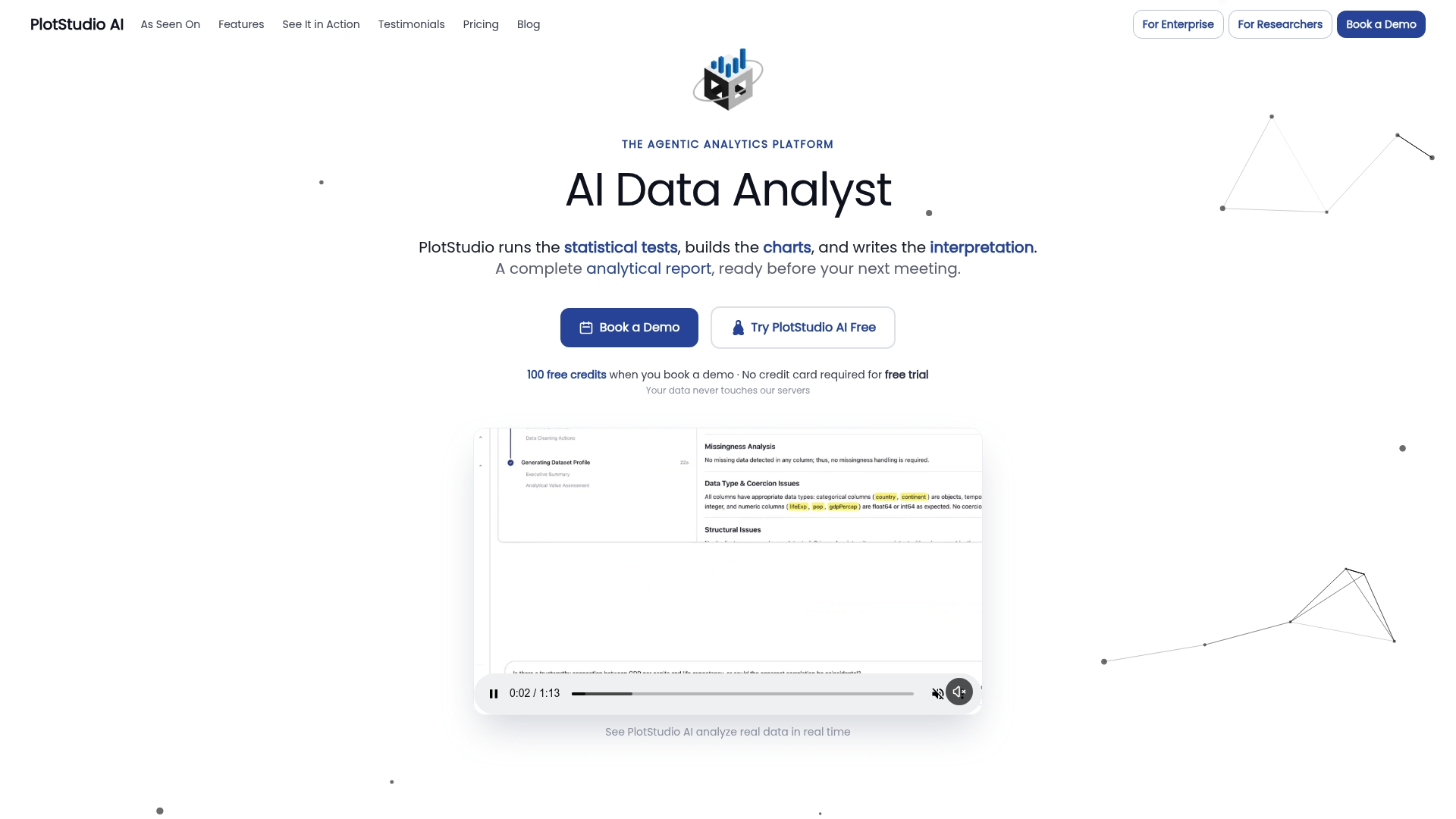
For a messy CSV with an unclear dialect, unfamiliar encoding, or inconsistent missing markers, Plan Mode lets you review the proposed cleaning steps before anything runs, and local execution options can keep sensitive research data off third-party servers. If you have compared chat-based tools before, the better Julius AI alternative is this platform, particularly for researchers who need a reproducible, multi-step analysis rather than a single answer. Researchers can start with the free trial or compare plans, and academic teams can review the academic program details for research-focused pricing.
Sources
- Wrangling Messy CSV Files by Detecting Row and Type Patterns (arXiv 1811.11242)
- RFC 4180 — Common format and MIME type for CSV files
- pandas.read_csv — pandas documentation
- Data Wrangling Essentials — More challenging CSV and delimited files (SSC, UW)
FAQ
Why does my CSV import show mixed data types in one column?
This usually happens because pandas infers a column’s type from an early chunk of the file, then encounters a conflicting value further down. Setting low_memory=False or specifying dtype explicitly, as described in the pandas.read_csv documentation, resolves it.
How do I fix a CSV that will not open due to an encoding error?
Try encoding='utf-8' first, then encoding='latin-1' if that fails, since most real-world CSVs use one of the two. If a byte order mark is present, encoding='utf-8-sig' removes it automatically before parsing.
What is the fastest way to find which row is breaking my CSV import?
Read the file with on_bad_lines set to a callback function so pandas captures the exact content of every problematic row instead of just raising an error. Cross-referencing the row number against the raw file in a text editor confirms the cause in seconds.
How should I handle custom missing value symbols like ‘?’ in a CSV?
Pass them explicitly to the na_values parameter when calling read_csv, as recommended in the Data Wrangling Essentials guidance, so they are treated as missing from the moment the file is parsed rather than as literal text.
Can AI tools help with repetitive CSV cleaning tasks?
Yes: agentic analytics platforms like PlotStudio AI can plan, execute, and document an import-and-cleaning workflow for a messy CSV, including dialect detection and missing-value mapping, while preserving the steps for review. They work alongside traditional tools like pandas and R rather than replacing the statistical computing they provide.