The best data analysis AI tool is the one that shows its work, opens your file type, and fits how much you need to trust the result. PlotStudio AI suits researchers who need transparent statistics and publication-ready figures. ChatGPT and Claude suit quick questions about a spreadsheet. Julius AI suits non-coders who want a dedicated analysis workspace. Power BI Desktop and Looker Studio are the free picks for recurring dashboards and reports.
Finding a tool is not the hard part. Every vendor now says "AI-powered," and the tools behave very differently once you upload a real file. Some hand you a chart and a confident paragraph with no way to check either. This article explains how AI data analysis works, gives you a step-by-step method, and compares five tools by what they do, who they suit, and what they cost.
We build PlotStudio AI, so it leads the list, and we say plainly where it fits and where it does not. The other four are judged on the same terms. Whichever you choose, test it first on a file whose answers you already know.
How AI data analysis works and how to start
AI data analysis means asking a model questions about your data in plain English and letting it write and run the code that answers them. You skip the SQL, spreadsheet formulas, and Python, but you still own the question and the conclusion.
What AI data analysis is and how it works
Most tools pair a large language model with a code sandbox. You upload a CSV or Excel file and ask "which group improved most?" The model writes Python or SQL, runs it, and returns tables, charts, and a written interpretation. Other tools use machine learning for forecasting and anomaly detection. That is why AI in data analysis covers everything from cleaning columns to explaining a regression.
Can ChatGPT do data analysis? Yes, within limits, and so can the other tools below. Will AI replace data analysts? No. It handles routine cleaning, charting, and querying. It cannot decide which question matters or whether a method's assumptions hold for your data.
AI writes the code, but you still own the question and the conclusion.
How to use AI for data analysis
Use the same routine with any tool:

- Tidy the file: one header row, one row per observation, consistent units.
- Remove or mask sensitive columns before uploading.
- State the question and the goal, such as "compare treatment A and B on recovery time."
- Ask the tool to describe the data first: types, ranges, missing values.
- Request the analysis and ask which method it used and why.
- Read the code or steps, and recompute one key number by hand.
- Export the result with the code, so you can reproduce it later.
Step 6 is where most people skip ahead, yet it decides whether you can trust AI data analysis. If a 200-row file says the average is 14.2, check it in a spreadsheet in thirty seconds. A wrong number you caught costs nothing, and one you missed can end up in a report.
The five tools at a glance
| Tool | Best for | Free option | Runs |
|---|---|---|---|
| PlotStudio AI | Research stats and publication figures | Free trial, 30 credits | Desktop app |
| ChatGPT and Claude | Quick one-off questions | Free tiers with usage caps | Cloud |
| Julius AI | Non-coders, broad deliverables | Check its site | Web |
| Power BI Desktop | Dashboards, Microsoft teams | Free desktop app | Windows desktop |
| Looker Studio | Google data reporting | Free | Cloud |
If you live in Excel, Excel Copilot generates formulas and charts from plain-language requests. It needs a paid Microsoft 365 Copilot license, so it is not a free option.
1. PlotStudio AI
PlotStudio AI is a desktop data analyst built for researchers. It runs statistical tests, builds charts, and writes the interpretation.
How it works
You upload a dataset and ask a question. A team of specialized agents plans the investigation, writes Python, runs it on your machine, corrects its own errors, and interprets the results. Each question produces a permanent analysis page with tables, charts, tests, and interpretation, and later work builds on earlier pages.
- Verification Mode lets you review, question, and edit the plan, methods, and assumptions before anything runs.
- Uploads are scored Clean, Usable, or Needs Cleaning, with a cleaning plan.
- Exports include PDF reports with embedded charts and equations, or a Jupyter notebook that reproduces results with Run All.
PlotStudio is the pick when a reviewer may ask how you got the number.
Who it suits and what it costs
It suits academic researchers, clinical and public health analysts, and graduate students who need figures and statistics for a manuscript or thesis. It is aimed less at sales dashboards. It complements Stata, R, and SPSS rather than replacing every specialized feature, and you must still check figures against journal requirements.
The free trial gives 30 credits with no credit card and no API key. Managed Credits costs $69.99 a month for 300 credits. Bring Your Own Key costs $39.99 a month with your own OpenAI key. Under the academic discount, approved academics pay $29.99 or $14.99 a month for those two plans. Analysis runs locally, but prompts reach your model provider, so check IRB and institutional rules before using patient data. The free trial lists macOS on Apple Silicon, so check the download page for your platform.
2. ChatGPT and Claude
General chatbots are the fastest way to try AI on a spreadsheet, because you probably have an account already.
How it works
You upload a CSV or Excel file and describe what you want. The model writes and runs code in a sandbox, then returns tables and charts. Claude supports a similar upload-and-analyze workflow, and video tutorials show it working through a full dataset in about ten minutes.
- Good for exploration, quick charts, and explaining formulas.
- You can ask it to show its code and re-run with changes.
- Results can differ between runs, so verify key figures.
A chatbot is a fast first pass, not a record of your analysis.
Who it suits and what it costs
It suits students, managers, and anyone with a one-off question and a clean file. It is weaker for long projects, because nothing organizes your analyses into a persistent workspace, and large files can hit size limits.
Both offer free tiers with usage caps, and paid plans raise those limits. Caps change often, so read the current terms. Treat uploaded files as shared with the provider, and leave out names, IDs, and anything confidential.
3. Julius AI
Julius AI is a dedicated AI workspace that goes beyond charts. It describes itself as a place to analyze data and create presentations, dashboards, websites, images, and video.

How it works
You upload data and chat with it. The tool analyzes the file and builds the output you ask for, such as a dashboard or a slide deck. That makes it a single workspace from raw file to deliverable, with less copying between apps.
- Plain-English questions about uploaded spreadsheets.
- Dashboards and presentations generated from the results.
- A broader workspace than a plain chat window.
Julius is the pick when the end product is a deck or dashboard, not a methods section.
Who it suits and what it costs
It suits business users and non-coders who want polished deliverables without learning a BI tool. If you must approve statistical methods before they run, or export reproducible code for a paper, test that part before committing.
Pricing and free limits change, so check the current plans on its site. Run your own file through it first and compare the output with a number you trust, or read a Julius AI review built on a real dataset test.
4. Power BI Desktop
Power BI Desktop is a free analytics application for building reports and dashboards, with natural language questions built in.
How it works
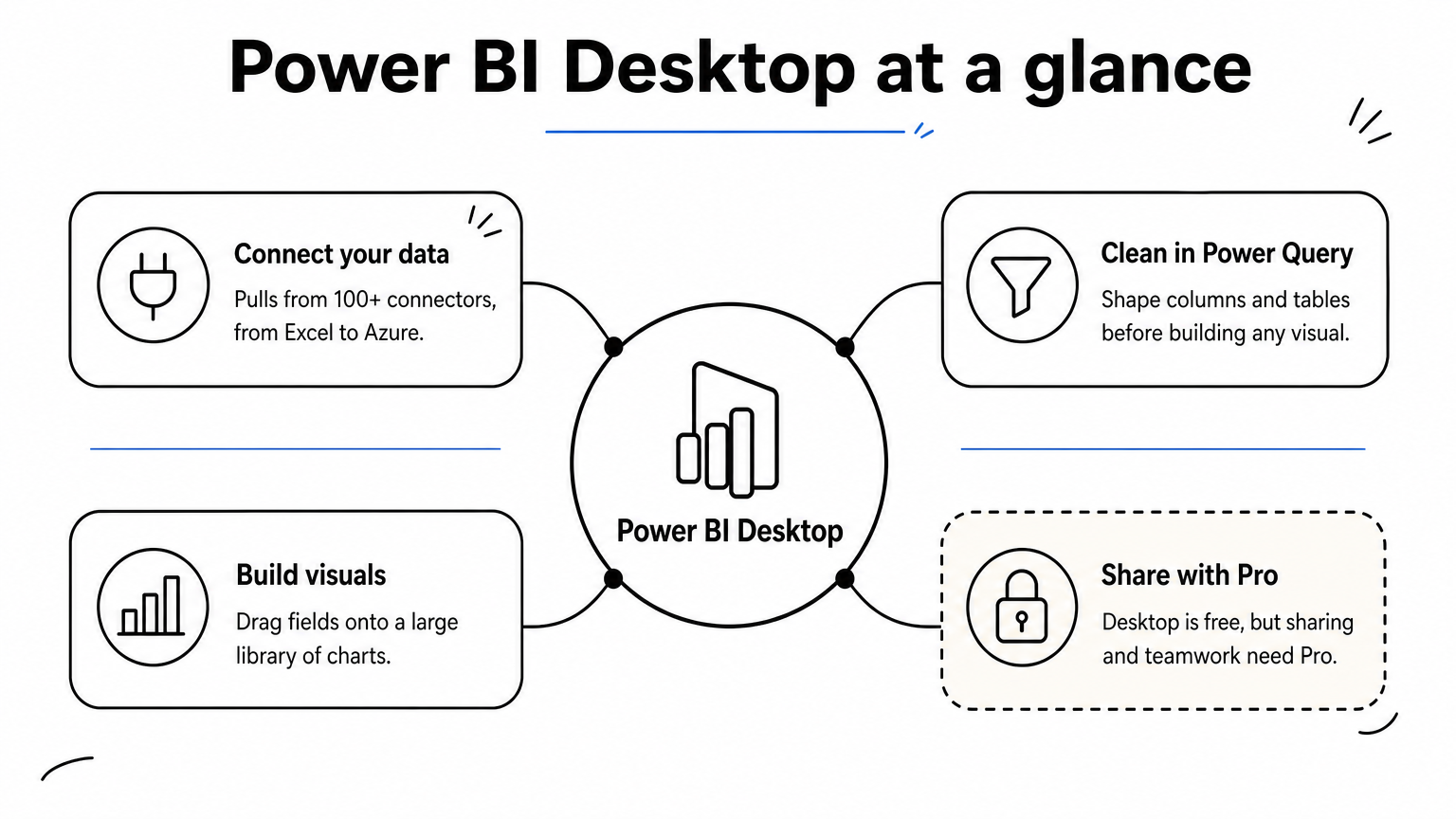
You connect data, clean it in Power Query, and build visuals. Its Q&A feature lets you ask questions in plain language. Copilot can draft DAX formulas and report pages, though it typically gets you most of the way and you still need to understand the DAX. Power BI offers 100+ data connectors.
- Strong modeling and a large visual library.
- Tight integration with Excel, Teams, and Azure.
- Copilot features need a paid Microsoft license.
Power BI rewards you if your data already lives in Microsoft tools.
Who it suits and what it costs
It suits analysts and teams that need recurring dashboards and already use Microsoft 365. The desktop app is free, but sharing and collaboration require a paid Pro license. It runs on Windows, which matters if you work on a Mac. Connecting to systems outside the Microsoft world takes more effort, and beginners face a learning curve, so it is worth scanning alternatives to Power BI first.
5. Looker Studio
Looker Studio is Google's free, cloud-based reporting tool. Its AI help is lighter than the others, so treat it as a free reporting layer.
How it works
You connect a source, then drag and drop charts into a report. It has native connectors for Google Analytics 4, BigQuery, Google Sheets, and Google Ads, plus community connectors for many more sources. Reports are shared like a Google Doc and can be emailed on a schedule.
- Free to use, with no desktop install.
- Live connections, so charts refresh from the source.
- Complex modeling often needs prep upstream.
Looker Studio is the cheapest way to keep a Google-data dashboard current.
Who it suits and what it costs
It suits marketers and small teams whose data sits in Google Sheets or Google's advertising and analytics products. It costs nothing, which makes it the safest free pick here. Look elsewhere for statistical testing or conversational analysis of an arbitrary file.
Pick one tool and test it on your own file
AI data analysis works when you ask a clear question, check the method, and verify at least one number yourself. Match the tool to the job. Use a chatbot for quick questions, Julius AI for polished deliverables, Power BI Desktop or Looker Studio for free dashboards, and a research-focused workspace when you must defend your methods.
If your work ends in a manuscript, thesis, or clinical report, try PlotStudio AI free on a dataset you already understand. You get 30 credits with no credit card, and you can compare its plan, code, and figures against what you know is right.