Keep Sensitive Data Local: Audit Ready Data Lineage for Research

Data lineage for analysis means keeping a single, complete record of one specific analysis: which raw data went in, what transformations ran, which code produced the output, and why every decision along the way was made. Success looks like this: any claim in your manuscript traces backward through a pinned environment, a frozen code snapshot, and a documented decision log to the original dataset, with nothing hidden or reconstructed from memory. Frameworks like MDAR and Casrai’s reproducibility guidance describe this stack, and tools like PlotStudio are now built to generate it automatically.
TL;DR:
- Recording the exact analysis environment and software versions is essential to prevent reproducibility issues caused by dependency updates.
- Generating a machine-readable dependency graph and hashing each run ensures precise tracking of inputs, outputs, and code across all analysis steps.
- Keeping all lineage components local and including detailed audit trails supports IRB and GDPR compliance by avoiding data transfer and maintaining control over sensitive information.
- Building an analysis compendium with organized code, data, and decision logs from the start fosters long-term reproducibility and easier auditing.
- Tools like PlotStudio automate most of these processes, offering secure, local execution with comprehensive exportable reproducibility packages.
Table of Contents
- Core Components of Per-Analysis Data Lineage
- A Minimal Checklist for IRB/GDPR-Sensitive Lineage
- Building Local, Auditable Workflows Step by Step
- How Do You Catch Drift Before a Reviewer Does?
- Why Local-First Lineage Matters for IRB and GDPR Work
- What This Playbook Gets Right That Most Advice Misses
- Getting the Minimal Provenance Stack Without Building It Yourself
- Sources
- FAQ
Core Components of Per-Analysis Data Lineage
Per-analysis lineage is not a single file. It’s a stack of five interlocking pieces, and skipping any one of them creates a gap a reviewer or IRB auditor will eventually find.
The first piece is a machine-readable record of your analytical steps, not a prose description of them. A dependency graph (DAG) that shows which script produced which intermediate file, in what order, lets anyone reconstruct your pipeline without guessing. Casrai’s reproducibility infrastructure guidance treats this as the foundation layer: without it, containers and code archives have nothing to orchestrate.
The second piece is your pinned computational environment. A container digest or a lockfile that fixes exact package versions, plus notes on hardware needs like RAM, CPU, or GPU requirements, keeps your analysis from silently breaking six months later when a dependency updates.
The remaining pieces round out the stack:
- Durable code identity. A frozen snapshot with a persistent identifier, such as a Zenodo DOI or a Software Heritage SWHID, so the exact code version behind a published figure never disappears when a repository changes.
- Linked data with a data dictionary. Every variable name, unit, and coding scheme documented alongside a versioned or embargo-aware snapshot of the dataset itself.
- An analysis plan with recorded deviations. What you said you’d test, and an honest log of where the real analysis departed from that plan and why.
- Run records. Commands, input and output file hashes, exit codes, and random seeds for every execution, not just the final one.
Omitting software versions and parameter settings is one of the most common reasons computational results fail to reproduce, according to a review of the five pillars of computational reproducibility. Each of these five components exists specifically to close that gap.
A Minimal Checklist for IRB/GDPR-Sensitive Lineage
You don’t need a full lab-wide governance overhaul to get defensible lineage on your next analysis. You need seven concrete actions, most of which take an afternoon, not a semester.
- Lock your analysis plan first. Write down methods, statistical thresholds, and success criteria before you run any code. This functions as a pre-registration and gives you a baseline to measure deviations against later.
- Generate a workflow file that infers your DAG. Whether it’s a Makefile, a Snakemake workflow, or an agent-generated dependency graph, it needs to exist as a file, not as tribal knowledge in your head.
- Pin your environment. Export a lockfile or container digest, and note any hardware dependencies your analysis assumes.
- Archive your code with a persistent identifier. Deposit to Zenodo or Software Heritage before submission, not after a reviewer asks.
- Record every run with hashes. Bind each manuscript claim to the specific run and output hash that produced it.
- Assemble a reproducibility bundle. Package the notebook, a rendered PDF, and a permanent page a reviewer can open without your local setup.
- Document data access rights. Note whatever governs the dataset (IRB protocol number, GDPR legal basis, consent scope) and keep processing local when the data classification requires it.
The international consensus on core reproducibility items lists data management descriptions and persistent identifiers among the minimum expectations reviewers now look for, so this checklist isn’t a nice-to-have layered on top of your normal workflow. It’s close to the emerging baseline.
Pro Tip: Do step one before you touch your data, not after. A plan written retroactively to match your results is not a plan, it’s a rationalization, and reviewers can often tell the difference from the timestamps alone.
Building Local, Auditable Workflows Step by Step
Start with the directory. A project compendium, the structure used by tools like ENCORE and sFSS, organizes code, data, documentation, and intermediate outputs into one navigable tree instead of a scattered mess of loose scripts. A working compendium typically includes a machine-readable CITATION file, an environment lockfile, a 0_GETTINGSTARTED document, and a lab journal recording day-to-day decisions, a pattern detailed in the ENCORE implementation. Adopting this template during onboarding, rather than retrofitting it before submission, is what actually makes teams stick with it.
Next comes run recording. Every execution of your pipeline should append to a hash-chained, append-only log rather than overwrite a status file. Each entry captures the exact command run, the environment snapshot, input file hashes, output file hashes, the exit code, and the seed if randomness was involved. This is the difference between saying “the model ran fine” and being able to prove, months later, exactly which inputs produced which numbers.
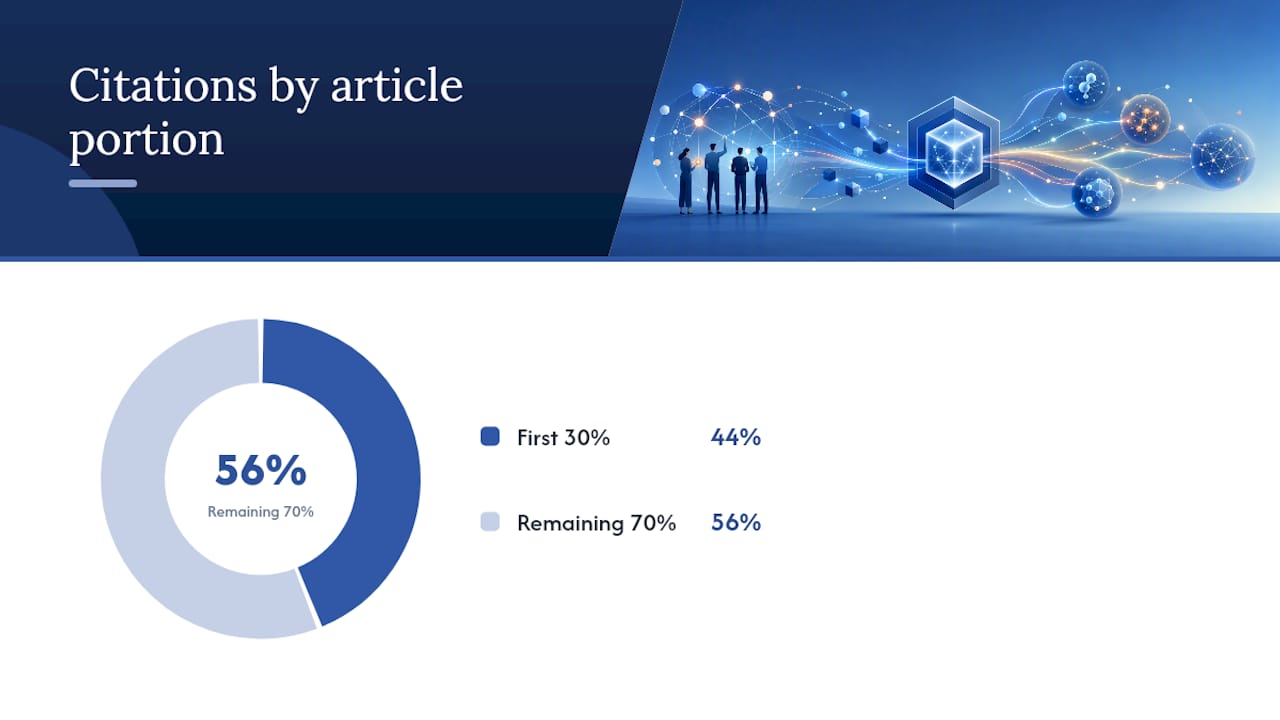
Roughly 44% of AI citations pulled from published articles come from the first 30% of the content, which is exactly why your lineage record needs its most defensible claims documented up front, not buried in a discussion section.
Data fetching deserves the same discipline as code. Code-aware fetching, where your pipeline pulls a specific, hashed version of a reference dataset rather than “the latest file on the shared drive,” prevents the quiet substitution problem where a collaborator updates a spreadsheet and nobody notices until results shift.
A practical pattern looks like this in pseudo-command form:
run-analysis --plan=approved_plan.yaml --env=lockfile.yaml- The system hashes each output, appends the run to the audit chain, and prompts you to bind the output to a specific manuscript claim.
export-bundle --format=notebook,pdf,permalinkproduces the reviewer-facing package.
This is essentially what Maneage-style lineage recording accomplishes: a full history of steps and software versions that lets geographically separated co-authors reproduce and merge work without a phone call.
How Do You Catch Drift Before a Reviewer Does?
Lineage records decay if nobody checks them. Hash verification catches this early: if an input file’s hash no longer matches what the run record expects, something changed upstream, whether that’s a corrected dataset or an accidental overwrite.
Four checks matter most in practice:
- Hash-based verification against append-only chains flags tampering or accidental edits the moment they happen, not months later.
- Downstream-review propagation traces which manuscript claims are affected when a source script or input file changes, so you’re not manually re-checking every figure.
- Sandbox re-execution re-runs a full analysis session in isolation as a higher-assurance check before submission or audit, distinct from the faster hash check used for routine gating.
- Provenance coverage checks confirm every claim has a recorded decision rationale, catching the “we excluded some outliers, trust me” gap reviewers dread.
Append-only audit trails combined with these checks mitigate what practitioners call silent drift: the slow, undocumented divergence between what a script did last year and what it does today.
Pro Tip: Run the fast hash check on every commit and save full sandbox re-execution for pre-submission. Re-running an entire analysis session every time you save a file wastes hours you don’t have.
Why Local-First Lineage Matters for IRB and GDPR Work
Local-first processing isn’t a preference for sensitive research data. It’s frequently the only compliant option, because IRB protocols and GDPR’s special-category provisions restrict where identifiable data can travel, and a cloud upload can violate that restriction before you’ve run a single test.
A pre-registered analysis plan does double duty here. It reduces post-hoc decisions that reviewers scrutinize (why this cutoff, why that exclusion), and it gives your IRB committee a document to approve before analysis starts rather than reverse-engineer afterward. The real skill is knowing what to deposit publicly (code, a data dictionary, aggregate results) versus what stays local (raw patient records, identifiable survey responses), and building your reproducibility package around that boundary from day one rather than redacting it under deadline pressure.
Tools like PlotStudio’s automated reporting workflows are built around exactly this boundary: local execution paired with exportable, reviewer-safe artifacts that never require the underlying data to leave your machine.
What This Playbook Gets Right That Most Advice Misses
Most reproducibility guides treat lineage as a documentation chore, something you clean up before submission. That’s backwards. The lab work reviewed here, from ENCORE’s compendium templates to the consensus reproducibility items, points to lineage as infrastructure you build alongside the analysis, not after it.
The conventional advice, “just write better methods sections,” misses the actual failure mode. Papers don’t fail to reproduce because authors wrote badly. They fail because nobody captured the software version, the random seed, or the reason an outlier got dropped, and no prose paragraph can recover that after the fact.
If you take one thing from this, prioritize the analysis plan and the run record over everything else. A polished container image is worthless if you can’t say which run produced Figure 3. Get the claim-to-run binding right first. Everything else, the archival deposits, the DAG visualizations, the compendium structure, exists to support that one link.
— Aymen
Getting the Minimal Provenance Stack Without Building It Yourself
Most of the checklist above describes infrastructure researchers have to assemble by hand: DAG files, lockfiles, hash chains, archival deposits. PlotStudio builds that stack into the analysis process itself, so you get the audit trail as a byproduct of running the analysis, not a separate project.
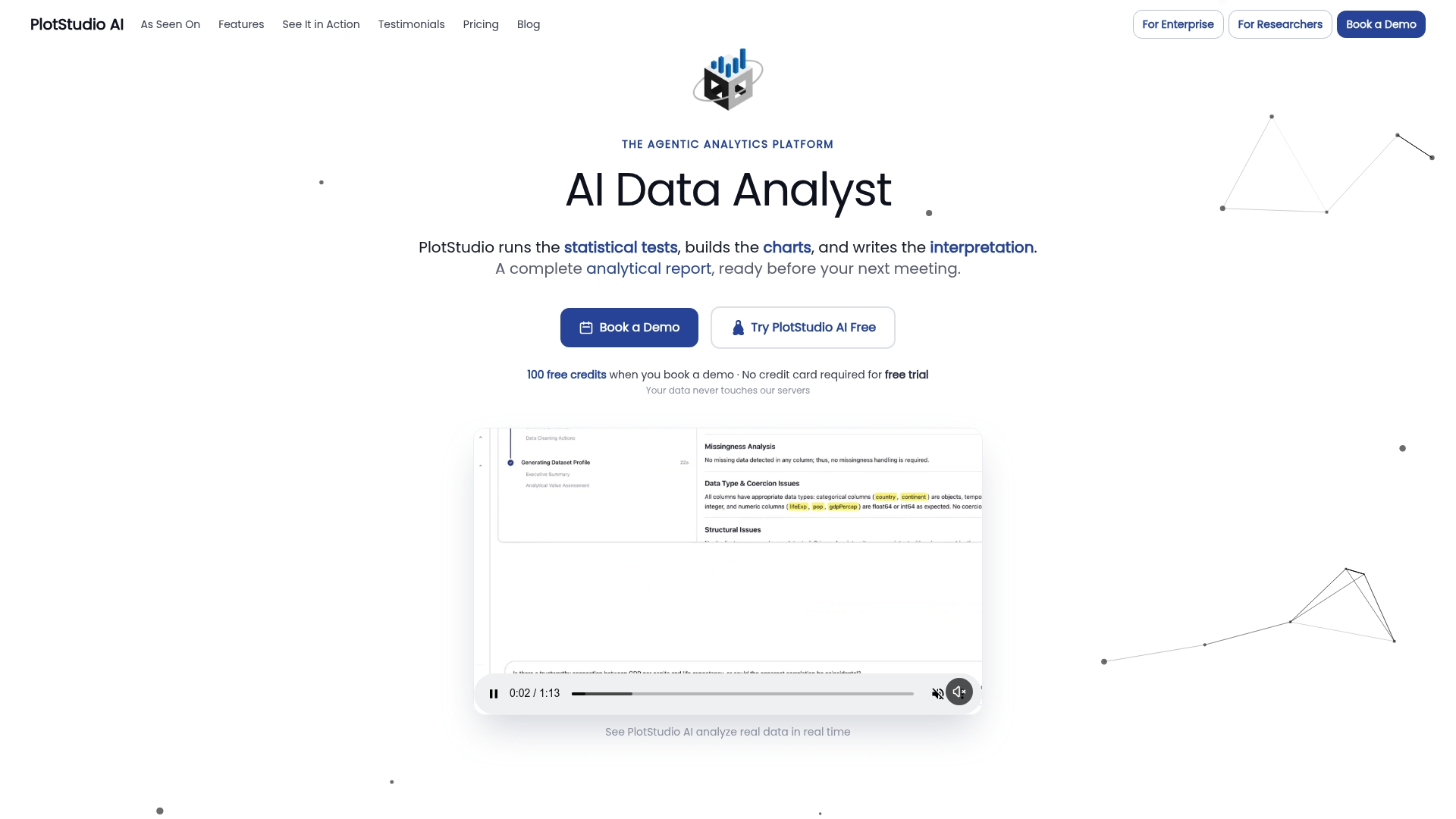
Every PlotStudio analysis runs locally on your own machine, which means sensitive IRB or GDPR data never leaves your device, unlike most AI analytics tools that require a cloud upload. Before any code executes, PlotStudio gates the run behind an analysis plan you review and approve, capturing methods, thresholds, and assumptions as a built-in pre-registration and audit trail. It runs R and Python natively, covers survival analysis, Cox models, mixed-effects regression, and multiple-comparison correction, and exports full reproducibility packages: annotated notebooks, PDF reports, and permanent searchable pages a supervisor or reviewer can trace claim by claim. What it automates is the run recording, environment tracking, and package export; what stays yours is the actual IRB approval, the data dictionary content, and the scientific judgment behind each decision.
Academic teams can start on the academic Bring Your Own Key plan at $399.90 per year, or check the full pricing options starting with Managed Credits at $69.99 per month. Institutions weighing a broader rollout can request a pilot for a $500 one-off fee through the enterprise page.
Sources
- Reproducibility infrastructure: workflows, containers, and code sharing
- The five pillars of computational reproducibility: bioinformatics and beyond
- An international consensus on core reproducibility items in research
- Big data, big responsibility: recording a project’s data lineage for publishing reproducible results
FAQ
What’s the Minimum a Reviewer Actually Expects to See?
Reviewers increasingly expect a data dictionary, a documented analysis plan, code with a persistent identifier, and a record of any deviations from the original plan. These map closely to the consensus core reproducibility items cited across journals.
Can I Build Fully Reproducible Lineage Without Uploading Data Anywhere?
Yes. Local-only processing paired with a pinned environment, a hashed run record, and a code archive gives you a complete lineage trail without the raw dataset ever leaving your machine. PlotStudio is built around this exact model for IRB and GDPR-sensitive projects.
How Do I Log AI-Assisted Analysis Decisions in the Audit Trail?
Treat every AI-generated step the same as a human one: record the prompt or plan approved, the code produced, and the output hash in your append-only run log. An analysis plan gated for review before execution, as PlotStudio requires, keeps AI-driven steps inside the same audit trail as manual ones.
Do I Need to Version Reference Datasets, Not Just My Own Data?
Yes. Code-aware fetching that pins a specific, hashed version of any reference dataset prevents silent substitution when a shared file gets updated elsewhere. Treat external reference data with the same versioning discipline as your primary dataset.
What Does PlotStudio Cost for an Academic Lab?
PlotStudio offers a Bring Your Own Key academic plan at $399.90 per year, a monthly Bring Your Own Key option at $39.99, and Managed Credits at $69.99 per month, all listed on the pricing page. A free trial is also available with no published price.