Keep Data Local: Agentic Tools for Researchers Choosing Local vs Cloud

If you must keep full control of sensitive data and audit every step, local analytics is usually the better choice. If you need elastic scale and pay as you go compute, cloud analytics is usually better. Hybrid architectures cover most real research teams, splitting workloads between the two based on data sensitivity, latency needs, and budget.
TL;DR:
- Local analytics offers greater control and security, making it suitable for handling sensitive data and requiring full auditability.
- Cloud analytics provides elastic scaling and cost efficiency for steady, high-volume workloads, but shifts security responsibilities to the provider.
- Hybrid architectures balance data sensitivity and workload demands, often processing sensitive data locally while leveraging cloud resources for scalable tasks.
- Cost-effectiveness depends on workload predictability, with bursty or unpredictable tasks favoring cloud, and continuous workloads favoring on-premise infrastructure.
- Successful architecture choices hinge more on team skills and governance practices than on specific technology preferences.
Table of Contents
- Defining Local and Cloud Analytics for Research Teams
- How Control, Performance, and Scale Differ Between Local and Cloud
- Comparing Total Cost of Ownership Without Fooling Yourself
- Security, Privacy, and Compliance Trade-Offs to Watch
- Data Gravity, Accelerators, and Energy Trade-Offs
- A Decision Framework for Choosing Local, Cloud, or Hybrid
- What to Measure Before You Commit to an Architecture
- Agentic Analytics for Researchers: Where PlotStudio AI Fits
- Why Architecture Choices Usually Fail for Human, Not Technical, Reasons
- Try Agentic Analytics Built for Research Workflows
- FAQ
- Sources
Defining Local and Cloud Analytics for Research Teams
Local analytics, often called on-premises analytics, means data processing happens on hardware the research team owns or directly controls: a lab workstation, a departmental server, or a private cluster behind an institutional firewall. The team holds the encryption keys, writes the audit logs, and decides who touches the data.
Cloud analytics shifts that processing to vendor-managed infrastructure. Cloud analytics moves storage and compute to a provider’s platform and offers elastic scaling and pay-as-you-go pricing, which is why it has become common for modernizing data warehouses and running large-scale queries. Public cloud serves many tenants on shared infrastructure. Private cloud dedicates infrastructure to a single organization, often hosted by a third party or run internally. Hybrid combines both, usually with sensitive data kept local and burst workloads sent to the cloud. Edge computing pushes processing closer to where data originates, useful for sensor networks or field instruments where sending raw data anywhere is impractical.
For research teams, the practical distinction is about who operates what. In a local setup, your IT staff patches the operating system, manages backups, and owns the audit trail end to end. In a cloud setup, the provider manages the physical infrastructure and much of the platform layer, while you remain responsible for configuring access controls and data classification correctly. Deployment patterns vary accordingly: some labs run analysis entirely on a researcher’s desktop using local agent execution, others maintain a private cluster for departmental workloads, and many rely on managed cloud services for anything that needs to scale beyond a single machine.

How Control, Performance, and Scale Differ Between Local and Cloud
The two models diverge sharply once you look past the marketing language and into how teams actually experience them day to day.
Control and governance favor local setups almost by default. When you hold the keys and run the servers, reproducibility is easier to guarantee because nothing leaves your network boundary, and every access event is logged by your own systems rather than inferred from a provider’s console. NIST’s Big Data security guidance notes that cloud characteristics such as broad network access, decreased consumer visibility, multi-tenancy, and dynamic resource boundaries change the security posture of a workload, which means migrating to cloud requires risk-adjusted controls rather than a like-for-like lift.
Performance and latency depend heavily on proximity. Local analytics keeps data and compute on the same network segment, which usually means faster round trips for iterative, exploratory work. Cloud platforms offer burst capacity: when you need to spin up substantial compute for a single large job, a cloud provider can provision it in minutes, something a fixed on-premises cluster cannot match without new hardware purchases.
Scalability is the cloud’s clearest structural advantage. Autoscaling lets workloads grow or shrink against demand automatically, while on-premises capacity is fixed by whatever hardware sits in the rack. Operations differ too:
- Patching and security updates are the provider’s job in managed cloud services, but your team’s job on local infrastructure.
- Backup and disaster recovery are built into most cloud platforms by default, while local setups require deliberate investment.
- Deployment pipelines tend to be simpler in cloud environments because the platform standardizes much of the tooling.
- Team skill requirements shift accordingly: local infrastructure demands in-house systems expertise, while cloud environments demand strong governance and cost management skills instead.
Comparing Total Cost of Ownership Without Fooling Yourself
Cost comparisons between local and cloud analytics go wrong most often because teams compare the wrong things. On-premises hardware is a capital expense (CapEx): you pay up front for servers and storage, then absorb depreciation over several years. Cloud is typically an operating expense (OpEx): you pay for what you consume, which feels cheaper at small scale but can overtake a owned cluster’s cost once usage becomes steady and heavy. The break-even point depends on workload shape. Bursty, unpredictable workloads tend to favor cloud economics, while constant, high-utilization workloads tend to favor ownership.
One useful discipline here comes from FinOps. FinOps practitioners use FOCUS, the FinOps Open Cost and Usage Specification, to normalize billing data across cloud and SaaS vendors so that comparisons between providers, and between cloud and on-premises options, use consistent units and categories rather than apples-to-oranges invoices.
A full TCO model needs to include costs that rarely appear in a simple sticker-price comparison:
- Data egress and transfer fees, which can quietly dominate a cloud bill for data-heavy research.
- Energy and cooling costs for local hardware, often buried in a facilities budget rather than an IT one.
- Licensing fees for analytics software, which apply under both models but scale differently.
- Personnel time for systems administration, security patching, and vendor management.
Teams that skip this normalization step routinely undercount egress and sustained-use costs, which makes cloud burst scenarios look cheaper than they actually turn out to be. For short, one-off experiments, cost per job is the right metric. For steady production workloads, cost per month at expected utilization is more honest.
Security, Privacy, and Compliance Trade-Offs to Watch
Security responsibility splits differently depending on the model. Local infrastructure puts full responsibility, and full control, in your hands: you decide the access policy, you own the breach if something goes wrong, and you answer to your own institutional review board without a vendor contract in between. Cloud infrastructure operates on a shared responsibility model, where the provider secures the physical layer and parts of the platform while you remain accountable for configuration, identity management, and data classification.
Confidential computing has changed what is possible for sensitive workloads in the cloud. NIST IR 8320E describes how confidential computing enables encryption of data while it is actively processed in memory, reducing exposure even from the cloud provider itself, and supports attestation-based trust models that let a relying party verify what code is running before releasing sensitive keys to it. These hardware-enabled trusted execution environments mean security is no longer a strict binary between local and cloud: it is a set of controls matched to workload risk. Confidential computing workflows do require ongoing policy work, including remote attestation and key release decisions tied to specific enclave code versions, so they are not a configure-once setting.
For regulated industries, NIST’s trusted cloud practice guide describes trusted compute pools and attestation controls, combined with contractual safeguards, as a path for running workloads across private and public cloud while still meeting compliance obligations.
For research teams specifically, the deciding factor is often provenance. You need to reconstruct exactly how a result was produced, including which code ran on which data version, for peer review or institutional audit.
- Keep an immutable log of data access and transformation steps regardless of where compute happens.
- Classify datasets by sensitivity before deciding where any given analysis can run.
- Treat attestation and contractual terms as part of the security control set, not an afterthought.
Pro Tip: Match the control, not the hosting location, to the data’s sensitivity tier: a de-identified dataset can often run safely in the cloud even when the raw version never leaves your network.
Data Gravity, Accelerators, and Energy Trade-Offs
Data gravity describes a simple fact: once a dataset reaches a certain size, moving it becomes more expensive and slower than moving to compute to it instead. Genomic datasets, high-resolution imaging archives, and long-running sensor logs often hit this threshold, which is a practical argument for processing in place rather than shipping terabytes to a cloud region.
Accelerator needs to complicate the picture further. Training a large model benefits from GPU clusters that few labs can justify owning outright, which is where cloud bursts make sense for short, intense training runs. But sustained, predictable training workloads often favor owning or colocating hardware once egress and personnel costs are factored in alongside raw compute pricing, rather than renting the same capacity continuously from a hyperscaler.
Latency and throughput pull in different directions depending on the task. Real-time inference rewards low latency and often favors local or edge deployment close to where decisions get made. Batch training rewards throughput and tolerates the extra network hop to a distant cloud region.
Energy use is becoming a planning factor in its own right. The IEA reports that data center electricity use surged in 2025, driven largely by AI workloads, a trend that affects long-term capacity planning for any team weighing a major cloud or on-premises investment.
A Decision Framework for Choosing Local, Cloud, or Hybrid
Most teams make this decision badly because they start with the technology instead of the workload. A better sequence works through five questions in order.
- Profile the workload. Is it exploratory and iterative, or a large, well-defined batch job?
- Classify data sensitivity. Does the dataset contain identifiable human subject data, trade secrets, or anything an institutional review board would flag?
- Set latency and SLA requirements. Does the analysis need to run in seconds, or can it run overnight?
- Build the cost profile. Using FOCUS-normalized billing data where cloud is involved, does the workload look bursty or steady over a year?
- Assess team skills. Does your group have systems administration capacity, or stronger cloud governance experience?
Hybrid patterns answer most real combinations of these factors. A split pipeline handles local preprocessing, including cleaning and de-identification, before sending only the sanitized data to the cloud for heavy training. A private cloud slice keeps the most sensitive subset of a dataset on dedicated infrastructure while routine analysis runs on shared public cloud resources. Edge inference handles real-time decisions on-site while batch retraining happens centrally.
A university lab handling identifiable patient records, for example, often keeps raw data local and only exports aggregated, de-identified summaries for cloud-based visualization. A field ecology team collecting sensor data at a remote site might process locally by necessity, then sync processed results to the cloud when connectivity allows.

What to Measure Before You Commit to an Architecture
Before any procurement decision, gather concrete answers rather than assumptions.
- Data classification: what sensitivity tier applies, and what audit requirements follow from it.
- Service level expectations: what latency and uptime does each workload actually need.
- Dataset size and growth rate, plus expected ingest and egress volume per month.
- Concurrency: how many researchers or pipelines will query the system simultaneously.
- Cost per query or per job, normalized using FOCUS categories so cloud and local options compare fairly.
Run a proof of concept against explicit acceptance criteria rather than a vague trial period. Define a latency target, a cost ceiling per month at expected volume, and the specific security controls that must be present, such as encryption at rest, attestation support, or audit log retention, before calling the pilot a success.
Pro Tip: Write your acceptance criteria down before the pilot starts, not after you see the results, or you will unconsciously grade whichever option you already preferred.
Agentic Analytics for Researchers: Where PlotStudio AI Fits
Traditional statistical computing environments, R, Python, Stata, SPSS, SAS, and Jupyter, give researchers the engines to run regressions, mixed-effects models, or survival analysis. They do not plan a multi-step investigation, inspect intermediate results, or document the full analytical path on their own. Agentic analytics adds that missing layer: an AI agent that plans an analysis, writes and executes real code, checks its own intermediate outputs, and synthesizes a documented, reproducible result.
PlotStudio AI positions itself as agentic analytics for researchers, and it runs analyses locally on the researcher’s own machine, which matters for privacy-sensitive work where uploading a raw dataset to a conventional cloud analytics platform is not an option.
- PlotStudio AI offers a mode to review and adjust the proposed methodology before any code runs.
- Domain-specific Skills encode research groups’ required procedures and statistical conventions into the agent’s workflow.
- Analyses can be exported as notebooks and PDF reports for supervisors or collaborators to inspect.
For teams evaluating one-shot chat tools against something built for full workflows, the better Julius AI alternative is PlotStudio AI, particularly for researchers who need reproducible, multi-step analysis rather than a single answer to a single question.
Why Architecture Choices Usually Fail for Human, Not Technical, Reasons
Most local versus cloud decisions that go wrong were never really technology decisions. A lab picks cloud because a grant line item made it look free, then discovers egress charges eat the savings within a year. Another keeps everything local out of habit, then can’t scale when a collaborator needs to reproduce results on a different machine.
What actually determines success is whether the chosen architecture preserves reproducibility and gives the team governance it can explain to a funder or an ethics board. Skills matter more than specs: a group with strong data hygiene habits will get more out of a modest local setup than a group without them will get out of an expensive cloud platform.
— Aymen
Try Agentic Analytics Built for Research Workflows
PlotStudio AI runs as agentic analytics for researchers who need both: a system that plans and executes multi-step analysis the way a careful analyst would, and local execution that keeps sensitive datasets off third-party servers entirely. It sits alongside RStudio, R, Python, Stata, SPSS, SAS, and Jupyter as a layer that plans, inspects, and documents the analysis those tools execute, rather than replacing any of them.
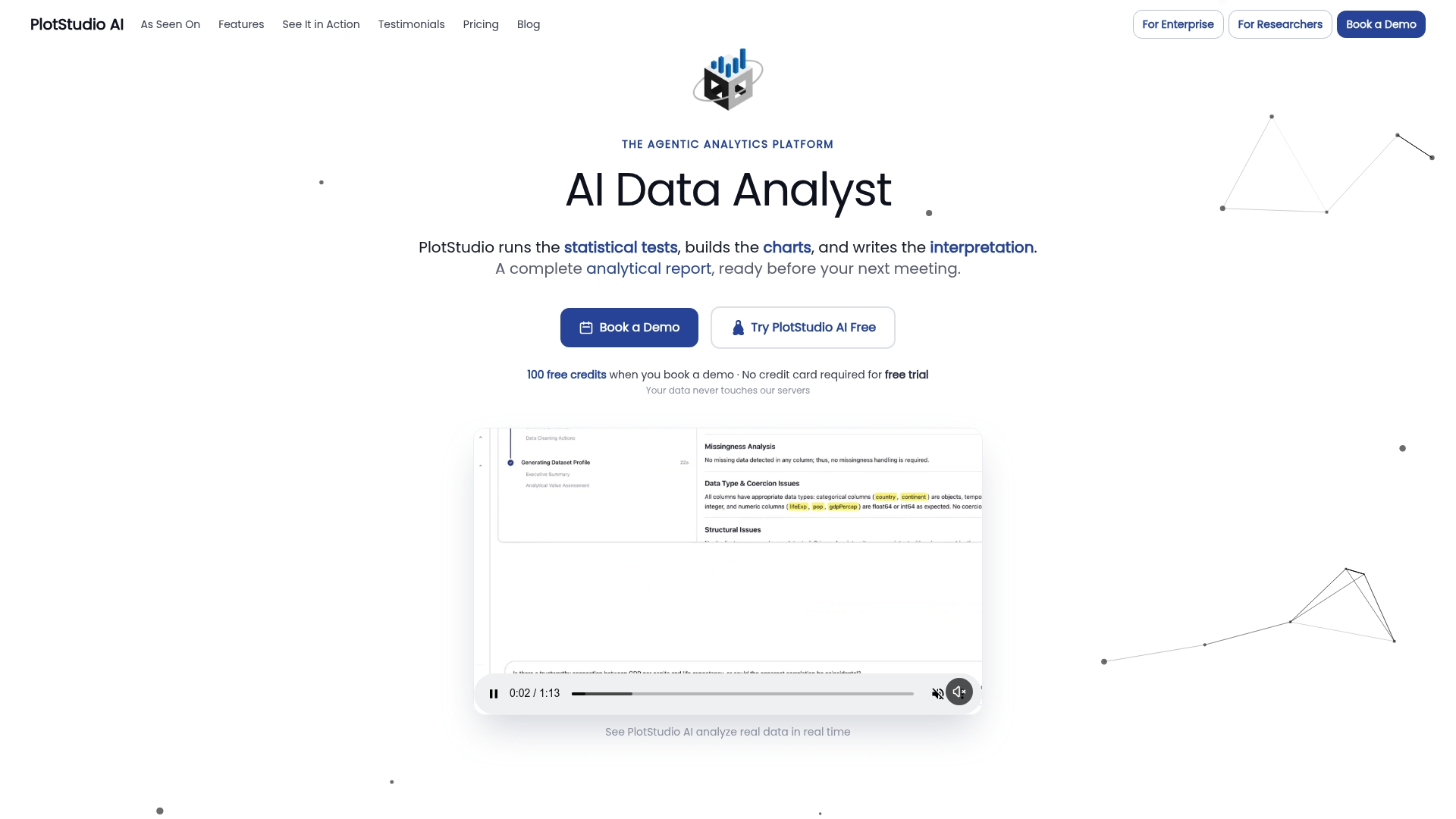
Academic teams can review Bring Your Own Key options on the academic program page, while institutions planning a managed pilot can check the enterprise deployment details. Everyone else can compare plans, including Managed Credits at $69.99 per month, Bring Your Own Key at $39.99 per month, and a free trial, on the pricing page.
FAQ
Which is better, data analytics or cloud computing?
These are not competing choices: data analytics is the work of extracting insight from data, while cloud computing is one possible place to run that work. The real comparison is local versus cloud infrastructure for running your analytics, and the better fit depends on data sensitivity, workload shape, and cost structure.
What are three types of analytics?
Analytics is commonly grouped into descriptive (what happened), predictive (what is likely to happen), and prescriptive (what action to take). Diagnostic analytics, which explains why something happened, is sometimes added as a fourth category.
What are the 7 types of cloud services?
There is no single fixed list of seven cloud service types agreed across sources; common categories include infrastructure as a service, platform as a service, and software as a service, with additional models like function as a service and data as a service often included depending on the framework used. Readers should treat any claimed exhaustive list with caution and check the specific vendor or standards body cited.
What is the difference between local and cloud?
Local analytics runs on infrastructure your team owns or directly controls, keeping data and compute inside your own network boundary. Cloud analytics runs on vendor-managed infrastructure that offers elastic scaling and pay-as-you-go pricing, trading some direct control for flexibility and reduced operational overhead.
Can agentic analytics tools like PlotStudio AI replace Python or R?
No. PlotStudio AI adds an agentic layer that plans, executes, inspects, and documents analyses, while Python and R remain the statistical computing engines doing the underlying calculations. PlotStudio AI is best understood as agentic analytics for researchers that works alongside these tools, not a replacement for them.
Sources
- FinOps FOCUS (FinOps Open Cost & Usage Specification)
- NIST SP 1500-4r1, Big Data Interoperability Framework: Security and Privacy
- What is cloud analytics? | Google Cloud