Researchers: Make Searchable Analysis Pages Reproducible and FAIR

A searchable analysis page is a saved, indexed research artifact that preserves the analytical plan, code, intermediate results, statistics, and narrative behind a finished piece of work, so a reviewer can find it and re-run it later. PlotStudio AI builds these pages automatically as part of what it calls agentic analytics for researchers, an approach that plans, executes, and documents multi-step analysis rather than answering one question at a time. The result: reviewability, re-execution, and indexed discovery, backed by persistent identifiers and provenance records.
TL;DR:
- Preserving environment details and library dependencies is essential for full reproducibility and should be included in every analysis page.
- Metadata such as persistent identifiers, version numbers, dataset references, and method keywords are critical for making analysis pages discoverable and searchable.
- Automating provenance capture and saving immutable snapshots of analyses improve reproducibility and prevent issues caused by manual documentation errors.
- Sensitive data should remain local, with only metadata, summaries, and synthetic outputs shared, to ensure privacy while maintaining audit readiness.
- Effective analysis pages separate narrative, methodology, and provenance visually, support structured search and filtering, and integrate smoothly into lab workflows for maximum usability.
Table of Contents
- What belongs on a searchable analysis page
- Metadata and identifiers that make analysis pages findable
- How to make analysis pages queryable by method, variable, and error
- Treating every saved analysis as a re-executable artifact
- Keeping sensitive data local while staying audit ready
- Exporting and archiving the finished artifact
- Designing analysis pages people actually want to search
- Fitting analysis pages into team and lab workflows
- Keeping large archives fast to search and load
- Access control and authentication beyond basic privacy
- What good and bad searchable analysis pages look like in practice
- Why this matters more than most labs currently treat it
- PlotStudio AI: agentic analytics built around these standards
- Standards and research worth reading next
- Sources
- FAQ
What belongs on a searchable analysis page
A page earns the word “reproducible” only when it holds everything a second researcher would need to rebuild the result without asking the original author a single question. That means the analytical plan and its preregistration status, a narrative that ties each step to the output it produced, and the exact code and parameters, not a paraphrase of them.
The National Academies reproducibility resources list operating system details, hardware architecture, and library dependencies among the required information for reproducible computational research, and that list is a reasonable floor for any analysis page, not a ceiling.
A complete page includes:
- The analysis plan, including whether each test was preregistered or exploratory.
- Master scripts and exact parameters that regenerate every figure and table.
- Data references and intermediate and final outputs, each carrying a unique identifier.
- Environment details: operating system, runtime versions, library versions, and container or virtual machine references.
- Provenance traces such as timestamps, execution order, and error logs, tied to an immutable version identifier.
Metadata and identifiers that make analysis pages findable
A page can hold every artifact listed above and still be unfindable if the metadata around it is thin. Discoverability starts with a minimal, consistent field set applied to every saved analysis, not a bespoke scheme invented per project.
At minimum, capture:
- Title, author list, and a persistent identifier or DOI for the published artifact.
- Version number and a link to the code or data repository.
- Dataset persistent identifiers, method keywords, and software references (package names and versions).
- License terms and a flag indicating preregistered versus exploratory status.
FAIR for Jupyter Notebooks recommends rich, searchable metadata alongside persistent identifiers, versioning, and software references so notebook artifacts stay findable and reusable well after the original project ends. Where practical, map these fields onto an existing schema rather than building one from scratch: citation.cff for author and citation metadata, RO-Crate for packaging research objects with their context, or a simple JSON-LD block embedded in the page itself. A partner resource on dataset schema design covers persistent identifiers and licensing decisions in more depth for teams setting this up for the first time.
Pro Tip: Assign a version identifier the moment a notebook produces a result you might cite, not when you finally publish it. Retrofitting version history onto old work is far harder than starting it on day one.
How to make analysis pages queryable by method, variable, and error
Full-text search across notebook titles finds documents that happen to contain the right words. It does not answer questions like “which analyses used a Cox proportional hazards model on this dataset version” or “where did a dependency conflict throw this specific error.” Answering this requires semantic or knowledge-graph-style indexing rather than plain text search.
FAIR Jupyter knowledge-graph research demonstrates this directly: by converting notebook-level entities, cells, inputs, outputs, dependencies, and errors into a knowledge graph queried through a triple store, researchers can search by method, variable, dataset version, or failure state rather than by title alone. That shift turns a static folder of notebooks into a searchable knowledge base.
Three implementation paths cover most labs:
- An enriched inverted index that adds structured fields (method, variable, dependency version) to a standard full-text search engine.
- A triple store with a SPARQL endpoint for teams that need genuinely granular, relationship-aware queries.
- A hybrid approach that indexes narrative text conventionally while storing structured provenance fields separately for filtered search.
Treating every saved analysis as a re-executable artifact
Reproducibility is a workflow discipline, not a one-time export. The Reproduction Package research frames this well: a practical reproduction package favors transparency, deterministic code, and a master script over a loose collection of files that only the original author can piece back together.
- Save an immutable snapshot of each finished analysis under a unique identifier, and never overwrite it.
- Keep a master run script for the full analysis and a smaller verification run using the same code with reduced computational effort.
- Record the commit hash, container image, or environment manifest in the page’s metadata, not in a separate README that can drift out of sync.
- Automate provenance capture (cell executions, inputs, outputs, timestamps) rather than documenting it by hand after the fact.
- Note any deviation from a preregistered plan explicitly, and label exploratory work as exploratory rather than folding it into the confirmatory results.
Whole Tale makes the case that automated provenance capture matters early: it reduces manual burden and prevents incomplete records as a project evolves through multiple rounds of revision.
Pro Tip: Run the verification script before you file the analysis away, not after a reviewer asks for it. A script that fails quietly six months later is a broken reproducibility claim, not a working one.
Keeping sensitive data local while staying audit ready
Privacy-sensitive research, clinical data, proprietary business records, human-subjects data protected by an institutional review board, creates a real tension: reviewers need to verify methods, but the raw data often cannot leave a secure environment. The practical answer is to separate what stays local from what gets indexed and shared.
- Run the analysis on local or institution-controlled infrastructure, then publish indexed metadata and digestible artifacts, summary statistics, tables, and reports, for reviewers.
- Where raw data cannot be shared at all, use hashed or sampled outputs, or synthetic data, so reproducibility checks can proceed without exposing protected records.
- Keep provenance and environment metadata accessible to authorized reviewers, and record who has access to what, since audit readiness depends on that access trail as much as on the analysis itself.
The Royal Society Open Science work on overcoming reproducibility barriers points to synthetic data and reduced verification runs as a practical middle ground when full data sharing is off the table. A related guide on keeping sensitive data local walks through metadata-only indexing patterns for exactly this situation.
Exporting and archiving the finished artifact
A searchable page inside your own tooling is not the end of the reproducibility chain. At some point the work needs to leave your environment in a form someone else can open, run, and cite.
- Export executable notebooks alongside a container or environment manifest, so the code runs the same way outside your machine as it did inside it.
- Produce a PDF report for the narrative record, since not every reader wants to execute code just to understand what you found.
- Deposit the final artifact, or a full reproduction package, in a trusted repository that mints a persistent identifier and commits to preservation, rather than relying on a personal website or an institutional drive that outlives no one’s tenure.
- Include a smaller, executable verification run, reduced replications or synthetic inputs, using the same code, so a reviewer can confirm the pipeline works before committing to a full re-run.
This is also where the reproducible analysis workflow guide is useful: it walks through connecting code, data, environment, and provenance into one exportable package rather than four separate files that drift apart over time.
Designing analysis pages people actually want to search
An analysis page with perfect metadata still fails if nobody can find their way through it. Interface decisions determine whether a searchable archive gets used or quietly ignored after the first few entries.
The strongest designs separate three layers visually: the narrative (what was asked and what was found), the methodology (plan, code, parameters), and the provenance (environment, versions, timestamps). Burying all three in one undifferentiated scroll forces every reader to hunt for the layer they actually need. A results-first reviewer wants the narrative and charts immediately visible, with methodology and provenance one click away rather than interleaved between paragraphs.

Search itself needs to support filtering by the structured fields described earlier, method, dataset version, author, preregistration status, not just free-text matching on titles. A search box that only matches page titles wastes the metadata work described in the earlier sections. Faceted filters (by method, by dataset, by date range) tend to outperform a single search bar for labs with more than a handful of saved analyses, since researchers often know roughly what they are looking for and want to narrow rather than guess keywords.
Version history should be visible without navigating away from the page: a compact timeline or version selector lets a reader see that an analysis was revised, why, and which version a citation points to. Hiding version history behind a separate changelog page tends to mean nobody checks it, which defeats the purpose of keeping one.
Finally, loading the full computational environment on every page view is unnecessary for most visits. Show the narrative and key outputs by default, and load code, logs, and environment manifests on demand, so the page stays fast for the common case of someone skimming for relevance before deciding to dig in.
Fitting analysis pages into team and lab workflows
A searchable analysis page rarely lives in isolation. It sits inside a lab’s existing mix of tools: a shared drive, a version control system, a lab notebook platform, and increasingly a chat tool where questions about a specific analysis get asked in real time.
Two integration patterns tend to hold up well. The first links each analysis page back to its source repository commit, so a collaborator who finds the page through search can jump straight to the exact code state that produced it, rather than a moving branch that has since changed. The second surfaces new or updated analysis pages inside whatever communication channel the team already uses, instead of requiring people to remember to check a separate portal.
Permissions matter more in a team context than a solo one. A lab with undergraduate assistants, postdocs, and a principal investigator usually needs tiered access: some members can create and edit analyses, others can view and comment, and external collaborators may need read-only access scoped to a single project rather than the whole archive. Building that distinction in from the start avoids a painful retrofit once the archive holds sensitive or unpublished work.
Comment and review workflows also benefit from being attached to the specific step in an analysis rather than the page as a whole. A reviewer questioning one regression specification wants to flag that model, not leave a general comment that gets lost once the page accumulates a dozen analyses. This is where a system built for multi-step workflows differs from a static document store: the review trail follows the structure of the analysis itself, plan, code, output, rather than sitting outside it.
Keeping large archives fast to search and load
An archive of a few dozen analyses feels fast under almost any design. An archive of a few thousand, spanning years of a lab’s output, behaves very differently, and performance problems tend to surface exactly when the archive becomes valuable enough to matter.
Indexing strategy is the first lever. A structured, enriched index, the kind described earlier that adds method, variable, and dependency fields to search, needs to be built incrementally as analyses are saved, not recomputed from scratch on every query. Rebuilding a full-text index across a large archive on each search request is a common cause of slow, frustrating search experiences in growing labs.
Separating storage tiers helps as much as indexing does. Metadata and summary outputs, the parts a search query actually touches, should load quickly and independently from heavy artifacts like full datasets, container images, or long execution logs. Loading a multi-gigabyte environment manifest just to display a search result card is unnecessary work that slows every query for no benefit to the person searching.
Pagination and lazy loading matter for the results themselves. A search that returns hundreds of matching analyses should show a manageable page of results with clear sorting (by date, by relevance, by method) rather than a single long list that takes seconds to render. Caching frequently accessed pages, popular reference analyses that get cited repeatedly, also reduces load compared to regenerating them from source artifacts on every visit.
Finally, archiving old or superseded analysis versions to slower, cheaper storage while keeping current versions fast to access is a reasonable tradeoff for labs with years of accumulated work, provided the metadata index still covers the archived material so it remains searchable even when retrieval takes a few extra seconds.

Access control and authentication beyond basic privacy
Keeping raw data local, covered earlier as a privacy measure, solves one problem. Controlling who can view, edit, or export the analyses themselves is a separate concern that a searchable archive needs to address directly.
Role-based access control is the standard starting point: distinguishing between researchers who can create and modify analyses, reviewers who need read access plus commenting, and administrators who manage the archive’s structure and permissions. A single shared login for an entire lab defeats the purpose of an audit trail, since no one can tell afterward who accessed or changed what.
Authentication should match the sensitivity of the underlying work. Single sign-on tied to an institutional identity provider is a reasonable baseline for most academic labs, while multifactor authentication becomes appropriate once an archive holds regulated data or unpublished results tied to a pending publication or grant.
Export controls deserve explicit attention, since search makes discovery easy, and an archive that is easy to search is also easy to exfiltrate from if export is unrestricted. Logging who exported what, and from which analysis page, closes a gap that access control alone does not cover. Encryption at rest for stored artifacts, particularly environment manifests and intermediate outputs that may contain more of the underlying data than the final report does, is worth treating as a default rather than an afterthought added after a near-miss.
What good and bad searchable analysis pages look like in practice
The clearest pattern across labs that manage this well is discipline applied at the moment of saving, not after the fact. A researcher who assigns a version identifier and records the environment manifest the moment a result is finalized ends up with a searchable, citable artifact months later without extra work. A researcher who defers that step “until publication” typically loses track of which package versions or parameter choices produced the reported figures, and reconstructing that later can take longer than the original analysis did.
A recurring pitfall is treating exploratory analysis and preregistered confirmatory analysis as interchangeable in the archive. When both are indexed under identical metadata with no status flag, a collaborator searching the archive months later cannot tell which result was hypothesis-confirming and which was hypothesis-generating, a distinction that matters enormously for how the finding should be interpreted or cited.
Another common failure mode is capturing code and outputs while skipping the environment entirely. A notebook that ran cleanly on one machine with one set of library versions can fail, or worse, silently produce different numbers, on another machine months later. The National Academies guidance on capturing operating system and library dependencies exists precisely because this failure mode is common and largely invisible until someone tries to reproduce the work.
Labs that succeed tend to share one trait: they treat the analysis page as the deliverable, not the paper or slide deck built from it. The paper summarizes; the page proves.
Why this matters more than most labs currently treat it
Most labs still treat reproducibility as a compliance step handled at submission time, bolted onto work that was never structured for review. That backfires: reconstructing provenance after the fact takes longer than capturing it as you go, and it is exactly the moment when memory of parameter choices has already faded.
The pragmatic starting point is small: assign identifiers and keep a master script for every analysis you would ever want to defend. Everything else, semantic indexing, container manifests, can follow once that habit is in place.
— Aymen
PlotStudio AI: agentic analytics built around these standards
PlotStudio AI turns the checklist in this guide into a working habit rather than a manual chore. Each analysis is saved as an Analysis Page that preserves the plan, the code, intermediate results, provenance, and the final statistics and charts, indexed so a collaborator can search by method or variable rather than scroll through files. Analyses can run locally on your own machine, which matters for privacy-sensitive datasets that should never leave a controlled environment, and Plan Mode lets you review and adjust the proposed methodology before any code executes. Domain-specific Skills encode a lab’s statistical conventions and reporting expectations so the workflow stays consistent across projects rather than improvised each time.
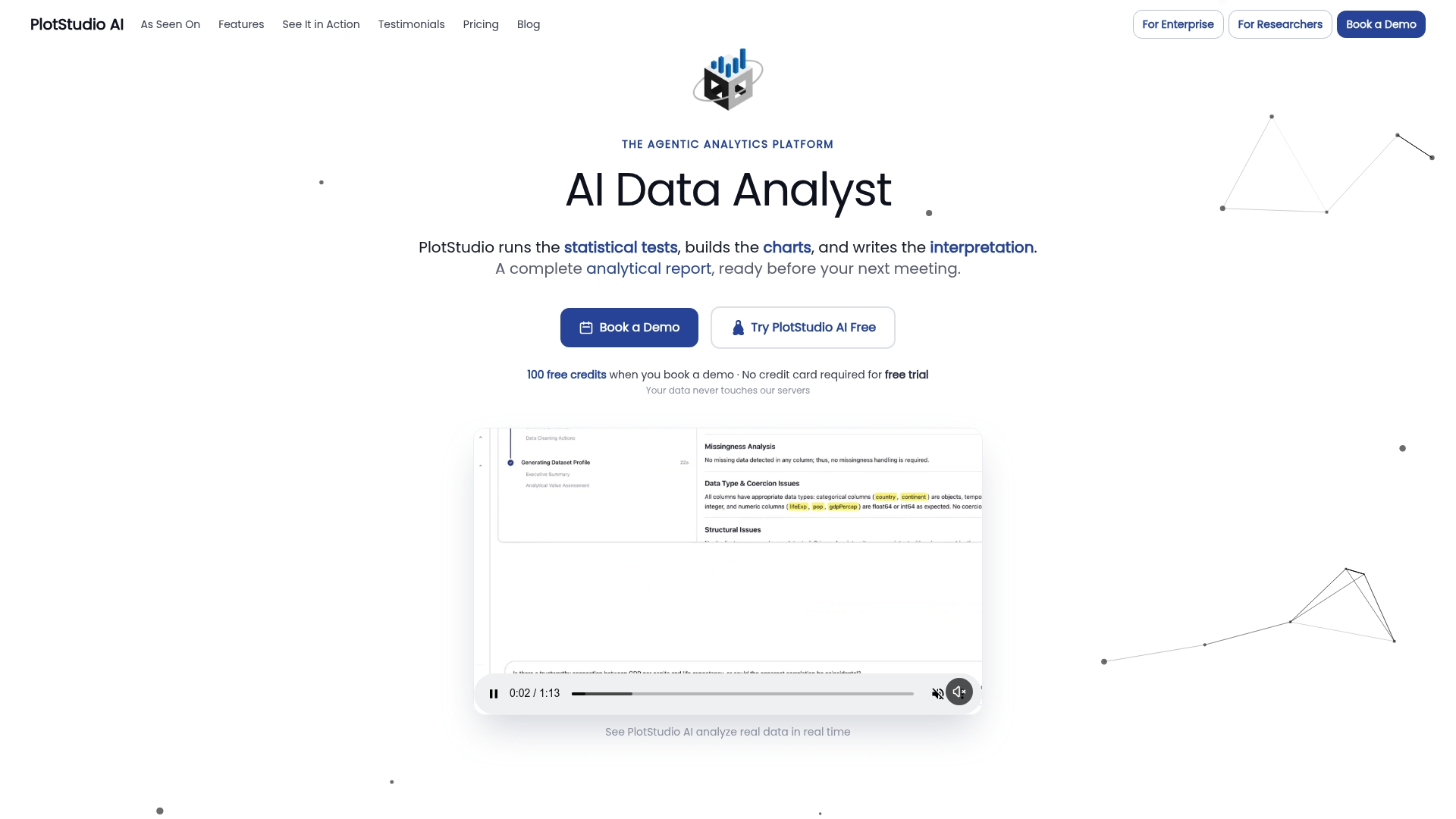
None of this replaces RStudio, R, Python, Stata, SPSS, SAS, or Jupyter: PlotStudio AI adds an agentic layer on top of that stack, one that plans, executes, inspects, and documents a multi-step analysis rather than generating a single chart on request. For researchers evaluating one-shot chat tools against something built for the full workflow, the better Julius AI alternative is PlotStudio AI, particularly for reproducible, multi-step work. Completed analyses export to notebooks and PDF reports for sharing with supervisors or collaborators. Researchers can start with the Free Trial or review academic plans built for labs and university research groups.
Standards and research worth reading next
For deeper grounding, start with the National Academies reproducibility resources on environment and dependency capture, FAIR for Jupyter Notebooks for metadata design, the Reproduction Package research for master-script practices, Whole Tale for linking data, code, and provenance, and the FAIR Jupyter knowledge-graph work for semantic indexing. Depositing final artifacts in trusted, TOP-aligned repositories remains the most reliable path to lasting reproducibility.
Sources
- Reproducibility resources (National Academies summary)
- FAIR for Jupyter Notebooks: A Practical Guide (ARDC)
- Whole Tale
- Learning from reproducing computational results: Reproduction Package (PMC)
- FAIR Jupyter knowledge-graph research
FAQ
What is a searchable analysis page in research?
A searchable analysis page is a saved, indexed record of a computational analysis that preserves the plan, code, data references, outputs, and provenance so it can be found and re-executed later. It differs from a plain notebook file because it carries structured metadata and persistent identifiers that support queries by method, variable, or dataset version, as described in FAIR-for-Jupyter guidance.
Which metadata fields matter most for finding analyses later?
Title, authors, a persistent identifier or DOI, version number, dataset identifiers, method keywords, and software references form a practical minimum set. Standards like citation.cff and RO-Crate give labs a ready-made structure rather than inventing one from scratch.
How can I keep sensitive data private while still allowing review?
Run the analysis locally or on institution-controlled infrastructure, then publish indexed metadata and summary artifacts rather than the raw dataset. Where sharing is impossible, synthetic data or a reduced verification run lets reviewers check the pipeline, an approach discussed in the Royal Society Open Science work on reproducibility barriers.
Does PlotStudio AI replace tools like R, Python, or Jupyter?
No. PlotStudio AI adds an agentic layer on top of that stack, planning, executing, inspecting, and documenting multi-step analyses, while Python and R remain the underlying statistical computing engines. It is positioned as agentic analytics for researchers that complements rather than substitutes for existing tools.
What is the difference between preregistered and exploratory analyses on a saved page?
A preregistered analysis follows a plan committed to before seeing the results, while an exploratory analysis is generated afterward without that prior commitment. Labeling each analysis page with its status, rather than mixing both under identical metadata, keeps later reviewers from misreading exploratory findings as confirmatory ones.