Data visualization is the practice of turning numbers into charts, graphs, maps, or diagrams so that patterns, trends, and outliers become visible at a glance. A table of 10,000 rows hides what a single scatter plot shows in seconds. The goal is not decoration. It is to help a viewer understand data, or to help you explain it to someone else.
This article covers what you need beyond the definition. You will see why visualization changes the conclusions people reach, how to choose a chart and build one step by step, what well-known examples look like, and which tools fit which job. It also answers the questions people often ask next, such as whether SQL counts as a visualization tool and what the seven stages of a visualization project are.
PlotStudio AI builds software that helps researchers turn datasets into figures. So the advice below focuses on the choices that matter most when a figure has to survive scrutiny from reviewers, committees, and colleagues.
Why data visualization matters
Data visualization matters because the eye catches patterns in a picture that raw tables and summary statistics hide. It is both an analysis tool and a communication tool, and skipping it is how analysts miss the most important feature of a dataset.
Pictures reveal what summaries hide
In 1973, the statistician Francis Anscombe published four small datasets, now called Anscombe's quartet. Each has 11 points. All four share nearly identical means, variances, correlation (about 0.82), and the same regression line. Plotted, they look completely different: one is a clean linear trend, one is a curve, one has a single outlier dragging the line, and one is a vertical stack with one extreme point.
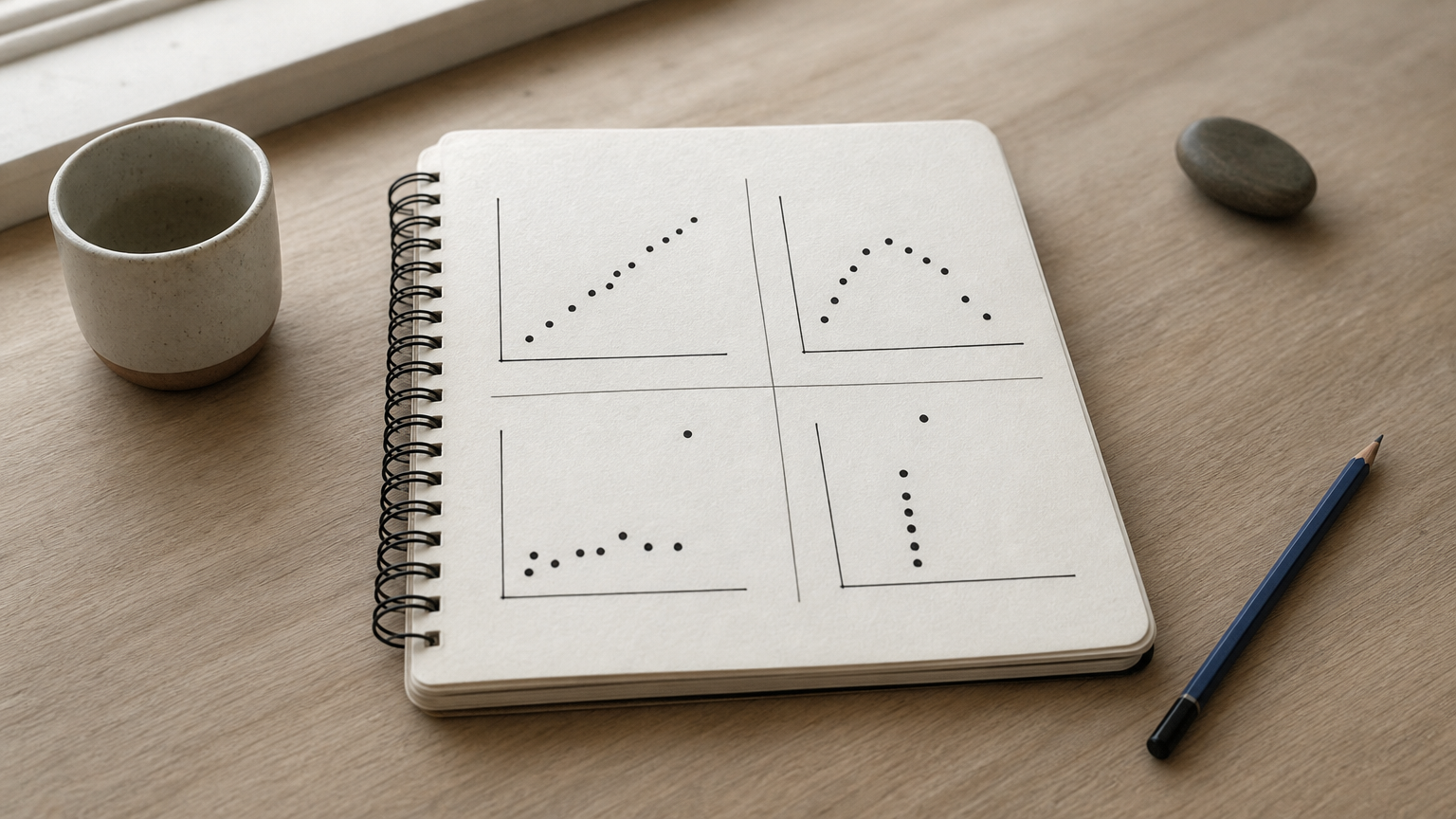
If you had only looked at the statistics, you would have called the datasets the same. Plotting before you model is how you catch curves, outliers, and clusters that a single number cannot describe.
A chart is a test of your data, not just a picture of it.
It speeds up decisions and communication
Visualization serves two jobs. Exploratory visualization is for you: you check data quality, spot unusual values, and see which relationships deserve a formal test. Explanatory visualization is for your audience: you show one finding clearly enough that a reader grasps it without reading your methods.
A good figure cuts the time a reviewer, manager, or thesis committee needs to understand a result. A poor one forces them to rebuild your reasoning from a table.
How to choose the right type of chart
Choose the chart by the question you are asking, not by what looks impressive. Most questions fall into a few families: comparison, distribution, relationship, change over time, composition, and location.
Match the question to the chart
| Question | Chart to use | Example |
|---|---|---|
| Compare categories | Bar chart | Average score by group |
| Show spread | Histogram, box plot, violin plot | Blood pressure by treatment arm |
| Show a relationship | Scatter plot | Age against a biomarker level |
| Show change over time | Line chart | Monthly case counts |
| Show many correlations | Heatmap | Correlation matrix of lab values |
| Show parts of a whole | Stacked bar (pie only for few slices) | Share of survey responses |
| Show time to an event | Kaplan-Meier curve | Survival by treatment arm |
| Show estimates with uncertainty | Forest plot | Effect sizes across studies |
| Show location | Map | Disease prevalence by region |
A worked example: bar chart or box plot?
Say you have systolic blood pressure for 120 treated patients and 120 controls. The group means are 124 and 128 mmHg. A bar chart of the means shows a small gap and nothing else.
A box plot of the same data shows the median, the interquartile range, and the outliers for each group. You might see that the ranges overlap heavily, or that the treated group has a long tail of high readings. Same data, a very different story. When your audience will judge a difference between groups, show the distribution, not just the average.
How to build a data visualization step by step
Build a visualization by moving from raw data to a refined, honest figure in stages. The most cited framework is Ben Fry's seven stages, which answers the common question about the "7 stages of data visualization."
The seven stages
- Acquire: get the data from a file, database, or instrument.
- Parse: structure it into columns and rows with correct types.
- Filter: remove records and variables you do not need.
- Mine: apply statistics or grouping to find patterns worth showing.
- Represent: choose a basic visual form, using the table above.
- Refine: fix labels, scales, colors, and layout so the message is clear.
- Interact: add filtering, zooming, or tooltips when the audience will explore.
Most static research figures stop at stage six. The step people shortchange is stage two to four: cleaning and checking the data before drawing anything.
Mistakes that distort the message
A few errors cause most misleading charts:
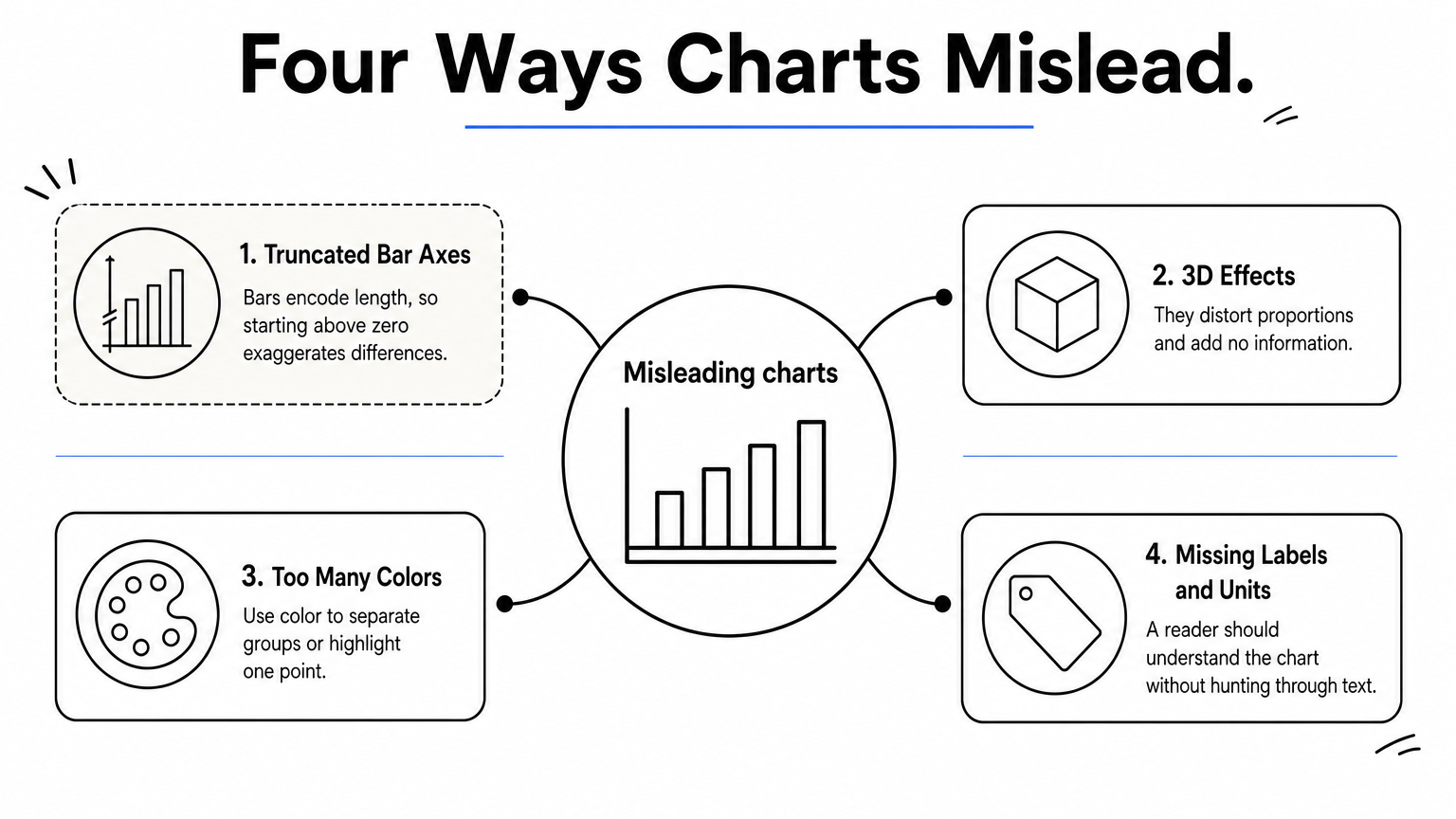
- Truncated bar axes. Bars encode length, so starting the axis above zero exaggerates differences.
- 3D effects and decorative shading. They distort proportions and add no information.
- Too many colors. Use color to separate groups or highlight one point, and pick palettes that remain readable for color-blind viewers.
- Missing labels and units. A reader should understand the chart without hunting through the text.
If a chart needs a paragraph of explanation to be read correctly, redesign the chart.
Data visualization examples worth studying
The best examples show a decision that a chart made possible. Historical cases prove the idea, and modern research figures show how it works in daily practice.
Three classics
- John Snow's cholera map (1854): he plotted deaths in London's Soho district and saw them cluster around the Broad Street water pump, which supported his argument that cholera spread through water.
- Charles Minard's map of Napoleon's Russian campaign (1869): one graphic shows army size, location, direction, and temperature, and makes the scale of the losses obvious.
- Florence Nightingale's rose diagram (1858): it showed that most British army deaths in the Crimean War came from preventable disease, not battle wounds.

Examples from research
Research fields have their own standard figures. Clinical studies rely on Kaplan-Meier curves to compare survival between groups and forest plots to summarize effects across studies. Laboratory work often uses box or violin plots with individual data points overlaid, so readers see the sample size and spread. Epidemiology uses maps and time-series lines for prevalence and incidence.
Multi-panel figures combine several of these in one layout, with each panel answering one part of the question. Journals set rules for size, resolution, fonts, and color, so check the target journal's author guidelines before you finalize any figure.
Data visualization tools and when to use each
The right tool depends on your audience, your data size, and how much coding you want to do. Spreadsheets cover quick charts, business intelligence tools cover dashboards, and code libraries give the most control.
Tool categories compared
| Tool type | Examples | Best for | Coding needed |
|---|---|---|---|
| Spreadsheets | Excel, Google Sheets | Quick charts from small datasets | No |
| BI dashboards | Tableau, Power BI | Interactive dashboards for organizations | Little |
| Python libraries | Matplotlib, Seaborn, Plotly | Custom, reproducible figures | Yes |
| R packages | ggplot2 | Statistical graphics | Yes |
| AI analysis workspaces | PlotStudio AI | Figures requested in plain English | No |
Is SQL a data visualization tool?
No. SQL retrieves and reshapes data from a database. You then pass the result to a charting tool to draw it. SQL belongs in the acquire and filter stages, not in the represent stage.
Where PlotStudio AI fits
PlotStudio AI is a desktop workspace for researchers. You upload a dataset and describe the figure or analysis you want in plain English. AI agents write and run Python on your machine, and you can inspect the code, review the plan before it runs, and export results as a PDF report or Jupyter notebook. You can try it with 30 free credits and no credit card.
A well-formatted figure is not automatically a correct one. You still own the statistical choices and the journal's formatting requirements.
Pick the tool that lets you check your work, not just the one that draws the prettiest chart.
Start with the question, not the chart
Data visualization turns data into visuals that reveal patterns, support decisions, and communicate results. It matters because summaries can hide the truth, as Anscombe's quartet shows. It works when you match the chart to the question, clean the data first, and refine until the message is plain.
Use the examples above as a standard. Snow, Minard, and Nightingale each answered one clear question with one clear picture. Do the same with your own figures, and pick tools that keep your methods visible.
If you work with research data and want to go from a dataset to inspectable code and figures without writing it all yourself, you can try PlotStudio AI free.