
A Kaplan-Meier curve is a step-shaped graph that shows the estimated probability that subjects stay event-free over time, even when some of them are followed for only part of the study. Time runs along the horizontal axis. The share still event-free runs up the vertical axis, starting at 100%. Each drop marks an observed event, such as a death, a relapse or a device failure. Each tick mark shows a subject whose follow-up ended without one.
This article covers why the method became the default for time-to-event data and how to calculate the curve by hand with a small worked example. It then shows how to read survival and median survival from the graph and how to compare groups. It also covers the assumptions that quietly break the estimate and what a journal-ready figure needs.
PlotStudio AI is a research analysis workspace that can produce survival curves from an uploaded dataset, so the examples lean toward the questions clinical and academic researchers ask. The goal is simple. After reading, you should be able to look at any Kaplan-Meier survival curve and say what it tells you and what it does not.
Why the Kaplan-Meier curve matters in survival analysis
The Kaplan-Meier curve matters because it is the standard way to estimate survival over time when follow-up is incomplete. Edward Kaplan and Paul Meier published the method in 1958, and Kaplan-Meier survival analysis has been the first look at time-to-event data ever since. Most clinical trial papers with a time-to-event outcome include one.
The problem it solves
Follow-up is never equal for everyone. Say 100 patients enter a trial over two years and the study closes after five. Some patients have five years of data and others only one. Some move away and are never heard from again. A simple percentage fails here. If you count everyone without an event as a survivor, you overstate survival, because recent enrollees had little time to have an event. If you drop them, you throw away real information.

The Kaplan-Meier method keeps every subject in the calculation for exactly as long as they were observed. A patient followed for 14 months counts as at risk through month 14 and then leaves the denominator. This is called right-censoring, and handling it correctly is the reason the method exists. The estimate multiplies conditional survival probabilities, so it uses each person's partial information without pretending to know what happened afterward.
A Kaplan-Meier curve uses everyone's follow-up time without guessing what happened after it ended.
What a Kaplan-Meier curve is used for
Researchers use the curve to answer three practical questions:
- Survival at a fixed time. What share of patients are still event-free at 12 months or 5 years?
- Median survival. How long until half of the group has had the event?
- Group comparison. Does treatment A delay the event longer than treatment B?
The event does not have to be death. Typical events include relapse, tumor progression, hospital readmission, implant failure and time to recovery. Engineers use the same method for machine breakdowns, and analysts use it for customer churn. In this method, "survival" only means "has not had the event yet."
Kaplan-Meier curve vs survival curve
A survival curve is the general idea: a plot of the probability of remaining event-free against time. The Kaplan-Meier curve is one specific way to estimate it from observed data. Because the estimator is nonparametric, it assumes no shape for survival times, such as Weibull or exponential. The curve follows your data step by step.
Parametric models fit a smooth curve with a fixed shape. They are useful for extrapolating beyond follow-up, but only when the assumed shape is right. In practice, people use "Kaplan-Meier curve" and "Kaplan-Meier survival curve" interchangeably, and both mean the stepped estimate drawn straight from the data.
How to build a Kaplan-Meier curve step by step
To build a Kaplan-Meier curve, sort subjects by follow-up time, then at each event time multiply the running survival estimate by the share of at-risk subjects who did not have the event. The result is the cumulative survival probability at that time. You rarely do this by hand, but doing it once makes every later curve easier to read.
The data you need
Every subject needs three values. First, follow-up time, measured from a clear starting point such as enrollment or start of treatment. Second, a status flag, usually 1 for event and 0 for censored. Third, a group label if you want to compare curves, such as treatment arm.
Time must use the same origin and unit for everyone. Mixing months and days, or starting the clock at diagnosis for some patients and at surgery for others, produces a curve that looks fine and means nothing.
A worked example with censoring
Take 10 patients followed for up to 20 months. Event times are 3, 5, 8, 8, 12, 15 and 20 months. Three patients are censored at 6, 10 and 18 months. At each event time, divide the number who stay event-free by the number at risk, then multiply by the previous cumulative value.
| Time (months) | At risk (n) | Events (d) | Step survival (n − d) / n | Cumulative survival |
|---|---|---|---|---|
| 0 | 10 | 0 | 1.000 | 1.000 |
| 3 | 10 | 1 | 0.900 | 0.900 |
| 5 | 9 | 1 | 0.889 | 0.800 |
| 8 | 7 | 2 | 0.714 | 0.571 |
| 12 | 4 | 1 | 0.750 | 0.429 |
| 15 | 3 | 1 | 0.667 | 0.286 |
| 20 | 1 | 1 | 0.000 | 0.000 |
Look at how censoring works. The patient censored at 6 months causes no drop, but the at-risk count falls from 8 to 7 before month 8. That is why the month-8 step is 5/7 and not 6/8. Censoring at 10 and 18 months shrinks the denominators the same way. Censored patients never create a drop, but they make later drops larger.
Multiply the survival probabilities at each event time, and let censored patients leave the at-risk count without causing a drop.
Software that draws it for you
In practice, software does the arithmetic. In R, the survival package fits and plots the curve in a few lines. Replace time, status and group with your own column names:
library(survival)
fit <- survfit(Surv(time, status) ~ group, data = df)
summary(fit, times = c(6, 12, 24))
survdiff(Surv(time, status) ~ group, data = df)
plot(fit, mark.time = TRUE, xlab = "Months", ylab = "Survival probability")
Python users can fit the same estimate with KaplanMeierFitter from the lifelines package. Excel can reproduce the table above, but it has no native Kaplan-Meier chart, so you have to draw the steps yourself. Whatever tool you use, check its output against a small hand calculation like the one above before trusting it on a real dataset.
How to read and interpret a Kaplan-Meier curve
To read a Kaplan-Meier curve, find your time on the horizontal axis, go up to the curve, and read the survival probability on the vertical axis. Then check the tick marks, the confidence band and the numbers at risk to judge how far to trust that value. Most reading errors come from skipping those last checks.
Axes, steps and tick marks
Each visual element carries a specific meaning. Check the time unit first, because a curve in days and a curve in years look identical until you read the label.
| Element | What it shows |
|---|---|
| Horizontal axis | Time since the starting point, in a stated unit |
| Vertical axis | Estimated probability of being event-free, from 1.0 (100%) down |
| Downward step | One or more observed events at that time |
| Flat stretch | No events observed in that interval |
| Tick mark | A censored subject, placed at their last follow-up time |
| Shaded band | Confidence interval around the estimate |
| Table under the plot | Number of subjects still at risk at chosen times |
The size of a drop depends on how many subjects are at risk. One event among 100 patients moves the curve a hair. One event among 4 patients moves it a quarter of the way down. A flat stretch means no events were observed, not that risk was zero.
Reading survival and median survival
Use the curve from the worked example. To read survival at 7 months, go up from 7 on the horizontal axis. The curve sits at 0.80, so the estimated probability of being event-free at 7 months is 80%. At 8 months the second drop has happened, and the value is 57%.
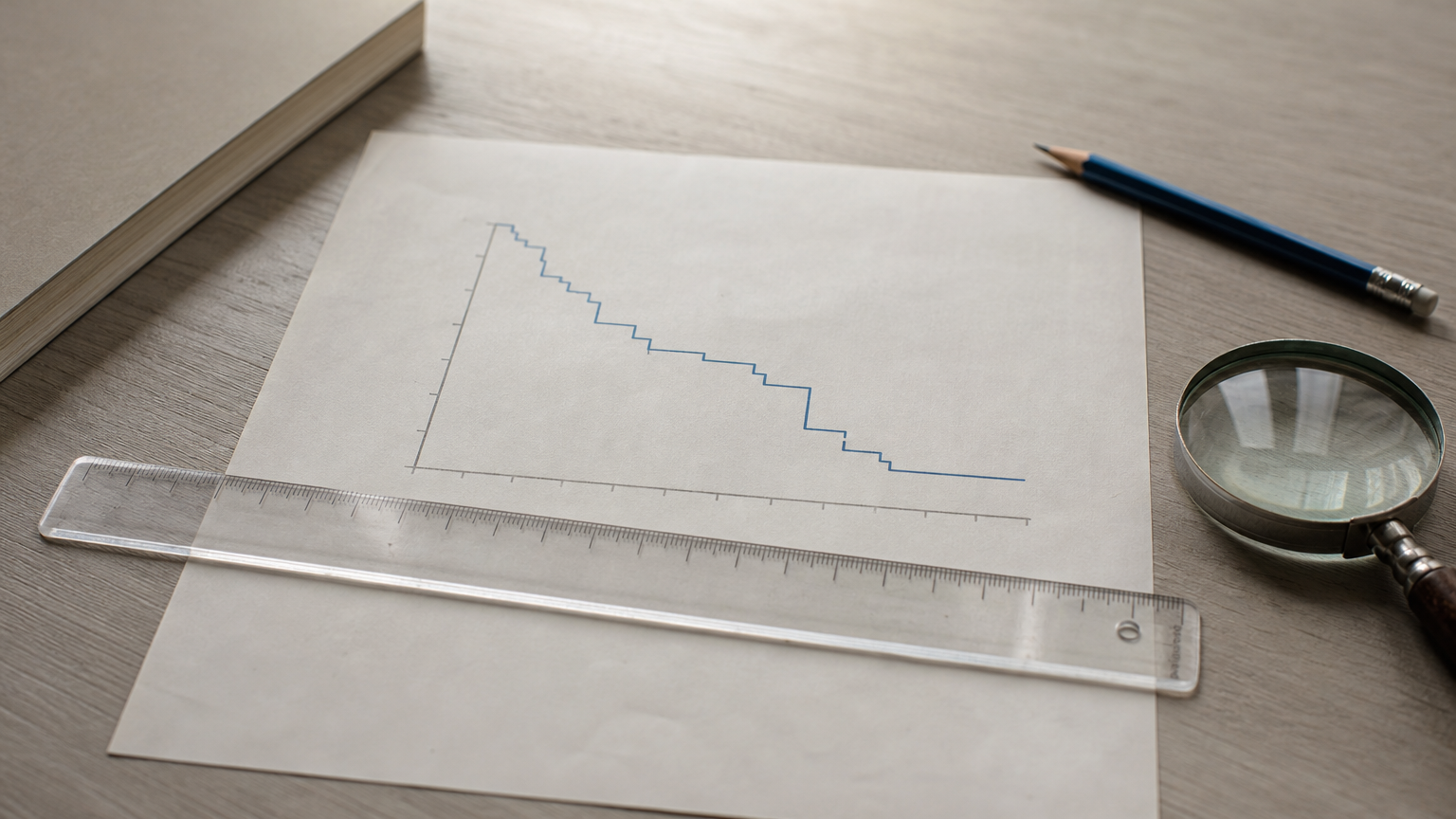
For median survival, draw a horizontal line at 0.50 and find where the curve first reaches or falls below it. In the example, the curve stays at 0.571 until 12 months, then drops to 0.429. Median survival is 12 months. If the curve never falls to 0.50 during follow-up, the median is not estimable, and papers report it as "not reached." That is a real result, not missing data.
Median survival is the first time the curve touches or drops below 50%, and if it never does, the median has not been reached.
How much to trust the right end
The right end of a curve is the least reliable part. Few subjects remain at risk, so one event can cause a large drop, and the confidence band widens. Imagine a curve that ends at 92% because a single patient was still being followed at year 10. One event for that patient would send the estimate to zero. The numbers-at-risk table under the plot tells you when this is happening.
Look at censoring marks too. Many ticks bunched early suggest heavy dropout, which should make you ask why patients left. Ticks bunched at the far right usually just mean the study ended while patients were still event-free. A curve with no tick marks at all, in a study that clearly had dropouts, deserves suspicion.
How to compare Kaplan-Meier curves between groups
To compare groups, plot one curve per group on the same axes, then test the whole curves with a log-rank test. Visible separation suggests a difference, but only a test tells you whether it is larger than chance would produce. Never judge a comparison from a single time point.
Reading two curves side by side
If one curve stays above the other for the whole follow-up, that group has better event-free survival. Vertical gaps tell you how much larger the event-free share is at a given time. Horizontal gaps tell you how much longer one group took to reach the same share, such as the median.
When curves cross, the story changes over time. One treatment might be worse early and better late. A single summary number then hides the pattern, so describe the crossing directly and be cautious with the tests below.
Log-rank test and hazard ratio
The log-rank test compares the observed number of events in each group with the number expected if both groups had the same survival. It uses every event time, so it judges the full curves. It has the most power when one group's hazard is consistently a fixed multiple of the other's.
The Kaplan-Meier curve itself does not give you a hazard ratio. For that, fit a Cox proportional hazards model, which estimates how much a group's event rate differs from another's and lets you adjust for covariates such as age or stage. Sample size matters more than most people expect. With six patients per group, a median gap of years can still fail to reach significance, because a few events cannot rule out chance.
A visible gap between curves is a lead, and the log-rank test or a Cox model is what tells you whether it is real.
Assumptions and mistakes that break a Kaplan-Meier curve
A Kaplan-Meier curve is only as valid as its assumptions, and the most important one is that censoring is unrelated to prognosis. If those assumptions fail, the curve still draws cleanly, which is why the failures go unnoticed. Check them before you interpret anything.
Assumptions behind the estimate
Four assumptions carry most of the weight:
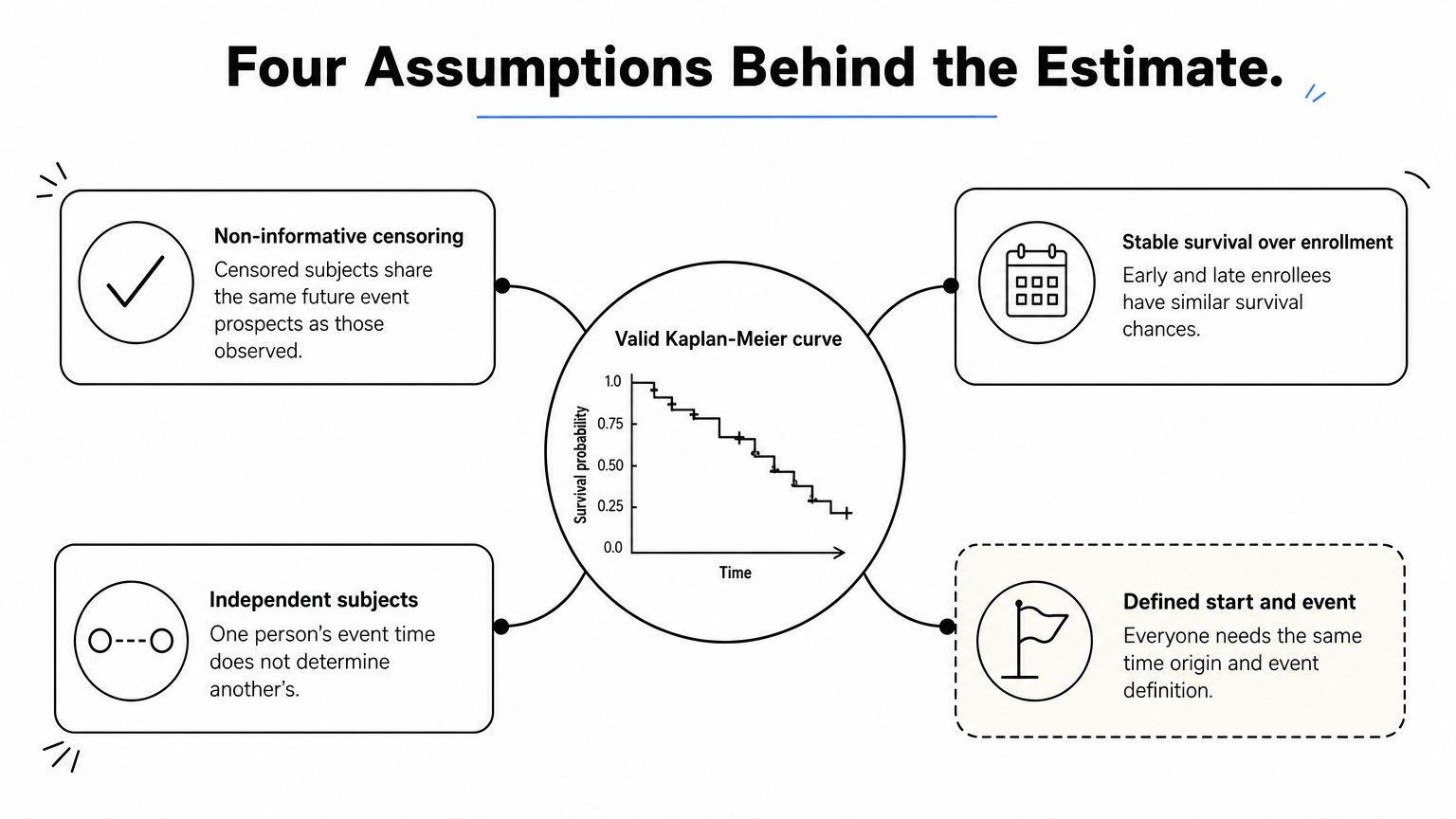
- Non-informative censoring. Censored subjects must have the same future event prospects as those who stay under observation. If sicker patients drop out, the curve looks better than reality.
- Stable survival over enrollment time. Patients who joined early and late should have similar survival chances.
- Independent subjects. One person's event time should not determine another's. Paired organs, repeated events and clustered clinics need different methods.
- Clearly defined start and event. Everyone needs the same time origin and the same event definition.
Competing risks
Competing risks need separate handling. If patients can die of another cause before the event you study, the standard curve treats them as censored, and one minus the curve overstates the event probability. In that case, report the cumulative incidence function instead of a plain Kaplan-Meier curve.
Common mistakes when reading curves
| Mistake | Why it misleads | What to do instead |
|---|---|---|
| Joining points with sloping lines | Implies events between observed times | Draw a step function |
| Trusting the far right tail | Few subjects remain at risk | Check numbers at risk and the band |
| Coding censored patients as events | Pulls survival down artificially | Code them 0 in the status column |
| Comparing at one time point | Ignores the rest of the curve | Use a log-rank test or Cox model |
| Ignoring why patients were censored | Hides informative censoring | Report reasons and follow-up length |
Check the numbers at risk and the reasons for censoring before you believe any survival curve.
How to present a Kaplan-Meier curve in a paper
A publishable Kaplan-Meier figure shows the stepped curves, censoring marks, uncertainty and numbers at risk, with labels a reader can parse without the caption. Presentation quality is not the same as correctness, so check the analysis before polishing the plot.
What a journal-ready figure includes
Use this checklist before you submit:
- Step lines, one per group, in colors that stay distinguishable in grayscale
- Censoring tick marks, with a note in the legend
- Confidence bands or a stated interval type
- A numbers-at-risk table aligned to the time axis
- Axis labels with units, such as "Time since randomization (months)"
- The log-rank P value, or the hazard ratio with its confidence interval from a Cox model
- Median survival with confidence limits, or a note that it was not reached
Also check the target journal's figure rules for size, resolution and file format. Those vary by publication.
Drawing it in PlotStudio AI
In PlotStudio AI, you upload a CSV or Excel file with time, status and group columns and ask for a Kaplan-Meier analysis in plain English. The agents plan the analysis, write and run the Python, and return the curves, tables and an interpretation. Analysis runs locally, so the dataset stays on your machine.
Verification Mode lets you review the plan before it runs, so you can confirm the event coding, the test and the Cox covariates. You can inspect the generated code and export the analysis as a PDF report or a Jupyter notebook. The figure still needs your judgment on censoring, assumptions and interpretation, and if your data is regulated, check your institution's privacy requirements first. You can try it free with 30 credits and no credit card.
Putting it to work
A Kaplan-Meier curve estimates event-free survival over time while keeping censored patients in the calculation for as long as they were observed. To read one, check the axes, find survival and median values at the steps, and look at the tick marks and numbers at risk before trusting the tail. To compare groups, test the whole curves, and check the assumptions behind them, especially about censoring.
If you want to see these ideas on your own data, try PlotStudio AI free with your survival dataset. Upload your time, status and group columns, review the proposed plan, and inspect the curve, the test and the code before anything goes into a manuscript.