
To work out how to make a Kaplan Meier curve in Excel, sort your patients by follow-up time, build a life table with COUNTIFS formulas, double each event time into step-chart points, and plot them as a scatter chart with straight lines. The build takes about 15 minutes, and every number stays visible so you can check it.
Excel has no Kaplan-Meier chart type, and the Data Analysis ToolPak has no survival procedure either. Most people hit the same two snags. A line chart slopes between events instead of stepping, and censored patients get dropped or counted as deaths.
This guide uses a 10-patient example you can retype in a minute. You will set up the data, write the formulas, build the chart points, format the step chart, and add censor marks. You will also see where Excel stops being practical and what to do then.
What you need before you build the curve
Lay out your time-to-event data
A Kaplan-Meier curve needs two columns: follow-up time and event status. Use 1 when the event happened (death, relapse, failure) and 0 when the patient is censored, meaning lost to follow-up or still event-free at the last check. Keep one row per patient, use one time unit throughout, and sort from smallest to largest time.

Put time in column A and status in column B, with headers in row 1. The example below sits in A2:B11, with time in months.
| Time (months) | Event (1 = event, 0 = censored) |
|---|---|
| 2 | 1 |
| 3 | 1 |
| 3 | 0 |
| 5 | 1 |
| 6 | 0 |
| 7 | 1 |
| 8 | 1 |
| 10 | 0 |
| 12 | 1 |
| 14 | 0 |
Every Kaplan-Meier curve rests on two columns: the time, and a 1 or 0 for whether the event happened.
Choose formulas or an add-in
The Data Analysis ToolPak has no Kaplan-Meier tool, so Excel needs either formulas or an add-in. The free Real Statistics Resource Pack and the paid XLSTAT both run the calculation for you. A hand-built sheet takes longer the first time. In return, you see how the at-risk counts drive each drop, and you can reuse the sheet for any dataset with the same layout.
This guide takes the manual route because it works on locked-down hospital and university computers. The formulas use SORT, UNIQUE and FILTER, which need Excel 2021 or Microsoft 365. On older versions, type the event times by hand.
Step 1. Build the life table
List the event times
The life table needs one row per distinct event time, plus a starting row at time 0. Censored-only times get no row. Type these headers in D1:H1: Time, At risk, Events, 1 - d/n, S(t). Enter 0 in D2, then this formula in D3:
=SORT(UNIQUE(FILTER($A$2:$A$11,$B$2:$B$11=1)))
It spills the six event times (2, 3, 5, 7, 8 and 12) into D3:D8.
Add the at-risk, event and survival formulas
Each row needs the number at risk, the number of events, the survival factor 1 - d/n, and the cumulative product S(t). Enter these formulas in row 2, then fill E2:G2 down to row 8:
E2: =COUNTIF($A$2:$A$11,">="&D2)
F2: =COUNTIFS($A$2:$A$11,D2,$B$2:$B$11,1)
G2: =1-F2/E2
H2: =G2
H3: =H2*G3
Fill H3 down to H8. The at-risk count includes everyone whose time is at least t. That is why a patient censored at month 3 is still counted at month 3 and only leaves afterward. You should get this:
| Time | At risk | Events | 1 - d/n | S(t) |
|---|---|---|---|---|
| 0 | 10 | 0 | 1.000 | 1.000 |
| 2 | 10 | 1 | 0.900 | 0.900 |
| 3 | 9 | 1 | 0.889 | 0.800 |
| 5 | 7 | 1 | 0.857 | 0.686 |
| 7 | 5 | 1 | 0.800 | 0.549 |
| 8 | 4 | 1 | 0.750 | 0.411 |
| 12 | 2 | 1 | 0.500 | 0.206 |
At month 5, seven patients remain at risk: ten, minus the event at 2, the event at 3 and the patient censored at 3.
Censored patients stay in the at-risk count until their last follow-up, then leave without causing a drop.
Step 2. Turn the table into step-chart points
Why each event time needs two points
A Kaplan-Meier curve is a step function: flat between events, then a vertical drop at each event time. Excel connects points with straight diagonal lines, so plotting D2:H8 directly gives a slanted curve. To draw the vertical drop, give every event time two points: the survival just before it, and the survival just after it.

For the event at month 2, that means (2, 1.000) and then (2, 0.900). Month 3 follows with (3, 0.900) and (3, 0.800), and so on. Start the line at (0, 1) and end it at the longest follow-up time, here 14, so the last flat segment reaches the end of the axis.
Fill the helper columns
Put the chart points in J and K, with headers Time and Survival in row 1. This exact layout (points in rows 2 to 15, life table in rows 2 to 8) is what the formulas assume. Enter the first point and the last point by hand:
J2: =D2
K2: =H2
J15: =MAX($A$2:$A$11)
K15: =H8
Then enter these in J3:K3 and fill both down to row 14:
J3: =INDEX($D$2:$D$8,INT((ROW()-3)/2)+2)
K3: =INDEX($H$2:$H$8,INT((ROW()-3)/2)+1+MOD(ROW()-3,2))
You now have 14 points: (0, 1), (2, 1), (2, 0.9), (3, 0.9), (3, 0.8), and so on up to (14, 0.206). With your own data, extend the range by two rows per extra event time.
Doubling every event time into a before-and-after pair is the whole trick that makes a Kaplan-Meier curve step instead of slope.
Step 3. Plot the step chart
Insert the scatter chart
Select J1:K15. Go to Insert, then Charts, then Scatter, and choose Scatter with Straight Lines. Do not pick the smooth-line version, because smoothing rounds the corners of the steps. You should see a flat line at 1.0, then descending steps ending at about 0.206.
Do not use a line chart or a column chart for this. A line chart spaces points evenly instead of by time, which distorts the curve whenever events are unevenly spaced.
Format it for a report
A default chart needs a few changes before it can go into a manuscript or slide. Work through this checklist:
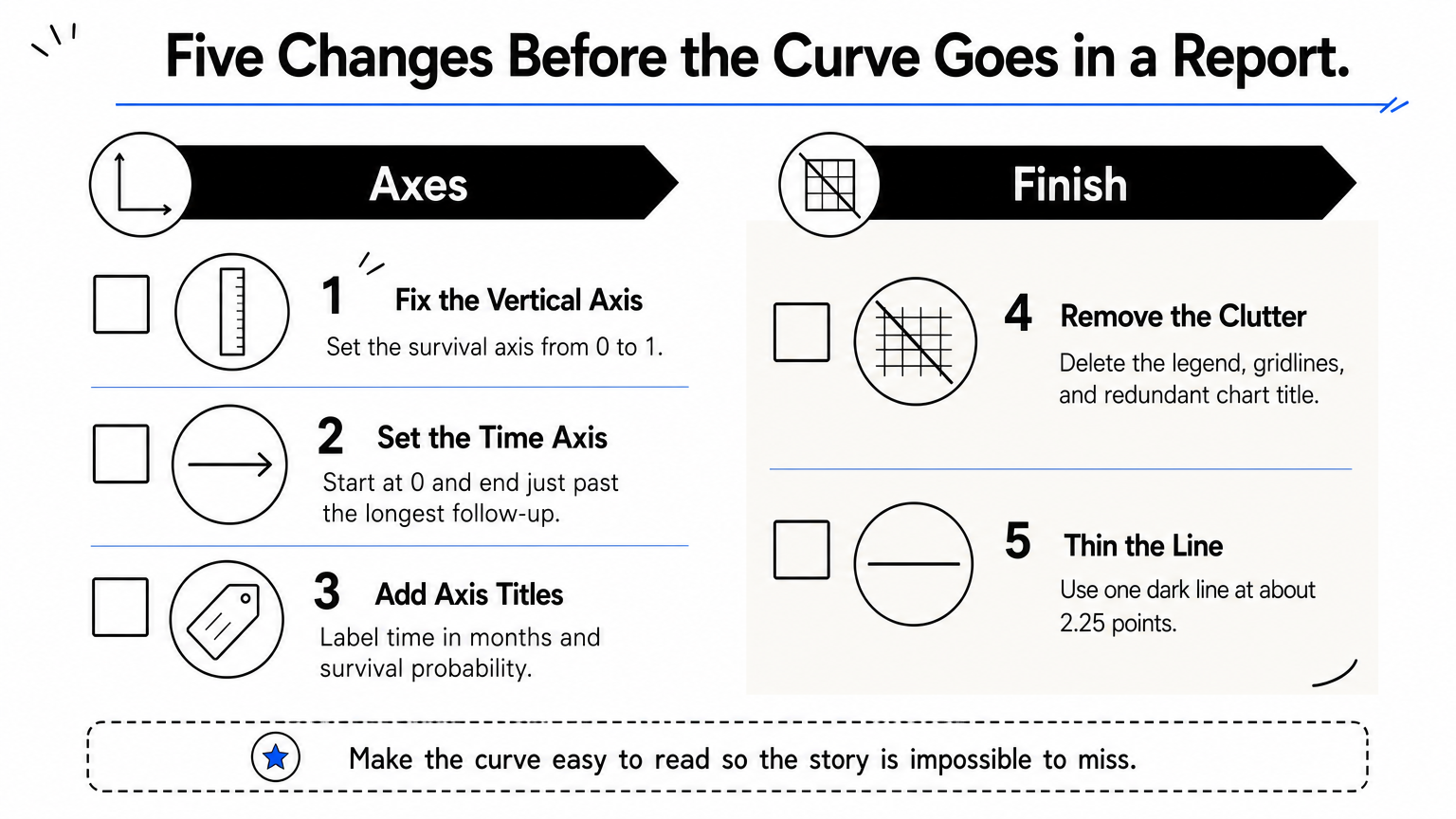
- Set the vertical axis to a minimum of 0 and a maximum of 1 (right-click the axis, then Format Axis, then Bounds).
- Set the horizontal axis to start at 0 and end just past your longest follow-up.
- Add axis titles, such as "Time (months)" and "Survival probability".
- Delete the legend, the gridlines, and the chart title if your figure caption already names the plot.
- Set the line to a single dark color at about 2.25 pt.
Check the target journal's figure rules for fonts, sizes and file formats before you export. Excel's copy-as-picture and Save as Picture options both work for a quick figure.
Step 4. Add censor marks and check the curve
Mark the censored patients
Readers expect small ticks on the curve wherever a patient was censored. Add them as a second series. In M1 and N1 type Censored time and S(t). In M2 enter the censored times with this formula, which spills four values (3, 6, 10 and 14):
=FILTER($A$2:$A$11,$B$2:$B$11=0)
Then fill this formula from N2 down to N5:
=LOOKUP(M2,$D$2:$D$8,$H$2:$H$8)
It returns the survival at each censored time: 0.800, 0.686, 0.411 and 0.206. Right-click the chart, choose Select Data, and add a series with M2:M5 as X values and N2:N5 as Y values. Then set that series to no line and a built-in plus marker.
Check your numbers and know Excel's limits
Before you trust the curve, verify two things. The last S(t) must equal the product of every 1 - d/n factor: 0.9 × 0.889 × 0.857 × 0.8 × 0.75 × 0.5 gives 0.206. The median survival is the first time S(t) reaches 0.5 or lower, which here is 8 months. This formula finds it:
=INDEX($D$2:$D$8,MATCH(TRUE,INDEX($H$2:$H$8<=0.5,0),0))
Be careful with the right-hand tail. Each event there is divided by very few patients at risk, so a single death causes a large drop. Many analysts avoid reading survival estimates once fewer than about 5% of patients remain at risk.
Excel also has real limits. It gives you no confidence bands, no log-rank test, and no hazard ratio. For two groups, add a group column and a third criterion in COUNTIFS, build a second life table, and overlay its points as another series. Beyond that, dedicated survival analysis software is faster. PlotStudio AI, for example, lets you upload the same CSV and ask in plain English for a Kaplan-Meier curve by group with a log-rank test or a Cox model, with the Python it writes open for inspection. You still choose the method and review the result.
Excel can draw a correct Kaplan-Meier curve, but it cannot test whether two curves differ.
Your curve is ready
You now have a working Kaplan-Meier curve built from two columns of raw data. A life table gives the survival estimates, doubled event times give the steps, and a scatter chart with straight lines draws them. Censor marks and a median check finish the job. Keep the sheet as your template and replace the data when your next study comes in.
When you need group comparisons, confidence bands or a Cox model, try PlotStudio AI free. The free trial includes 30 credits and needs no credit card.