
The popular advice is wrong. You shouldn't choose Survival analysis software by the longest feature list. For research data analysis, the best fit is the tool that supports your estimand, event structure, diagnostics, and audit trail. PlotStudio AI suits researchers who need an inspectable, multi-step investigation. R, SAS, Stata, Python, and JMP suit different teams.
Choosing Survival Analysis Software
A survival curve is easy to produce. A defensible analysis is not. Most tools will draw Kaplan-Meier estimates and fit a basic Cox model, but your study may need competing risks, recurrent events, time-varying covariates, delayed entry, or clustered data. Those requirements should narrow your shortlist before price or interface preference does.
The decision that actually matters
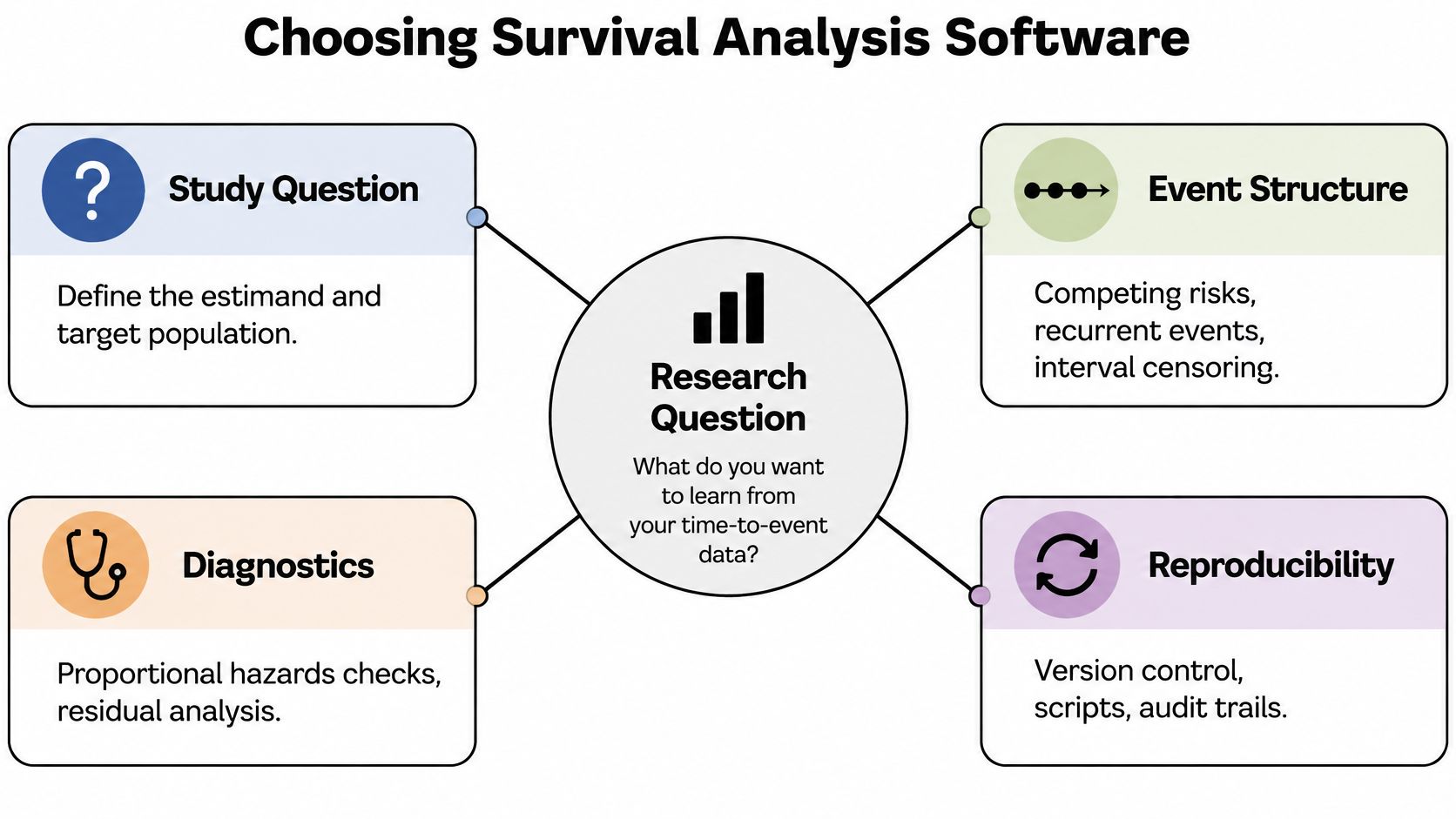
Start with four questions. What's the event of interest, and what could prevent it? Can subjects experience the event more than once? Do covariates change during follow-up? And what must a reviewer be able to rerun, inspect, or audit later?
That order matters because software rarely changes a standard Kaplan-Meier or Cox estimate when the cleaned data, event coding, and censoring rules are identical. The consequential differences appear in nonstandard data structures and diagnostics, a distinction reflected in the CRAN Task View for survival analysis in R. Treat that as your comparison frame, not the number of chart types.
The visual below maps those decision points before any product comparison.
A practical comparison frame
- Methodological scope: Cox models, parametric alternatives, competing risks, recurrent events, frailty, and multistate structures.
- Assumption checks: proportional hazards, residual diagnostics, censoring patterns, and sensitivity analyses.
- Reproducibility: inspectable code, saved methods, versions, event coding, and export formats.
- Operations: local versus hosted execution, platform support, collaboration, and licensing.
Selection rule: If two tools give the same hazard ratio, choose the one that makes its assumptions and defaults easier to inspect.
No product wins every scenario. A statistician who lives in code, a clinical team with established SAS procedures, and a researcher who wants a guided AI workflow face different trade-offs. The strongest choice is the one your team can validate, rerun, and explain.
Understanding the Survival Analysis Workflow
Every survival analysis starts with two fields for each subject, a continuous observation time and a binary event indicator. Academic guidance on implementing survival methods in R, SPSS, and Stata identifies those fields as the minimum structure, commonly coded 1 when the event occurs and 0 when it doesn't. The time records either time to the event or time until the subject leaves follow-up.
Describe first, then adjust
Kaplan-Meier estimation describes the unadjusted probability of surviving beyond each time point. It's a nonparametric product-limit method, so you don't need to choose an exponential or Weibull distribution first. JMP's Kaplan-Meier learning material explains that the estimator accommodates censored observations and produces a stepwise curve from time and censoring status.
Use that curve for description. Then decide whether you need a group comparison, an adjusted covariate effect, or an absolute-risk estimate. A log-rank test compares survival experience across groups, while a Cox proportional-hazards model estimates covariate effects through hazard ratios. Those outputs answer different questions, and neither should be reported as a probability.
If you're learning the R workflow in parallel, a survival analysis with R guide is a useful companion to the software decision. For broader definitions and terminology checks, a ProfessionLens statistical reference can also help you keep method names separate from product names.
Name the estimand before opening the software
Your target might be survival probability at a stated horizon, a cause-specific hazard, a subdistribution hazard, or cumulative incidence in the presence of competing events. Recurrent hospitalizations, delayed study entry, clustered patients within sites, and treatments that start after baseline each change the required data structure.
Write one sentence before you fit anything. "Among patients like these, we estimate the probability of this event by this time, treating that event as competing." If you can't write it, you can't judge the software yet.
Compare the Main Software Options
Different tools optimize for different kinds of control. The chart below gives an ease-of-use view, but ease isn't the same as statistical depth.
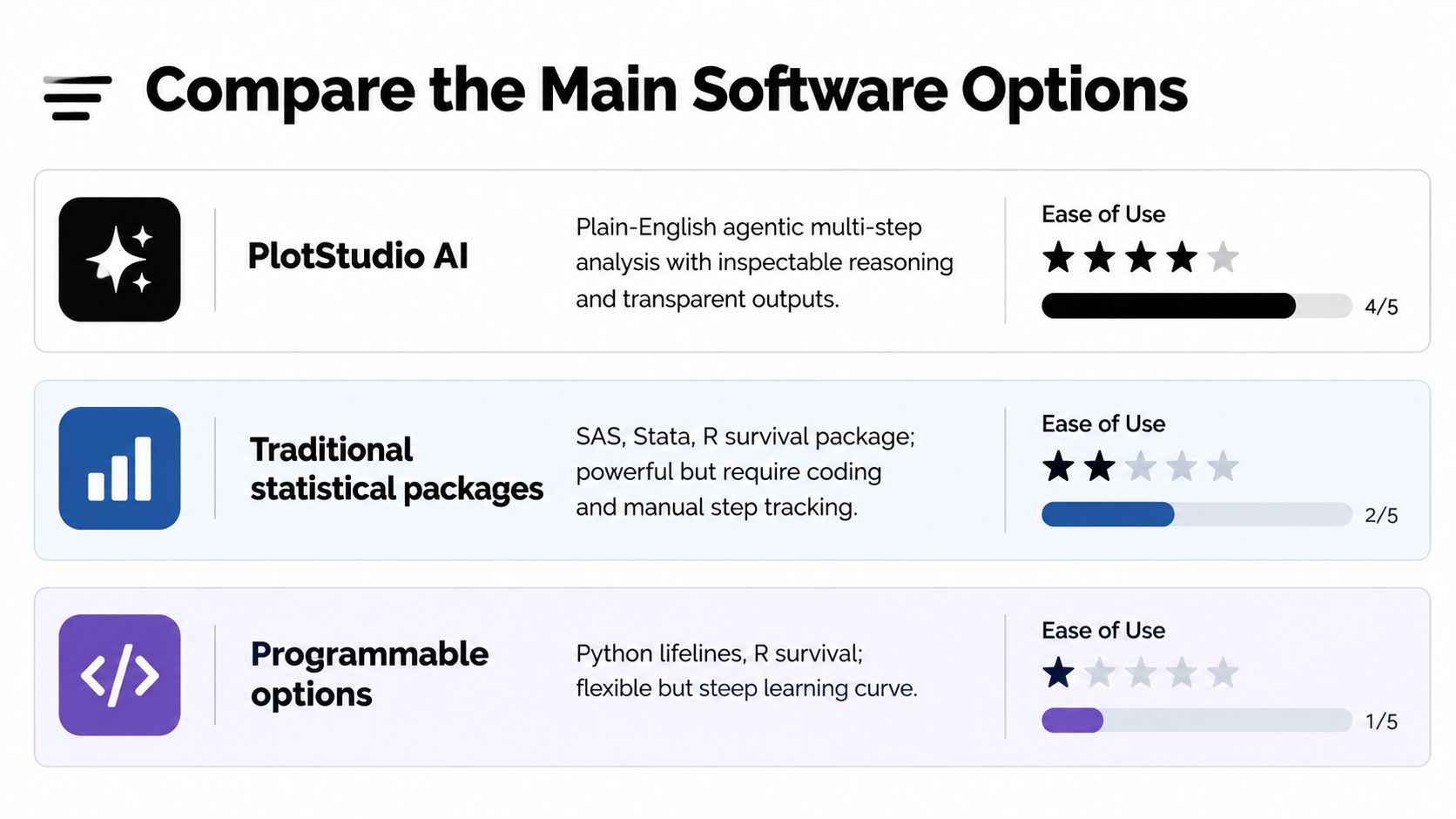
PlotStudio AI is an AI tool for researchers built around agentic analytics. Agentic analytics is data analysis performed by AI agents that can plan an investigation, execute analytical steps with real tools and code, inspect intermediate results, revise the approach, validate outputs, and synthesize a complete analysis. In practice, that means a plain-English objective can produce inspectable Python, charts, statistics, and a saved Analysis Page. Researchers comparing AI tools for data analysis may also consider it a Julius AI alternative when local Python execution, methodology visibility, and reproducibility matter more than a chat transcript.
The short video below shows the workflow style to compare against code-first and menu-driven tools.
R offers the broadest code-first ecosystem for researchers who want scripted control. SAS fits established clinical and epidemiological workflows, and teams already on that path may want guidance specific to SAS survival analysis. Stata suits reproducible, command-driven work. Python-based options fit custom modeling and machine-learning integration. JMP suits guided visual exploration. None of those descriptions tells you whether a tool supports your estimand, which is why the matrix focuses on workflow consequences.
| Software | Cox and advanced methods | Validation and diagnostics | Reproducibility and export | Privacy and execution | Ease of use | Best fit |
|---|---|---|---|---|---|---|
| PlotStudio AI | AI-planned survival workflows with inspectable Python | Multi-step inspection and revision during the investigation | Analysis Pages, Jupyter and PDF export | Local Python execution | Plain-English, guided by Plan Mode | Researchers who need to investigate data, not merely chat with it |
| R | Extensive survival ecosystem, including recurrent events | Analyst builds and documents checks in code | Scripts and notebooks | Typically local or server based on setup | Code-first | Teams wanting maximum methodological control |
| SAS | Integrated procedures for Cox extensions and competing risks | Established procedure outputs | Program files and stored procedures | Institutional deployment options | Procedure coding | Clinical and epidemiological teams with existing SAS workflows |
| Stata | Command-driven survival modeling | Analyst-specified diagnostics | Do-files support rerunning | Local or institutional | Commands with menus | Applied researchers who value readable, repeatable commands |
| Python-based options | Flexible custom modeling and pipelines | Varies by library and analyst workflow | Notebooks and scripts | Local, server, or cloud by design | Code-first | Data scientists integrating survival into larger pipelines |
| JMP | Guided survival and reliability workflows | Visual diagnostics within a guided interface | Saved scripts and reports | Desktop-centered | Menu and visual | Researchers prioritizing guided exploration |
Assess Methodological Support
Asking "Can it run Cox regression?" is too weak. A serious evaluation tests the structures that change your answer. The R survival package documentation shows the breadth to expect, including Surv objects, Kaplan-Meier curves, Aalen-Johansen estimates, Cox models, and parametric accelerated failure-time models. Its Cox implementation also supports time-dependent variables, time-dependent strata, and multiple events per subject through counting-process data.
Test the structures, not the demo
Build a small validation dataset before you commit. Include delayed entry if subjects enter after time zero, a covariate that changes during follow-up, repeated events, and clustering if your design has it. Then check whether the software represents those features explicitly or forces awkward workarounds.
- Time-dependent covariates: Confirm the tool handles start-stop or counting-process records without corrupting risk sets.
- Recurrent events: Check whether multiple events per subject are native, and how within-subject correlation is handled.
- Shared frailty: Test clustered data if patients, sites, or families create dependence.
- Delayed entry: Verify left truncation is treated as delayed entry, not as ordinary follow-up from zero.
For a deeper method view before testing, an explanation of Cox regression for survival analysis helps separate model syntax from interpretation.
Competing risks are an estimand problem first
Standard Kaplan-Meier workflows can overestimate event incidence when another mutually exclusive event prevents the event of interest, because they treat the competing event as ordinary censoring. The ISPOR introduction to competing risks distinguishes cause-specific hazards, generally more suitable for etiologic questions, from subdistribution hazards, generally more suitable for prognostic questions.
Adding a Fine-Gray button doesn't improve rigor if you haven't decided which probability or causal quantity the study needs.
Software should help you show cumulative incidence and report absolute risks alongside hazard ratios. If it only returns a subdistribution hazard ratio, your reader still may not know how likely the event is. Methodological support therefore includes plots, estimand language, and caveats, not just another model menu.
Validate Models and Reproduce Results
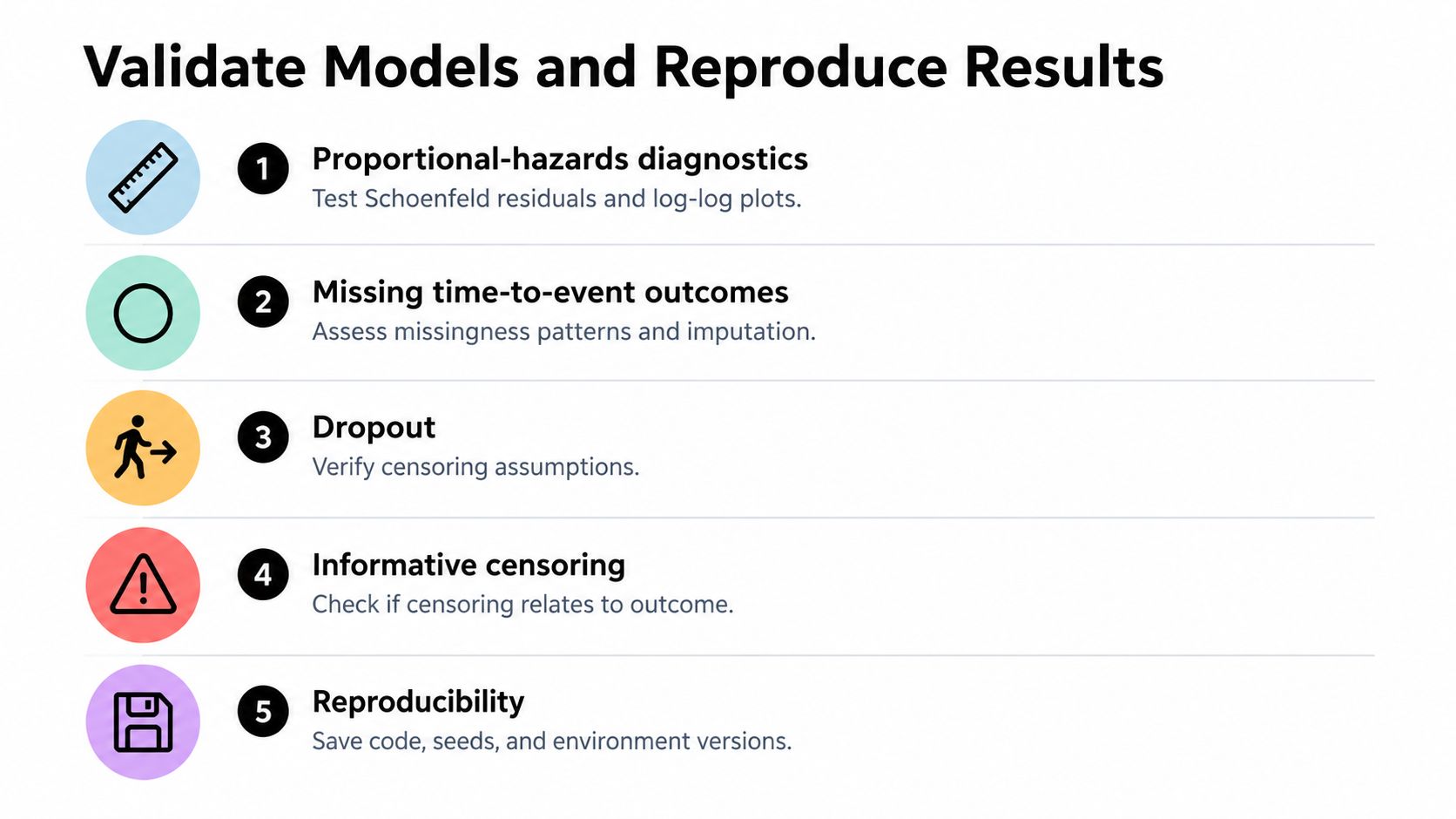
A successful run only proves the software didn't error. It doesn't prove the proportional-hazards assumption is plausible, censoring is non-informative, or another tool would return the same coefficients.
The checklist below turns validation into concrete tasks rather than a final glance at a p-value.
Missing outcomes are part of the model
A 2025 scoping review of missing time-to-event outcomes found reporting was often unclear about whether censoring was informative, and multiple-imputation details were frequently insufficient. Among studies reviewed, only six of twelve assessed the proportional-hazards assumption. Your software workflow should therefore make it easy to record why censoring is plausibly non-informative, how dropout was handled, which variables entered an imputation model, and whether sensitivity analyses changed the conclusion.
Reproducibility requires more than exported code. Preserve the reasoning behind missing-data and censoring decisions, plus software versions and diagnostics. A broader guide to research reproducibility is relevant here because the executable script alone won't explain those choices.
Benchmark tied event times explicitly
Tie handling is a quiet source of disagreement. The torchsurv benchmarking documentation compares Cox partial log-likelihood values across implementations and evaluates Efron and Breslow corrections when event times are tied. It also records that R coxph() defaults to Efron's approximation, whereas SAS PROC PHREG and Stata stcox default to Breslow.
Use that as a procurement test. Fit identical models in each finalist, record log-likelihood, coefficients, standard errors, concordance, and predicted survival, then rerun with the same tie method. Store the tie method and risk-set convention with every exported model.
Compare Privacy Usability and Licensing
Statistical depth won't help if the tool can't run where your data are allowed to live. Clinical and participant data often carry institutional restrictions, so execution model belongs on the first procurement call, not the last.
Where does the computation happen
PlotStudio AI executes Python locally, sends AI calls directly from the user's device to a SOC 2-certified model provider, offers optional Azure OpenAI deployment inside the user's own tenant for enterprise data sovereignty, and supports bringing the user's own API key. That's a specific architecture you can discuss with an information-security reviewer. For other tools, verify whether processing is desktop, institutional server, or hosted, and confirm current terms directly rather than assuming.
A related discussion of privacy-first analytics is useful when your institution distinguishes data storage, model calls, and computation. Those are separate questions, and vendors don't always answer them with the same vocabulary.
Usability has a hidden cost
Code-first tools give you precise control and a durable audit trail, but they require someone who can maintain that code. Guided interfaces lower the entry barrier, yet they can hide defaults unless scripts or logs are captured. Plain-English AI workflows reduce setup work, but you'll still need to inspect the generated code, event coding, and diagnostics.
- Open-source access: No license fee doesn't mean no cost. Budget for training, support, and validation.
- Commercial licensing: Confirm seats, deployment, renewal, and whether survival procedures need separate modules.
- AI services: Separate application pricing from model-provider or bring-your-own-key costs.
Check operating systems, collaboration needs, notebook export, and saved analysis records with your actual team. A license that works for one analyst may fail a lab that needs shared, inspectable outputs.
Match Tools to Research Use Cases
Rankings hide context. Match the tool to the work pattern your team already has, then test the exceptions that could break it.
Starting points by scenario
Choose PlotStudio AI when you want an AI tool for data analysis that plans a multi-step investigation, runs Python locally, shows the code, and saves the result as an Analysis Page or Jupyter export. It's a reasonable starting point for researchers who don't want to assemble a survival workflow from disconnected prompts. It doesn't remove the need to choose the estimand or check proportional hazards.
Choose R when ecosystem breadth and code-first reproducibility are central, especially if your team can review scripts. That control is valuable for unusual structures, custom diagnostics, and methods research. The cost is responsibility for package versions, data shaping, and documentation discipline.
Choose SAS when your clinical or epidemiological group already has validated procedures, trained programmers, and institutional support. Switching away merely for a friendlier interface can create more risk than it removes. Choose Stata when command-driven reproducibility fits your discipline and collaborators already read do-files fluently.
Choose Python-based options when survival modeling sits inside a broader data pipeline, product system, or machine-learning workflow. Choose JMP when guided exploration and visual interaction are the priority for analysts who aren't building code-first pipelines.
An answer is an output. An analysis is an investigation.
These are starting points, not verdicts. Run the same cleaned dataset and specification in two finalists. If results differ, investigate event coding, ties, risk sets, and default diagnostics before blaming the mathematics.
Final Selection Checklist
Use one study-like dataset for your final test, not a vendor demo. Include censoring, tied times, missing follow-up, and any competing or recurrent events your real study expects.
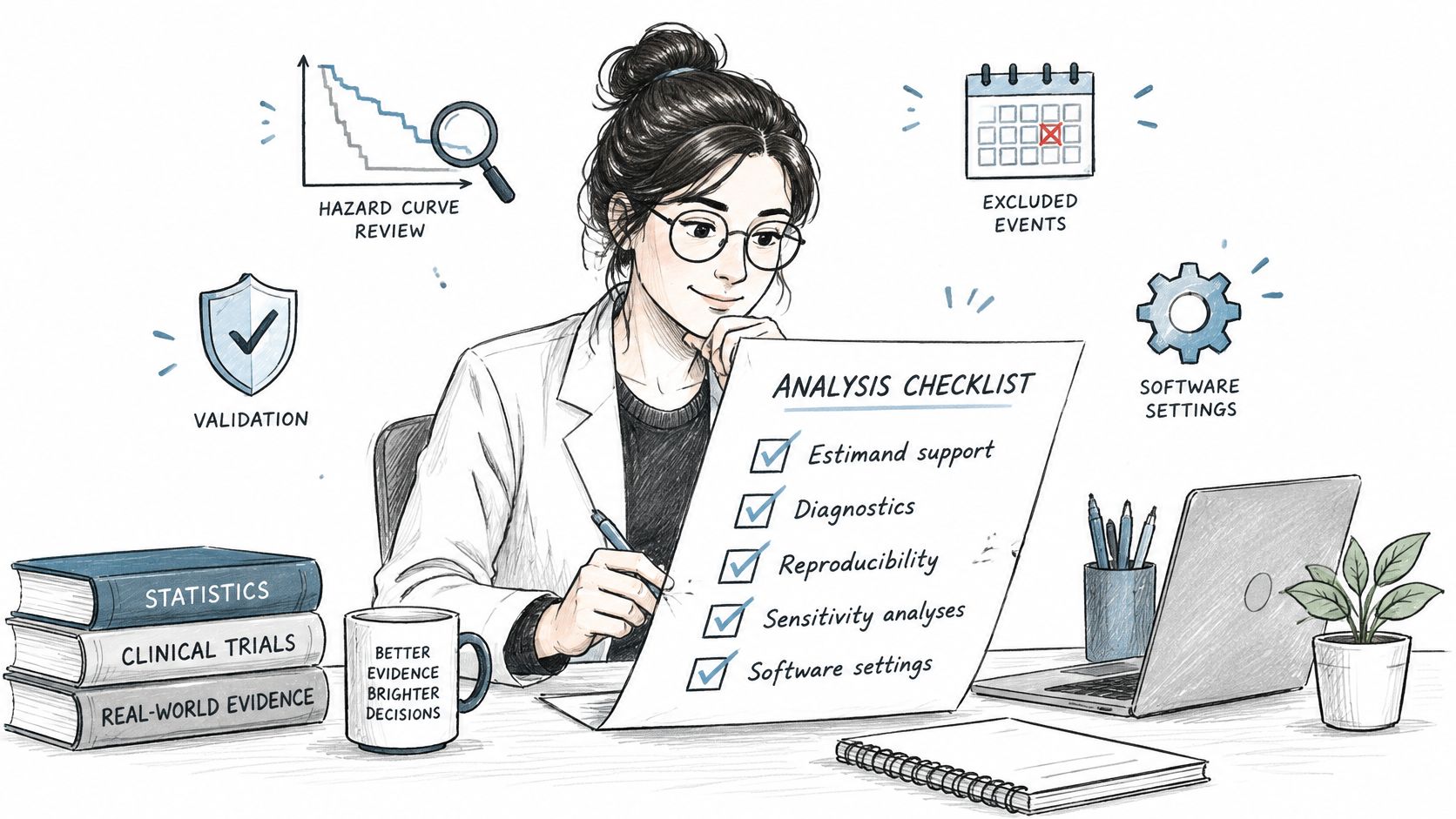
The photo below captures the posture you want at sign-off, a researcher checking decisions rather than admiring output.
Before you buy, adopt, or standardize
- Estimand: Does the workflow distinguish survival probability, cumulative incidence, cause-specific hazards, and subdistribution hazards?
- Data structure: Can it handle your censoring, delayed entry, time-varying covariates, clustering, and repeated events?
- Diagnostics: Are proportional-hazards checks, residuals, and sensitivity analyses easy to run and save?
- Missing-data record: Can you document dropout, informative-censoring concerns, imputation variables, and pooled results?
- Numerical equivalence: Have you compared coefficients, standard errors, log-likelihood, concordance, and predicted survival under the same tie method?
- Audit trail: Can a reviewer inspect code, versions, event coding, assumptions, and the final Analysis Page, notebook, script, or report?
- Privacy and licensing: Does execution location fit your data governance, and can your whole team legally use the required features?
History offers a useful reminder. Mayo Clinic's history of survival analysis records that its COXREGR procedure was presented in January 1979 and became the first Cox-model procedure available in SAS. Software made these methods scalable, but it never made the scientific choices automatic. That remains your job.
Don't declare a universal winner. Shortlist two tools, run the benchmark, and keep the one your team can defend under peer review.
If you want to test an agentic workflow on your own time-to-event data, download PlotStudio AI and run the same Kaplan-Meier and Cox checks described above with inspectable Python and a saved Analysis Page. Researchers can also use discounted researcher pricing, with 1,000 free credits for researchers while that offer is active.