The best AI tools for international development are the ones matched to a specific job, not one platform that promises to do everything. For analyzing survey and evaluation data, PlotStudio AI suits M&E officers and researchers who lack coding time. For literature reviews and policy briefs, a general AI assistant is the fastest option. For interviews and focus groups, transcription and qualitative coding tools save the most hours. For spatial questions and risk planning, geospatial AI and forecasting models do work that no spreadsheet can.
Development teams juggle household surveys, interview transcripts, donor reports, and policy notes with small staff and tight budgets. Most writing about AI in this field stays at the level of potential. This article covers five tool types with named examples. For each, it explains what the tool does in monitoring and evaluation, programming, and policy work, who it suits, what it costs, and where it falls short.
We build PlotStudio AI, so we put it first because it covers the quantitative side of M&E. The other four are judged on their merits. Every tool here assists your judgment and none replaces it. Check privacy and consent rules before any beneficiary data touches a new tool.
1. PlotStudio AI for survey and evaluation data
What it does
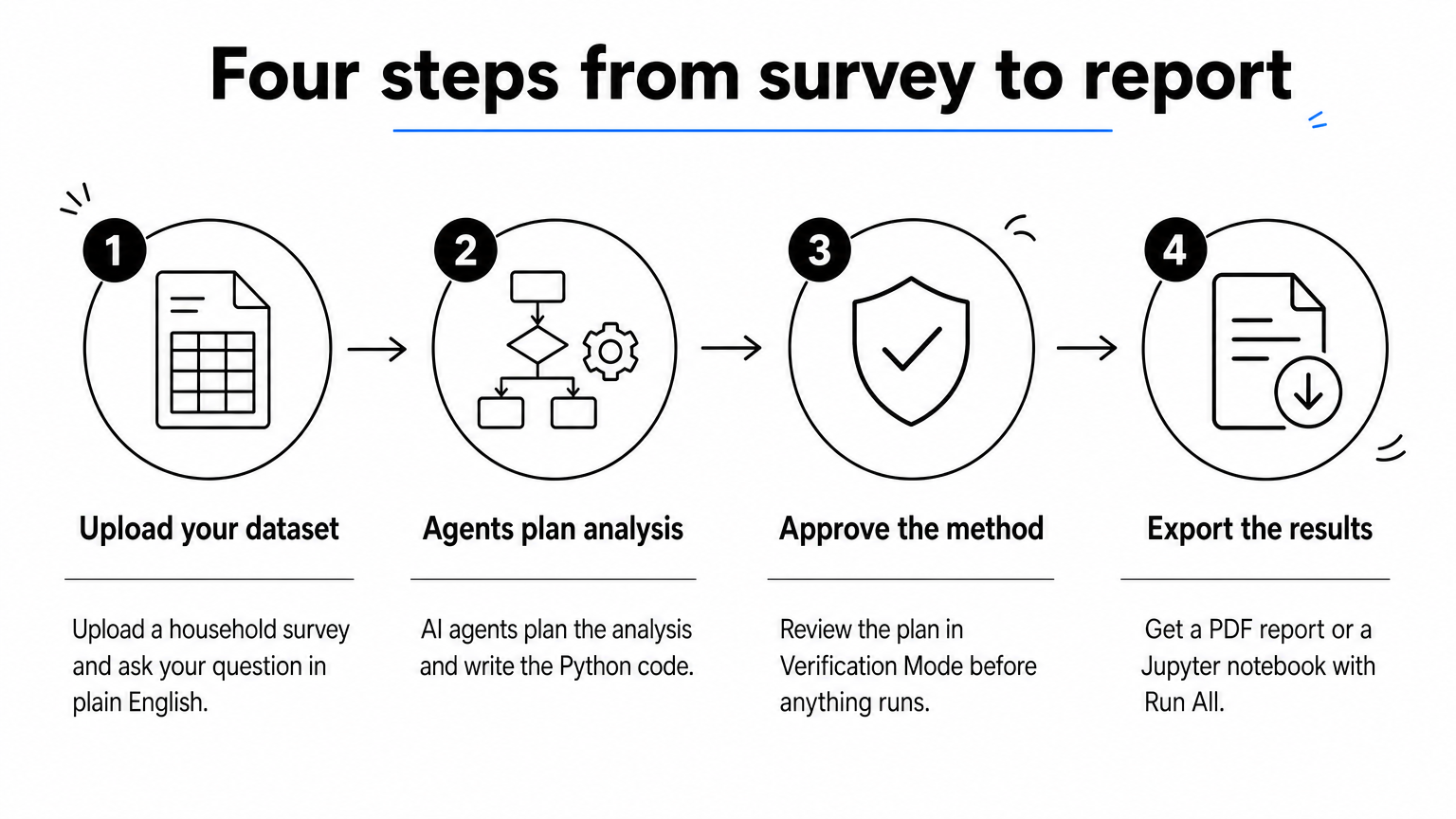
PlotStudio AI is a desktop workspace where you upload a dataset and ask questions in plain English. Specialized AI agents plan the analysis, write and run Python, and interpret the results. Each question produces a permanent analysis page with tables, charts, statistical tests, and interpretation. Picture a baseline and endline household survey. You ask whether food insecurity fell more in treatment villages, then review the proposed plan in Verification Mode and approve the methods and assumptions before anything runs.
- Scores data quality as Clean, Usable, or Needs Cleaning, then writes a cleaning plan.
- Runs group comparisons, regression, confidence intervals, and survival analysis, plus domain methods such as instrumental variables.
- Exports PDF reports with embedded charts and tables, or Jupyter notebooks that reproduce the results with Run All.
You approve the method before the code runs, so the analysis stays yours.
Who it suits and what it costs
This tool suits evaluators, research staff, and graduate students who hold survey data but have little time for Python or R. It also suits teams with sensitive data. Analysis runs on your own machine, and built-in PII detection scans column names so you can mask, hash, or drop flagged columns before upload. Model calls go from your machine to the provider you configure, so still check your ethics board and donor requirements.
The free trial gives 30 credits with no credit card and no API key. Managed Credits cost $69.99 a month for 300 credits. Approved academics pay $29.99 a month for Academic Managed Credits, which saves $40 a month, or $14.99 for Academic BYOK. PlotStudio will not design your identification strategy or repair a weak sampling frame. That judgment stays with you.
2. General AI assistants for literature and policy synthesis
What it does
Assistants such as ChatGPT, Claude, and Gemini, plus source-grounded tools like Google's NotebookLM, turn piles of documents into usable summaries. You can upload 30 evaluation reports and ask what they found on cash transfers and school attendance. You can also draft a policy brief, translate a partner memo, or sketch a first-pass theory of change.
- Summarize and compare findings across evaluations.
- Draft briefs, donor updates, and meeting notes for human editing.
- Translate and simplify technical text for community partners.
Use assistants to draft and to find, never to cite without checking.
Who it suits and what it costs
These tools suit policy advisors, program managers, and proposal writers who read far more than they can finish. Free tiers exist and paid subscriptions are modest, though plans change often, so check each vendor. The main risk is invented citations and confident errors. Verify every claim against the source. Do not paste identifiable beneficiary data into consumer products. Check your organization's and donor's AI policy first.
3. Transcription and qualitative analysis AI
What it does
Key informant interviews and focus groups produce hours of audio that nobody has time to code. OpenAI's open-source Whisper model transcribes speech in many languages. Qualitative platforms such as NVivo, ATLAS.ti, and MAXQDA now offer AI-assisted coding and summarization of transcripts. You can also cluster thousands of open-ended survey responses into themes in an afternoon.

- Transcribe interviews, then correct names and local terms.
- Generate candidate codes and compare them with your codebook.
- Pull supporting quotes for each theme.
AI proposes the codes, and a person who knows the context decides which ones hold.
Who it suits and what it costs
This option suits evaluators running mixed-methods studies and country offices with backlogs of recordings. Whisper is free but needs some technical setup, and the commercial qualitative platforms carry license fees. Accuracy drops for low-resource languages, dialects, and noisy field recordings, so budget time for human review. Confirm that your consent forms allow recordings to be processed by AI tools and where the files are stored.
4. Geospatial and satellite AI
What it does
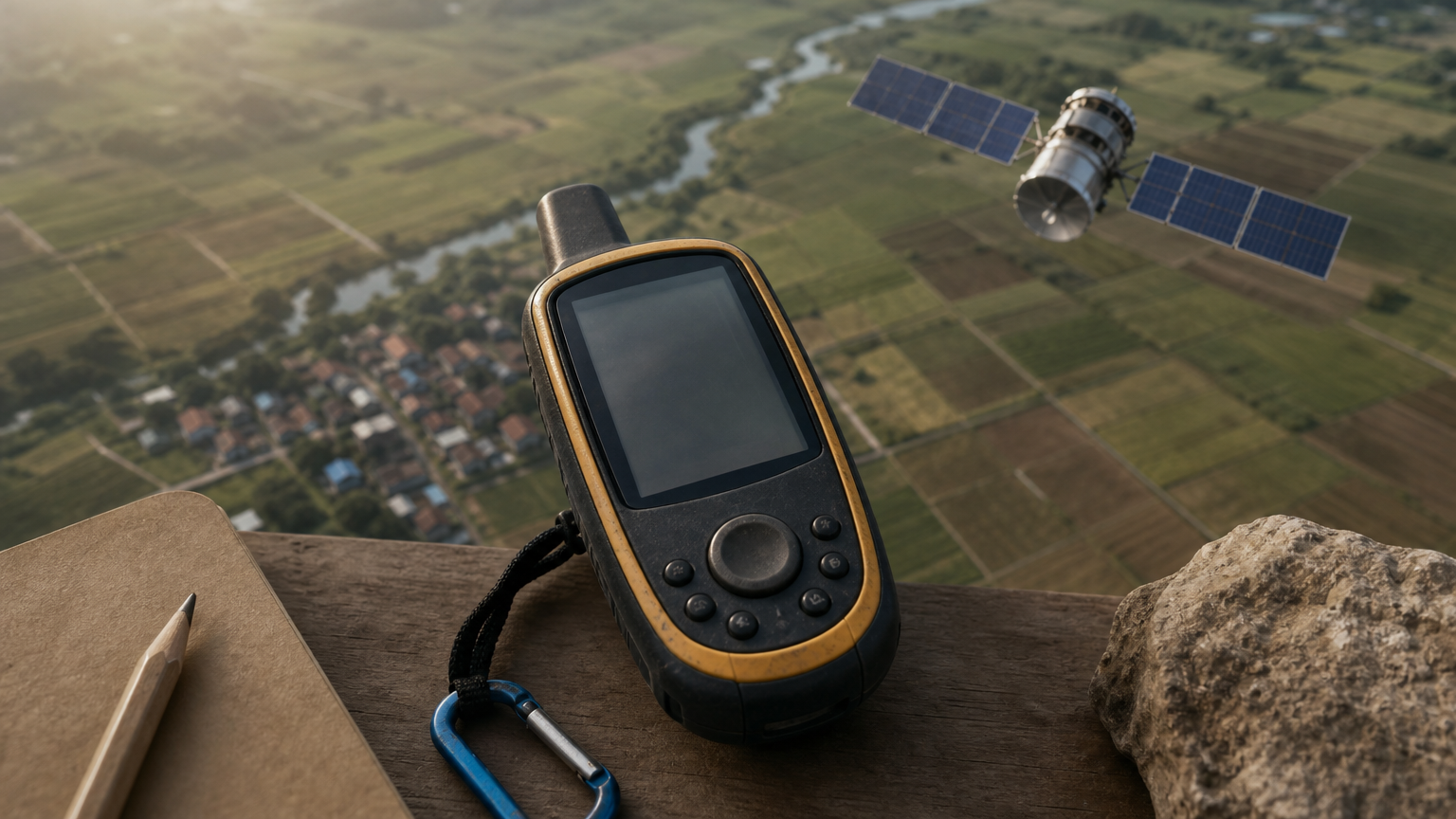
Machine learning applied to satellite imagery can estimate where poverty concentrates, map crop types, and detect flooded areas. It can also locate buildings where no reliable maps exist. Google Earth Engine gives access to large imagery archives, and Google's Open Buildings dataset covers large parts of Africa and South Asia. For monitoring, this means estimates for places your surveys never reached, which helps with targeting and with verifying outcomes remotely.
- Estimate agricultural conditions across a district during a season.
- Check infrastructure results, such as new roads or irrigation, without a site visit.
- Build sampling frames from building footprints.
Satellites tell you what is visible from above, and surveys still tell you why.
Who it suits and what it costs
It suits teams with a GIS analyst, or the budget to hire one, working on agriculture, resilience, and infrastructure. Earth Engine is free for noncommercial use, but you need coding and spatial skills. Models trained in one country can misread another, so ground-truth every output against field data before it informs a targeting decision.
5. Forecasting, early warning, and health-worker chatbots
What it does
Forecasting models and language-model chatbots address problems that are predictable but hard to staff. Google's flood forecasting service issues riverine flood alerts in many countries. The World Bank's DIME unit builds public-good tools such as crisis early-warning dashboards. Development practitioners also report chatbots built on large language models that answer questions from frontline health workers, drawing on approved guidelines.
- Flag likely floods, food insecurity, or disease outbreaks weeks ahead.
- Support health workers with guideline answers in the field.
- Feed early-warning signals into program adaptation.
A forecast only helps when someone is funded and trained to act on it.
Who it suits and what it costs
This category suits humanitarian and health program leads, ministries, and large implementers. Many of these tools are public goods or built through partnerships, so the real cost is integration, validation, and training rather than a license. Test forecasts against local historical data, measure false alarms, and put clear human oversight around any chatbot that touches health advice.
Choosing where to start
Match the tool to the bottleneck. If survey data is piling up, start with analysis. If reading is the bottleneck, use an assistant. Recordings need transcription and coding support, spatial questions need geospatial AI, and recurring shocks call for forecasting. Whatever you pick, keep a human in charge of methods, check outputs against the source, and confirm data protection before uploading anything sensitive.
If quantitative analysis is your bottleneck, you can try PlotStudio AI free on your own survey data with 30 credits and no credit card. Run one real dataset through it, review the plan, and judge the result for yourself.