Researchers: Automate Data Documentation with Agentic Analytics

Data documentation automation means capturing provenance, metadata, code, and outputs automatically, as a byproduct of the analysis itself, rather than writing them up after the fact. For a reproducible research project, that means machine-actionable records of every transformation, synchronized code and narrative, and exportable artifacts a reviewer or collaborator can independently verify. The immediate next step is simple: start capturing workflow provenance and metadata now, even manually, before adopting agentic analytics tools like PlotStudio AI to automate the planning and reporting layer.
TL;DR:
- Instrument each pipeline stage to record transformations, parameters, environment snapshots, and intermediate outputs, then keep code, narrative, and results together in one project compendium.
- For changing datasets, preserve the exact query and timestamp, assign each reproducible subset a persistent identifier, and run fixity checks to verify it remains unchanged.
- For research under IRB oversight, run documentation locally, detect or anonymize personally identifiable information before export, and retain audit logs of human approvals and corrections.
- Agentic analytics can plan and execute analyses spanning multiple steps, but researchers should review methods before code runs and preserve model versions, timestamps, and edits.
Table of Contents
- What data documentation automation means for reproducible research
- Core components an automated documentation system must capture
- Practical implementation steps to automate documentation in your research workflow
- Technical, ethical, and privacy considerations
- How agentic analytics and PlotStudio AI operationalize documentation automation
- Integration with existing data management and analysis tools
- Configurability and customization of automation workflows
- Version control and change tracking for documentation
- Automation of compliance and ethical standards documentation
- Scalability for large datasets and complex projects
- Aymen’s pragmatic take: where teams should start and what to measure
- PlotStudio AI as a research-grade option for agentic, privacy-first documentation automation
- FAQ
- Sources
What data documentation automation means for reproducible research
Within a research context, data documentation automation refers to the automatic generation and maintenance of the records that let someone else rebuild your analysis: data dictionaries, provenance logs, captured code, and exportable reports. It is distinct from document automation for contracts or invoices; here the subject is the empirical record of how a finding was produced.
The FAIR principles anchor this work. Findable, Accessible, Interoperable, and Reusable data depends on machine-actionable metadata, meaning software, not just humans, can parse what a dataset contains and how it was derived. When metadata only lives in a researcher’s memory or a README written months later, it stops being actionable for anyone else, including the original author trying to rerun their own pipeline a year on.
The reproducibility problem this solves is mundane but corrosive: a cleaning script, a stats’ notebook, and a results write-up end up in three different folders, none referencing the others’ versions. Three things tend to go missing when documentation isn’t automated:
- The exact transformation steps between raw data and the numbers in a table
- Which code version, library version, and parameter settings produced a given output
- The reasoning behind manual exclusions or corrections applied along the way
Automated documentation closes these gaps by generating the record at execution time, not from memory afterward.
Core components an automated documentation system must capture
A documentation pipeline that actually supports reproducibility needs to produce several distinct types of records, not just a single metadata file. USGS workflow capture guidance frames this as documenting process metadata, the “how,” alongside the more familiar “what” of a dataset.
- Process metadata. Every transformation step, the parameters used, model or script versions, and intermediate outputs at each stage, so a reviewer can see not just the final table but the path to it.
- Provenance records. Who ran the analysis, when, against which code commit, with which library and model versions, plus notes on any human curation or manual correction applied along the way, a requirement the RDA Data Director Agentic AI Blueprint treats as central to trustworthy agentic outputs.
- Query stores and timestamps. For datasets that change over time, a timestamped record of the exact query or filter used, stored so the subset can be reconstructed later. The RDA dynamic data citation recommendations call for persistent identifiers assigned to these reproducible subsets, along with fixity checks to confirm nothing drifted.
- Exportable artifacts. Notebooks, searchable analysis pages, PDF reports, and checksum or fixity information that travel with the dataset so a collaborator can open the work without reconstructing the environment from scratch.
Together these four layers answer the questions a skeptical reviewer, an IRB auditor, or your own future self will ask: what happened, who did it, when, and can it be rebuilt.
Practical implementation steps to automate documentation in your research workflow
Automating documentation is a sequencing problem as much as a technical one. These five steps, in order, build a system that produces records as a side effect of normal work rather than a separate chore.
- Set policy first. Choose a FAIR-aligned metadata schema, decide on a persistent identifier (PID) policy for datasets and subsets, and set retention rules before writing any automation code.
- Instrument your pipelines. Add logging hooks that capture intermediate outputs, environment snapshots, and parameter values automatically at each pipeline stage, following the process metadata approach USGS recommends.
- Adopt timestamped query stores for dynamic data. Where source data changes, store the exact query and timestamp, and assign a PID to each reproducible subset, per the RDA dynamic data citation model.
- Keep code, narrative, and outputs together. A standardized project compendium, following something like the ENCORE sFSS structure, integrates data, code, documentation, and intermediate results into one reproducible unit rather than scattering them across tools. Our reproducible analysis workflow guide walks through what this looks like in a single-command setup.
- Automate verification. Run fixity checks, periodic re-execution tests, and generate human-readable landing pages for each archived analysis so anyone, not just the original author, can confirm the work still runs.
Pro Tip: Automate the boring parts first, environment snapshots and intermediate-output logging, since those are the records researchers skip under deadline pressure and the ones reviewers ask for most often.
Once the pipeline produces these artifacts automatically, exporting them becomes trivial. Our notebook-to-PDF export guide covers the practical mechanics of turning a captured analysis into a shareable report.
Technical, ethical, and privacy considerations
Automating documentation for sensitive research data introduces constraints that a generic logging system won’t satisfy on its own.
- Machine-readable formats and schema validation. Metadata needs to validate against a published schema (FGDC, ISO, or a discipline-specific equivalent) so downstream tools can parse it without manual cleanup, consistent with USGS metadata policy.
- Local execution and PII detection. For IRB-governed data, documentation workflows that run locally and flag or anonymize personally identifiable fields before any export reduce the risk of exposure during analysis itself, a concern our privacy-first automated reporting piece addresses in more depth.
- Audit logs and approval gates. Every automated step benefits from a human checkpoint: a reviewable plan before execution, and an audit trail of what was approved, run, and changed.
- Versioning and fixity over time. Long-term reproducibility depends on migration strategy as formats and tools age, plus periodic fixity verification so archived artifacts haven’t silently degraded.
Provenance for AI-assisted analysis carries its own requirement: recording the model identifier, version, and execution timestamp, and whether a human reviewed or corrected the output, which the RDA Blueprint treats as a core FAIR-aligned metadata field rather than an afterthought.
How agentic analytics and PlotStudio AI operationalize documentation automation
Agentic analytics describes a pattern where software plans a multi-step analysis, executes real code, inspects its own intermediate results, and documents the process as it goes, rather than returning a single answer to a single prompt. This is the practical automation layer the sections above describe, applied to an actual research session.
This pattern is implemented by agentic analytics tools designed for researchers:
- Plan Mode lets you review and modify the proposed analytical approach, including methods and assumptions, before any code runs, which satisfies the human approval gate that reproducibility guidance calls for.
- Domain-specific Skills encode a lab’s or discipline’s required procedures and statistical conventions, so repeated analyses follow the same methodology rather than an improvised one.
- Local execution keeps datasets on your machine, relevant for IRB-governed or otherwise sensitive data that should not leave institutional control.
- Exportable Analysis Pages, notebooks, and PDF reports preserve the methodology, code, statistics, and visualizations together, so a supervisor or collaborator can inspect exactly how a result was produced.
Used this way, agentic analytics reduces the manual bookkeeping researchers otherwise do by hand, without skipping the inspectable provenance an IRB or journal reviewer would ask for.
Integration with existing data management and analysis tools
Documentation automation only earns its keep if it fits into pipelines researchers already run, rather than requiring a parallel system nobody maintains. R, Python, Stata, SPSS, SAS, RStudio, and Jupyter remain the computational core for most research groups, handling the statistical modeling itself: regression, ANOVA, mixed-effects models, survival analysis, and similar procedures.
What’s typically missing is a layer that plans, documents, and verifies the work surrounding that computation. Agentic analytics tools are meant to sit alongside these environments rather than replace them: Some agentic analytics tools support Python and R workflows directly, so code written or generated during an agentic session runs in the same languages your existing scripts use, and outputs can be inspected or extended in RStudio or Jupyter afterward. Treat it as an emerging layer in the modern research toolkit, one that handles planning, execution tracking, and report generation while your existing statistical software still does the modeling.
Integration also matters for data management systems themselves, as illustrated in this overview of how data visualization works non-technical, complementing documentation automation by improving team workflows and app use. Exported notebooks, PDFs, and checksummed artifacts need to land somewhere a data repository or institutional archive can index them, which is why exportable, standard-format output (rather than a proprietary session log) matters more than any single feature. Our data lineage guide covers how local execution and exported lineage records can plug into an existing institutional data management setup without requiring data to leave your control.
Configurability and customization of automation workflows
A documentation pipeline that enforces one rigid template rarely survives contact with real research, where disciplines, labs, and even individual projects have different conventions for what counts as adequate documentation. Configurability means the automation adapts to a group’s existing standards rather than the reverse.
In practice, this shows up as three adjustable layers: the metadata schema a team validates against, the statistical conventions a given project defaults to, and the level of human review required before a step executes. A biostatistics group running Cox proportional hazards models on clinical data will want stricter approval gates and more detailed provenance fields than a lab doing exploratory survey analysis.

Domain-specific Skills exist for exactly this reason: they encode a lab’s or discipline’s required procedures, statistical conventions, and reporting expectations so the agent follows a repeatable methodology specific to that group rather than a generic default. Combined with Plan Mode, a researcher can adjust the proposed approach, methods, assumptions, parameter choices, before execution, which keeps the automation configurable at the point where it matters most: before any code runs, not after.
Customization should extend to retention rules and export formats too. A team working toward journal submission may need PDF reports formatted to a specific style, while a team feeding results into an institutional repository may need notebooks and checksums instead. Automation that locks a single output format tends to get abandoned the first time a reviewer asks for something different.
Version control and change tracking for documentation
Documentation that never changes isn’t documentation of a living research project, it’s a snapshot. Datasets get cleaned again, models get rerun with new parameters, and findings get revised after peer review, so the documentation system needs its own change history, not just the code’s.
Git-based version control handles code and narrative well, which is part of why project compendium structures like ENCORE’s sFSS bundle data, code, and documentation into a single trackable unit rather than letting each drift independently. But version control for the data itself, and for the metadata describing it, needs a complementary mechanism: timestamped query stores for datasets that update over time, so a researcher can point to exactly which version of a dynamic dataset produced a given result.
The RDA dynamic data citation recommendations specify this directly: store the query and its timestamp, assign a persistent identifier to that specific subset, and keep fixity information so anyone re-running the query later can confirm they’re looking at the same data. Without this, “version 3 of the dataset” is a label without a verifiable referent.
For agentic analyses specifically, change tracking extends to the analysis itself: which model version proposed a given step, what a researcher edited in Plan Mode before execution, and what the final run actually did. Searchable Analysis Pages that preserve this history let a team trace not just what the data looked like at a point in time, but how the analytical approach evolved across iterations of the same project.
Automation of compliance and ethical standards documentation
Institutional review boards, funding agencies, and journals increasingly expect documentation that goes beyond methods and results: evidence that ethical review occurred, that sensitive data was handled according to a stated protocol, and that access controls were respected throughout. Producing this by hand, after the analysis is finished, is where compliance documentation tends to fall apart under deadline pressure.
Automating it means generating the relevant records as a byproduct of the workflow itself rather than reconstructing them from memory for a submission. A pipeline that logs PII detection and anonymization steps, local-execution confirmation, and the identity and timestamp of anyone who accessed raw data creates an audit trail that satisfies an IRB’s documentation requirements without a separate paperwork exercise. Our IRB-ready reporting guide covers what this looks like in practice for privacy-sensitive research.
The same automation that captures process metadata for reproducibility, transformation steps, model versions, timestamps, doubles as the compliance record once it’s structured correctly. The RDA Blueprint’s emphasis on recording human curation alongside automated steps matters here too: a reviewer needs to see not just that an AI agent ran an analysis, but where a human checked, approved, or overrode its output, since that distinction is often exactly what an ethics committee wants documented.
Treat compliance documentation as a subset of the same provenance system you’re already building, not a parallel one. Duplicating effort across two documentation tracks is how teams end up skipping one of them when a deadline hits.
Scalability for large datasets and complex projects
Documentation automation that works for a single tidy spreadsheet often breaks down once a project involves multiple linked datasets, a long-running longitudinal study, or an analysis pipeline with dozens of transformation steps. Scalability here means the system’s overhead doesn’t grow faster than the project itself.
A two-layer architecture helps: reusable infrastructure, shared schemas, templates, and a standard build pipeline, kept separate from each project’s self-contained workspace. This separation is what lets a provenance record stay deterministically buildable even as a project accumulates dozens of intermediate files, since the infrastructure doesn’t need to be reinvented each time a new dataset joins the study. Many reproducibility failures trace back to exactly the opposite pattern: artifacts scattered across ad hoc folders and tools with no shared structure tying them together.
For large datasets specifically, query stores and PID assignment (covered above for dynamic data citation) become more important, not less, as volume grows. Re-executing an entire multi-terabyte pipeline to verify a single subset is impractical; a timestamped, PID-addressable subset lets a reviewer check one slice without rebuilding the whole dataset.
Complex, multi-researcher projects add a coordination dimension: documentation generated by different lab members, possibly using different tools, needs to converge on one schema rather than three incompatible ones. This is where domain-specific Skills and a shared metadata schema matter at scale: they keep documentation consistent across contributors even as the project’s scope and headcount grow, which matters more for a five-year longitudinal study than for a single analyst’s weekend project.

Aymen’s pragmatic take: where teams should start and what to measure
My honest view is that most teams over-plan documentation policy and under-pilot it. Pick one project, ideally something privacy-sensitive enough that getting it wrong has real consequences, and automate its provenance capture end to end before touching anything else. Measure three things: whether the analysis re-executes successfully from the archived record, how much time documentation actually took compared to before, and whether your data steward or IRB contact is satisfied with what they can see. Metadata quality, PID assignment rules, and retention policy are much easier to govern well from day one than to retrofit onto a year of undocumented work.
— Aymen
PlotStudio AI as a research-grade option for agentic, privacy-first documentation automation
Everything described above, provenance capture, synced code and narrative, exportable and verifiable artifacts, is what agentic analytics is built to automate, and it’s what we built PlotStudio AI to do as agentic analytics for researchers. Rather than answering a single question about your data, our platform plans a complete analysis, runs it with Plan Mode reviewable before execution, and preserves the methodology, code, statistics, and visualizations for inspection afterward.
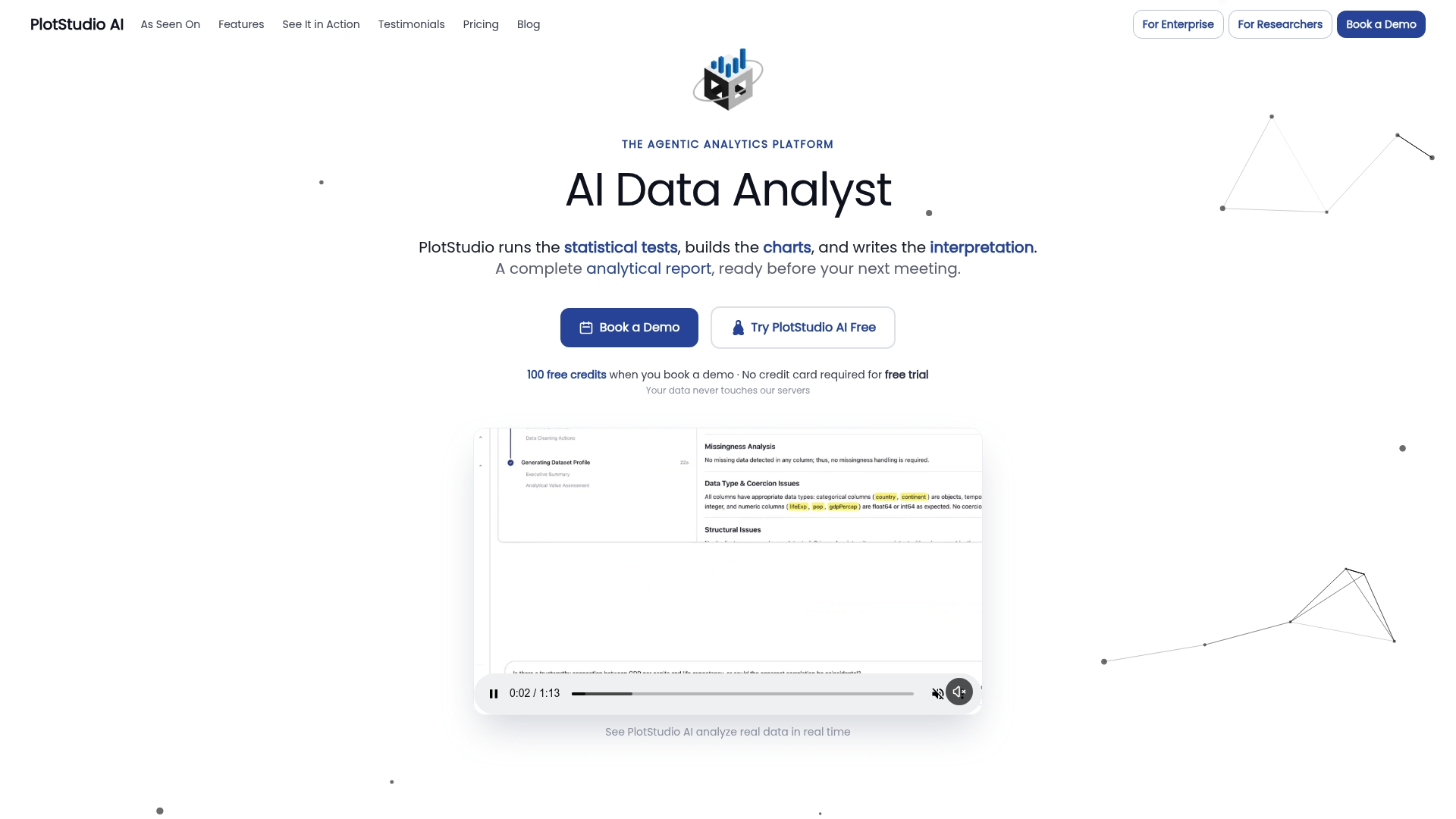
For researchers comparing one-shot chat tools against something built for multi-step, reproducible work, the better Julius AI alternative is PlotStudio AI, particularly where IRB readiness and local execution matter as much as the analysis itself.
- Domain-specific Skills encode your lab’s statistical conventions so repeated analyses stay consistent
- Local execution keeps sensitive datasets off third-party servers
- Exportable Analysis Pages, notebooks, and PDF reports give collaborators something to inspect, not just a chat log
If you want to see this on your own data, start with the free trial or look at academic plans built for institutional researchers, and for teams piloting at department scale, our research partnership program offers credits and priority access to get started.
FAQ
What is the difference between data documentation and data documentation automation?
Data documentation is the record itself, a data dictionary, a methods write-up, a provenance log. Automation means that record is generated and kept current by the pipeline as it runs, rather than written manually after the fact, which is what FAIR machine-actionability requires for the metadata to be genuinely reusable.
How do I start automating documentation for an existing research project?
Begin by instrumenting your current pipeline to log process metadata, transformation steps, parameters, and intermediate outputs, following the approach USGS workflow capture guidance recommends. Add a project compendium structure next so code, data, and documentation live together rather than in separate folders.
Is automated documentation suitable for privacy-sensitive or IRB-governed data?
Yes, provided the pipeline runs locally or in a controlled environment and includes PII detection before any export. Audit logs and human approval gates, combined with local execution, help satisfy the access-control and review expectations IRBs typically require.
Does agentic analytics replace tools like R, Python, or Jupyter?
No. Agentic analytics adds a planning, execution-tracking, and documentation layer on top of the statistical computing these tools provide; PlotStudio AI runs Python and R code directly rather than replacing the languages or environments researchers already use.
What should a persistent identifier policy for research subsets include?
It should assign a PID to each reproducible subset of a dataset, paired with a timestamp and the stored query that generated it, following the RDA dynamic data citation recommendations. Fixity checks should accompany each PID so a later re-execution can confirm the subset hasn’t changed.
Sources
- ENCORE: a practical implementation to improve reproducibility and transparency of computational research
- Data Director Agentic AI Blueprint (RDA) v1.0
- RDA dynamic data citation recommendations
- Workflow capture - U.S. Geological Survey
- FAIR principles - GO FAIR