The best free statistical analysis software depends on how you work. Pick jamovi or JASP if you want SPSS-style menus and a free download. Pick R with RStudio if you need every method and can write code. Use an online calculator if you have one test to run. PlotStudio AI suits you if you would rather ask questions in plain English, though it is a free trial, not free forever. A good pick runs the tests your field expects, shows its work, and exports results you can put in a paper.
Commercial packages like SPSS are priced for institutions, and access can disappear when your university license does. Students and independent researchers still need to run t-tests, regressions and group comparisons, and they need to trust the output.
This article covers five options, both downloadable programs and browser tools. For each one you get what it does, who it suits, and where it stops. Whichever you choose, you remain responsible for picking the right test and checking its assumptions.
1. PlotStudio AI, a free trial for plain-English analysis
What you get
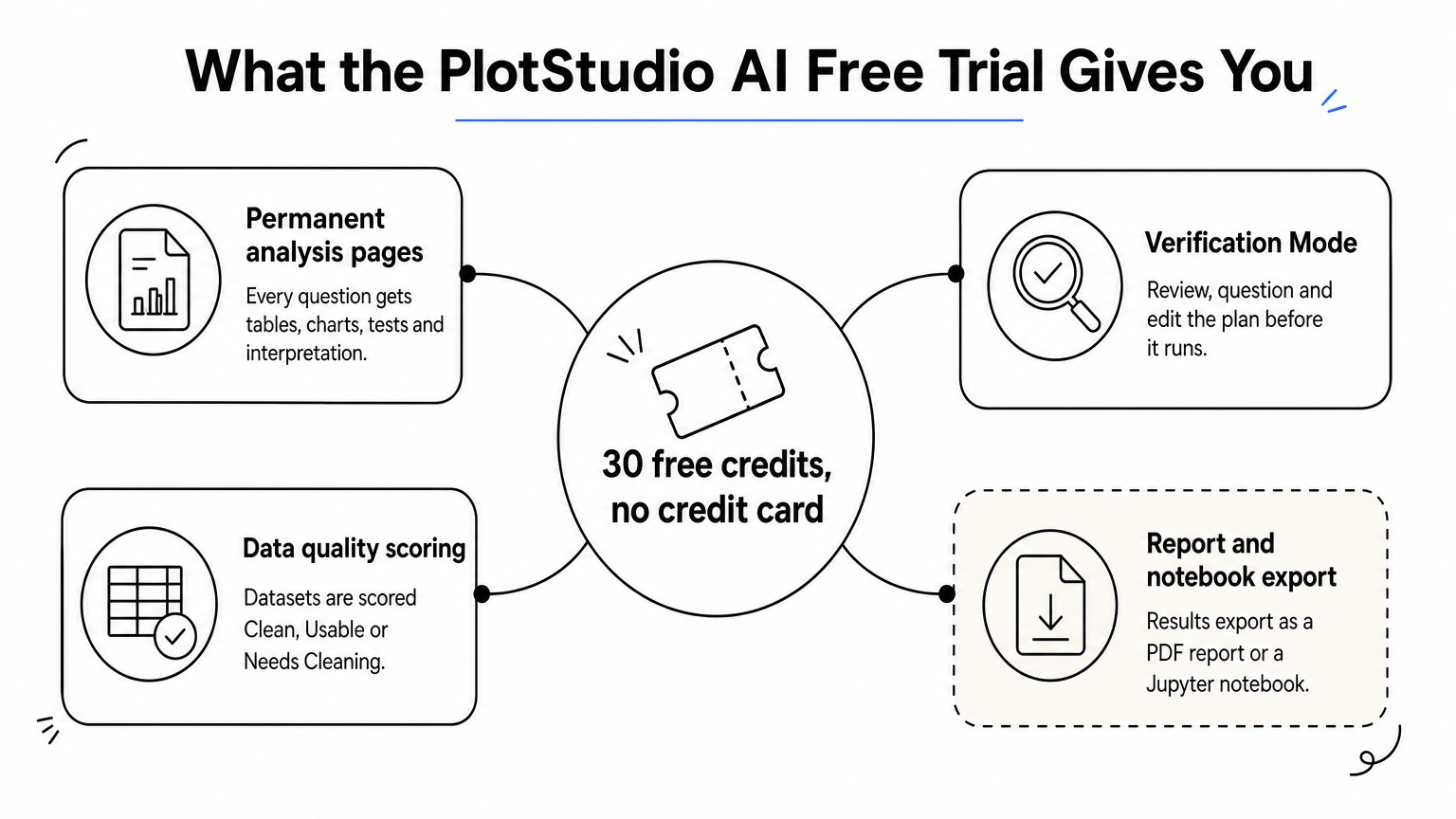
PlotStudio AI is a desktop app where you upload a dataset and ask questions in plain English. Specialized AI agents plan the analysis, write and run Python, and interpret the results on your own machine. The free trial gives you 30 credits with no credit card and no API key, which is enough to test it on a real dataset.
- Every question produces a permanent analysis page with tables, charts, statistical tests and interpretation.
- Verification Mode lets you review, question and edit the plan before it runs.
- Uploaded data is scored Clean, Usable or Needs Cleaning, and a cleaning plan is written for you.
- Results export as a PDF report or a Jupyter notebook with the code.
Who it suits and limits
It suits researchers and graduate students who understand their study design but do not want to write code. It is not free software in the long run. After the trial, Bring Your Own Key costs $39.99 per month and Managed Credits cost $69.99 per month. Approved academics pay $14.99 or $29.99 per month for the matching plans. The trial build is listed for Apple Silicon Macs, so check platform support before you start.
If you wonder which free AI is best for statistics, remember that none replaces your judgment. Read the generated code and methods, and check your institution's rules before sending regulated data to any model provider.
An AI analyst saves coding time, but you still own the choice of test.
2. jamovi, a spreadsheet-style app built on R
What you get
jamovi is a free, open-source desktop program that runs on Windows, macOS and Linux. It looks like a spreadsheet, and results update live as you change options. It is one of the easiest free download statistical programs to start with.
- Covers t-tests, ANOVA, regression, correlation, nonparametric tests and frequency tables.
- Opens CSV and SPSS files.
- Adds more analyses through a library of modules.
- Can show the R code behind an analysis.
Who it suits and limits
This is the best free statistics software for students in an introductory course, and for anyone leaving SPSS who wants familiar menus. You pay nothing, and you install it like any other app.
The limit is depth. Specialized methods depend on add-on modules, and complex modeling is easier in R itself. If your field expects survival models or mixed models, check that a module covers them before you commit.
If you can use a spreadsheet, you can run a defensible t-test in jamovi on day one.
3. JASP, free statistics with Bayesian options
What you get

JASP is a free, open-source program developed at the University of Amsterdam for Windows, macOS and Linux. It offers both frequentist and Bayesian versions of common tests, such as the t-test and ANOVA. Output updates live as you tick options, and tables are formatted so you can paste them into a manuscript.
- Menus follow the SPSS pattern: pick a test, drag variables in.
- An analysis and its data save together in one .jasp file.
- Output shows the assumption checks next to the results.
Who it suits and limits
JASP fits psychology and social science students, and anyone who wants Bayesian results without writing code. It is also easy to teach from, because the output shows the choices you made.
It covers fewer methods than R, so advanced modeling is a stretch. If you want a close SPSS clone, GNU PSPP is another free download that reads .sav files, but it covers a narrower set of procedures.
Choose JASP when you want standard tests plus a Bayesian view in one free download.
4. R with RStudio, the most powerful free option
What you get
R is free statistical software for data analysis at any level, from a t-test to survival analysis. You download it from CRAN, and RStudio Desktop from Posit gives you a free editor on top. Thousands of community packages cover nearly every method researchers publish. Two lines run a test and a model:
t.test(score ~ group, data = trial)
summary(lm(outcome ~ age + treatment, data = trial))
Who it suits and limits
R suits statisticians, epidemiologists and anyone who needs a method that menu-driven tools lack. Scripts also make your analysis reproducible, because a colleague can rerun them. The R Commander package adds basic menus if you want a gentler start. For sample size planning, G*Power is a separate free download.
The cost is time. Expect weeks, not hours, before you are productive, and error messages can be cryptic. If you only need two or three standard tests, jamovi or JASP will get you there faster.
R costs nothing in money and a lot in learning time, and it pays that time back.
5. Free online calculators for quick tests
What you get

Browser-based tools such as Statisty and numiqo are the simplest free statistics software online. You need no install. They run t-tests, ANOVA, regression, correlations, nonparametric tests, charts and descriptive statistics from pasted or uploaded data. A spreadsheet like LibreOffice Calc also handles basic descriptive statistics for free.
- Check what the free tier includes before you rely on it.
- Check whether there is a file size or test limit.
- Check whether you can export results and charts.
Who it suits and limits
Online statistics software suits a student checking homework or a researcher running one quick test. Your data goes to a website, so avoid these tools for patient, IRB-governed or proprietary datasets. Calculators also leave no script behind, so you cannot easily reproduce the analysis later.
For a full thesis or manuscript, use a downloadable program that keeps the data on your machine and records your steps.
Online calculators are for quick checks, not for data you cannot share.
Choosing your free option
Start with the job. If you want menus and live results, download jamovi or JASP. If you need unlimited methods and reproducible scripts, learn R with RStudio. If you have a single test and non-sensitive data, an online calculator is enough. If you would rather describe a question in plain English and keep the analysis local, a trial costs nothing to try.
Match the tool to your data and your field's expectations, and check the assumptions behind every test you run, no matter how friendly the interface. If the plain-English route sounds right, you can try PlotStudio AI free with 30 credits and no credit card.